
Runs Where It Fits

An application built to run in more than one place gives the business a choice that stays open. The same finished product can sit on a large provider where its included services earn the price, on an independent European host where the monthly bill is predictable and lower, or on hardware the business already owns.

Switching between those three is a configuration change. If the hosting bill outgrows the value, the application moves in a maintenance window, not a migration project. One customer’s own dashboard runs exactly that way.

No one needs to be hired to keep it running. The architecture follows the same conventions that enterprise applications use everywhere, so any qualified developer can maintain it. Reaching the company’s existing Microsoft 365 data draws on fifteen years of integration practice, not an experiment bolted on afterwards.
Always Know What Is Running

A fix applied by hand somewhere, and six months later nobody can say what is actually running any more. One unrecorded change is enough to turn the next update into guesswork, and guesswork means downtime.

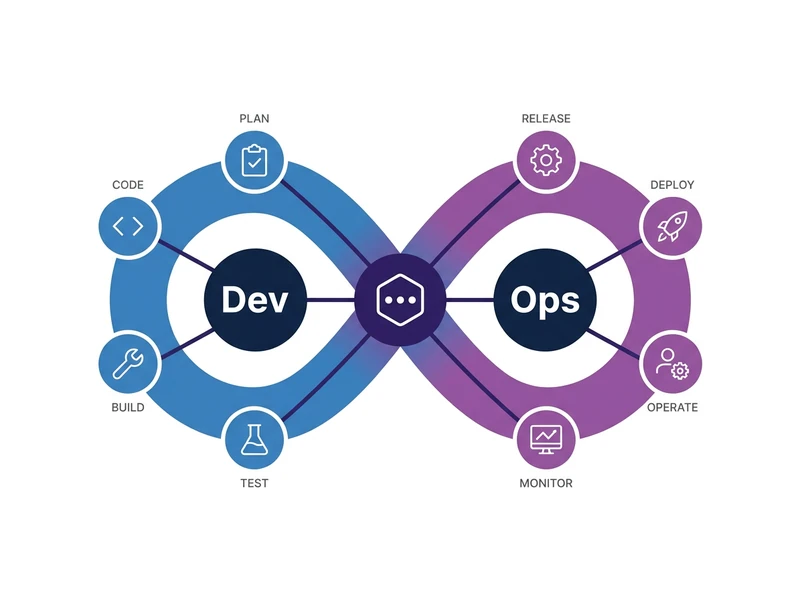
The entire setup is written down in one description, and that description is the system: it can be rebuilt from it in a single command, so what is written and what is running cannot quietly come apart. When something breaks on the way to a release, automated checks catch and resolve it before anyone needs to be interrupted.

Two identical copies run side by side: one serves customers, the other carries the next version. Every change lands on the candidate first and is proven there. The live copy only changes when a person approves it by hand. Rolling back is one step, not an emergency rebuild.

Delivery, Requests & Billing

Every engagement gets its own customer dashboard. It shows what is deployed and to which slot, which quality gates passed, the infrastructure behind each app, and the delivery journey to date. Nobody has to ask which version is live or open three consoles to find out.

Client requests go through the same discipline. An incoming mail is analysed point by point: the real root cause behind each symptom, what has already been fixed, and the few decisions that genuinely need your answer. You get one structured document per request instead of a thread, with open questions separated from delivered work.

Billing lives in the same place. Machine hours are logged per session, grouped into delivery phases, and priced at one published rate. Every figure traces back to a ledger entry, including the phases that were delivered and never charged.

6
applications moved to a host the customer controls, in one window
2
identical copies, one live and one carrying the next version
1 step
to undo a release, instead of an emergency rebuild
3
places the same build runs: a large provider, an independent host, hardware you own

Cloud Native, Wherever It Runs. Built for Agents.

Decide What Happens to What You Have 2 steps
01

Start With a Plan, Not a Prototype

Most cloud projects go over budget because architecture was designed while code was already being written. Strategy workshops align business goals, budget constraints, and team capacity before a single line of code is touched. The output is a clear build sequence, an architecture decision record, and an agent topology diagram your engineers can work from.
02

Modernise While Keeping What Worked

Moving off a legacy system does not require a two-year rewrite, and it does not mean discarding what already worked. Agents crawl the existing application, build a deep inventory of every page and behaviour, and lock it in as an end-to-end suite before anything is replaced. The rebuild runs against those tests and the same suite validates the result. Agents then scaffold the new services, database bindings, and health checks, so the application becomes independent parts you can update one at a time. On top we add AI integration with our set of in-app AI skills.
Build It and Get It Running 3 steps
03

Your Cloud Environment, Ready Before Day One

Setting up cloud environments by hand means every one ends up slightly different. Costs drift, compliance checks fail, and no one can explain what changed. Automated provisioning deploys networking, identity, access controls, and cost governance consistently across dev, staging, and production: azd and Bicep on Azure, Docker Compose and Caddy on a Hetzner box. Every environment is identical and reproducible from day one.
04

Deployments That Run Themselves

When a deployment breaks and fixing it requires a senior engineer to stop everything, that is a process problem. GitHub Actions pipelines build, test, and deploy on every change, with blue/green slots by default: blue takes every push, green stays live until a human promotes the proven image. When builds fail, agents diagnose the root cause and propose a fix before anyone needs to investigate manually.
05

Quality Checks Built Into Every Release

Accessibility problems found late in a project cost far more to fix than ones caught early. Legal exposure from non-compliant software is real. Automated checks run on every release: WCAG compliance, Core Web Vitals, and meta tag coverage are tested on every change. A Playwright end-to-end suite runs against the preview environment and has to pass before anything is promoted to production, so a broken flow never reaches your users. Agents detect and fix issues without waiting for a manual audit.
Prove It, Then Hand It Over 2 steps
06

Security and Compliance Without the Manual Work

Environments that grow without rules accumulate risk quickly. Costs go untagged, data ends up in the wrong region, and audits surface problems no one expected. Policy as code, managed identities, and secret stores enforce spending limits and access controls automatically: a cloud firewall, key-only SSH, and a hardened Docker host on your own box. On top of that, our compliance agent skill audits the product against the regulations that apply: EU AI Act risk classification and disclosure duties, GDPR lawful basis and third-country transfers, and WCAG accessibility under the European Accessibility Act. It also checks where your hosted AI models run and what they are used for, and reports any mismatch. Findings are fixed before preview is promoted to production, so the compliance team sees a clean picture instead of a backlog.
07

Handover the Team Can Actually Use

Software handed over without monitoring and training becomes a system no one wants to touch. Dashboards, alert rules, and runbooks are wired in from the landing zone, and you get your own customer dashboard showing what is deployed where. Structured knowledge transfer ensures the team understands what was built, can extend it, and stays independent going forward.

Frequently Asked Questions

What is Cloud Native app development?
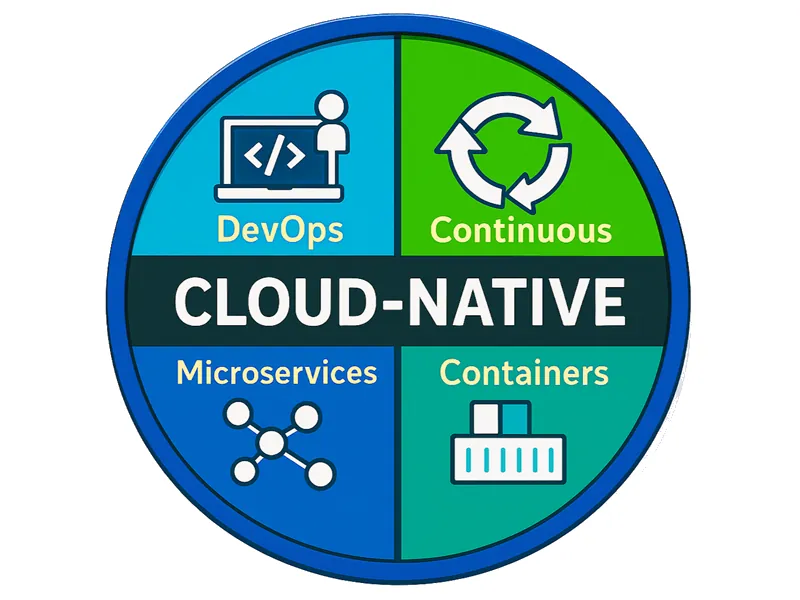
Cloud Native app development means building applications designed from the ground up for cloud environments, using containerization, microservices, automated CI/CD pipelines, and infrastructure as code. Applications are built to be scalable, resilient, and independently deployable without manual infrastructure management.
Which cloud do you deploy to?
Whichever one fits the workload, and you are not locked into it. The same container image runs on Azure Container Apps or on a hardened Hetzner box behind Caddy, driven by the same pipeline. We do not over-engineer: we pick the target that fits your budget and compliance needs today, and moving later is a pipeline change.
How do you deploy apps?
Infrastructure as Code and GitHub Actions, with blue/green slots by default. Blue takes every push and is where a release proves itself; green keeps the previous version live until the approved image is promoted, so a human gate before traffic switches is built in rather than bolted on.
Can you modernize an existing application without a full rewrite?
It depends on the state of the app. Sometimes incremental modernisation is the right path. Sometimes an agentic rewrite is the better choice because technical debt has accumulated to the point where it blocks modern functionality. We assess both options and recommend the one that delivers the most value without unnecessary risk.
What is an agentic rewrite?
We use AI to gather a complete picture of the existing application: architecture, dependencies, conventions, and undocumented behaviour. From there, deep agentic planning sessions produce a stepwise migration strategy with clear phases, scoped deliverables, and no big-bang cutover.