
Value discovery: find the time drains, measure them, and stop them with Claude Cowork

Your people confirm frequency and effort
An Austrian KMU runs the same processes a large enterprise does, without a department to fix them. The report assembled by hand every Monday. The offer copied between three systems. The invoice typed from the mailbox into the bookkeeping. Each of those costs hours, and none of them appears in a budget.The value discovery pass finds exactly those places. It scores them in hours per month and assigns a route to the ones worth the most. In most cases the route leads to Claude Cowork, which reaches the company’s existing apps through wrapped interfaces. Your people carry the Cowork part on their own after the first skill. The interfaces, the verdicts on the apps, and the promotion into governed operation are our engineering. What misses its target stays a job for people, and that is a result too.
Find the Time Drains in Your Processes
The pass opens with an inventory of what the company already runs: which Microsoft 365 services are provisioned in the tenant, what the scheduling, invoicing and bookkeeping systems hold, which mailboxes and file shares carry the working documents, and which Excel sheets have turned into databases over the years. We read straight from the live systems, on the day the work starts.
Two findings come back almost every time. The first is services on the invoice that nobody has opened. They cover work that could start without a new purchase. The second is lists maintained in Excel and retyped somewhere else. That is where the manual hours collect before any process has been scored.
The recurring work itself comes out of the same sources: the ticket system for requests that arrive on a schedule, mailboxes and shared calendars for tasks with a fixed pattern, the business apps for processes with a known trigger, and the spreadsheets for work that is copied on a regular basis. One session with your people then confirms frequency and effort per item and closes the gaps. The list comes from the systems. The people who do the work check it.
What Makes a Task a Candidate
Which process annoys people is a different question from which one pays. So every item carries three measurements: how often it runs per month, how many minutes one run takes, and how much follow-up effort sits behind it. All three resolve to hours per month, and that unit carries through to the end.
Six suitability criteria come on top: regularity, input data, verifiability, consequences of an error, system access and acceptance criteria. Totals land between 6 and 30. Consequences of an error reorders the list more than anything else. A wrong result that triggers a credit note or a regulatory question costs more to contain than the automation saves. Tasks touching personal data keep their place and get a review attached.
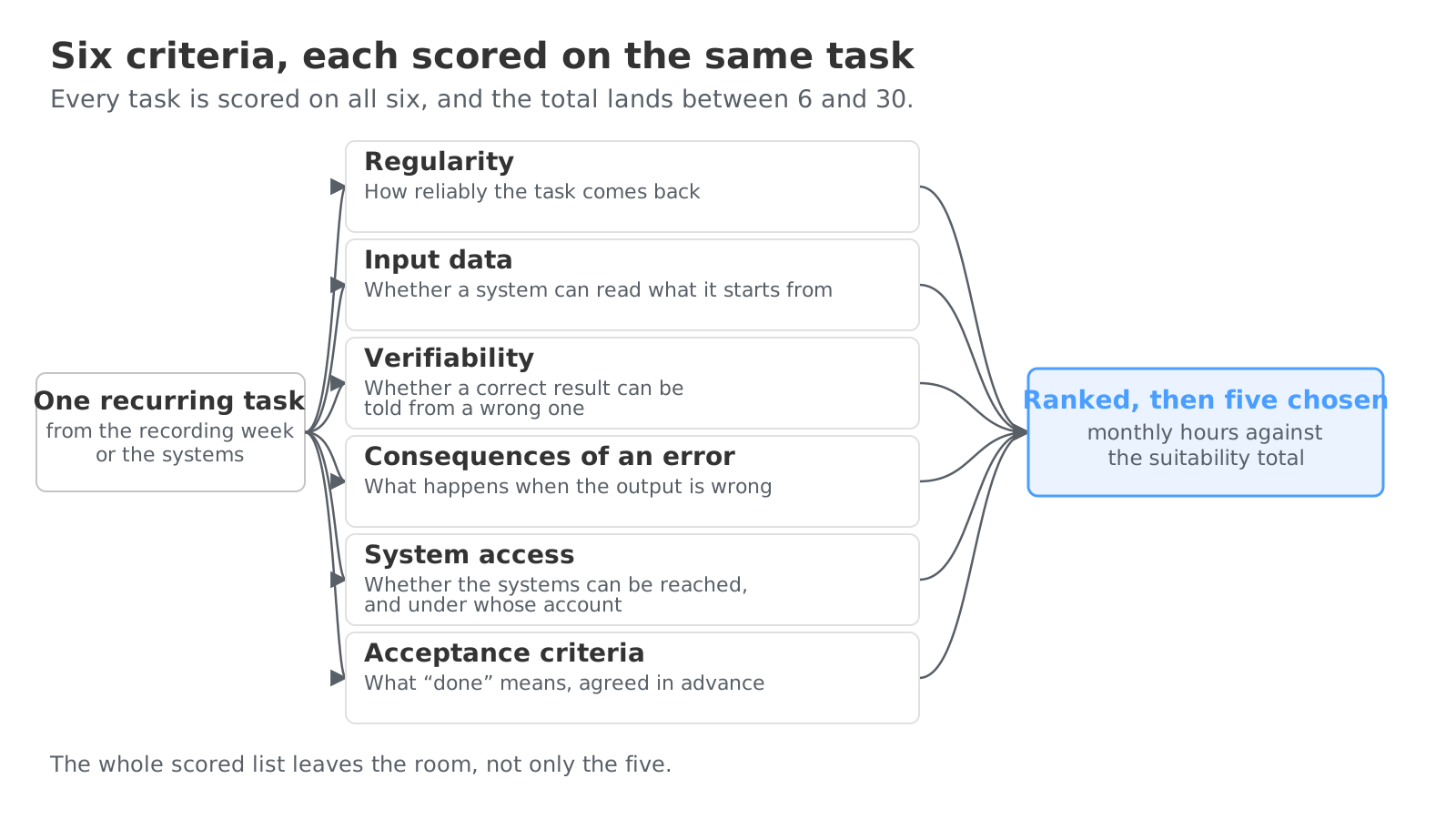
Monthly hours set against the suitability total produce a ranked list. One session with your people and management settles on which of them go ahead. Each selected task gets a data sheet: who performs it, who accepts the result, the current hours per month with date and source, whether it was measured or estimated, and a target in the same unit. That baseline is the KPI. The same measurement after the change shows what moved.
Nine Questions Decide the Route
Nine questions run in a fixed order, and the first match wins. An unclear workflow gets a planning step. Work that lives in Outlook, Excel or Teams takes the Microsoft 365 route. A portal with no interface goes to browser automation. A fixed house standard becomes a skill or an MCP connector. Because the questions run in order, the task decides the route, and the logic can be read back.
On the Cowork side, the agent is set up in the folder where the documents live, with a rules file for its behaviour and under version control from day one. The first skill is built on a task somebody already does every Monday: once by hand with the person who owns it, recorded while it happens, then stored as a plain text file anyone can read and change. The agent reaches Outlook, SharePoint, OneDrive, the calendar and Teams through Microsoft Graph with delegated permissions, as the account it acts for. It sees only what that person could open without it.
On the engineering side, the systems outside the tenant get a connector. We wrap an existing REST API, a database or an internal service as a Model Context Protocol server, with tools described in your people’s own vocabulary, so that a half-remembered customer or building name resolves to the right record. The system behind it stays as it is. Scheduling, the shared mailbox and the spreadsheet that became a database then sit beside Microsoft 365 in one conversation, and no new subscription lands on the monthly bill.
The Cowork Part Keeps Running Without Us
The Cowork part is built on purpose to run without us. A skill is a plain text file in the company’s own storage, under company accounts, and changing a procedure means editing text. The handover test is simple: somebody else runs Monday’s job on Monday from the file alone. Anyone who has watched that once does not need a consultant for the next skill.
What does need a consultant is what sits behind it. The system that ships no connector. The app that has stopped keeping up: an update that broke something, a licence that climbs every year, a supplier portal somebody still logs into by hand. And the automation that has hit its KPI and should now run unsupervised. That is agentic engineering , and this is how we work there.
Each app gets a verdict first: migrate, extend or replace, with the reason and with the order in which the apps get done. The facts for that come from what is running, in the same pass as the process scoring. A connector is built as an MCP server in which the model never holds a write tool. The tool returns a form, and the form performs the single write into the system of record after a person has confirmed it.
Every application we deliver ships with authentication, automated tests and a safe release process. Those are the parts a large company requires and nobody else demos. Two applications reached production in June 2026 in about three weeks each, with all three in place. That is possible because most of it is not built again: every build starts on the product we run our own books on, where sign-in, navigation and screen layout are already solved. Your bill covers your application, not the groundwork under it.
Hosting is a fixed monthly price with an independent European provider, and moving between providers is a configuration change. One customer moved six applications in a single window when the cloud bill outran the budget.
Measured Again After Four Weeks
At first, every write to a live system runs supervised, with a verification step after it. Read-only integrations stay read-only. Before implementation, every KPI already carries a target horizon: the date by which the saving should land, recorded beside the baseline on the data sheet. No earlier than four weeks after the start, we measure the KPI again with the same method that produced the baseline. Measured against measured, estimated against estimated. The number moved or it did not, against that date, and the data sheet records which. The target-versus-actual comparison then keeps running at fixed intervals: a deviation from the target horizon shows while it is still small and goes straight to the responsible process.
An automation that hits its target gets promoted: from the supervised Cowork run to a scheduled agent task, with an approved model per use case, every call logged with what it cost, and the figures in a control centre of your own that ships with the first integration. We loosen supervision one procedure at a time, on evidence from its runs. The promotion itself is engineering work: the skill your people started becomes a run that starts on company machines at an hour when nobody is at the desk, with the cost per run readable the next morning.
If an automation misses its target, the task goes back to the person who had it before. The pass has then shown it was not a candidate, before any money was spent on it.
DSGVO and EU AI Act Come First
The DSGVO and EU AI Act review runs over the estate as it is in production today, before any model touches company data. An architecture that does not exist yet cannot be assessed. What comes out is an EU-hosted operating concept, an entry per connected service holding the physical location, the operator, the access model and the backup destination, and the practical difference between team and enterprise licensing terms. EU-hosted AI options sit in the same concept, which makes the choice of model provider an explicit decision. For a smaller company the plan tier matters more than the seat price, because the tier sets what may be done with company content once it has been handed over.
Because the legal question is answered first, the phase is safe to stop. Nothing is bought, installed or migrated. There is no licence year to defend.
Four Things Are in Hand at the End
At the end of the pass, four things are in hand: the scored process list with one leading route per process, a data sheet per selected task with its KPI baseline, a checklist per stakeholder role, and the written DSGVO and EU AI Act position. The data sheet also records who checks progress against the target horizon and who decides on a deviation. Those four are the same whether several clear or none do.
The Value Discovery & KPI Mapping page describes each step from the inventory to the signed data sheet. Anyone who wants to know whether their own Monday task is a candidate, and which app behind it needs a verdict, brings both to a free 30 minute consultation.


