
Class Details
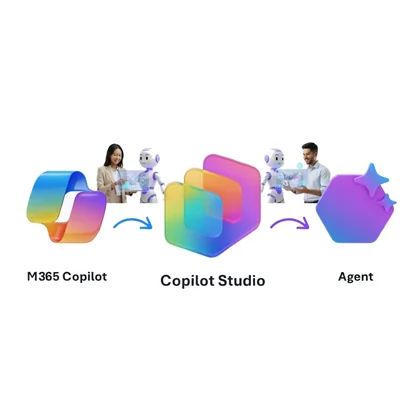
Four days of hands-on, low-code Agentic AI development with Copilot Studio, designed for Software Engineers, Solution Architects, and Power Platform Makers. You progress from foundational concepts through advanced orchestration and enterprise governance and build agents that solve real business challenges.
You start with the essentials: agents, copilots, prompt engineering, semantic indexing, Retrieval Augmented Generation (RAG), and the Model Context Protocol (MCP). The same foundation module then tours the ready-to-use Copilot surface: Copilot Chat free and licensed, Copilot Tasks, the Frontier program, App Builder, SharePoint Agents, and Agent Builder.
You then learn to harness Copilot Cowork, the agentic experience built for everyday knowledge workers. By crafting custom SKILL.md skills, scheduling prompts, and extending capabilities with built-in skills and plugins, anyone on your team can automate recurring workflows without writing a single line of code, while staying in control through human-in-the-loop approvals at every step.
Copilot Studio Basics grounds you in creating and configuring agents, mastering knowledge sources and starter prompts, and building interactions with topics, entities, variables, and Power Fx. You then extend agents with Prompt Actions, Power Platform connectors, Dataverse, and the Document Processing managed agent from AI Builder, while MCP servers, REST APIs, and Computer Use round out the toolkit. Advanced topics introduce autonomous agents, multi-agent orchestration, deep reasoning models, and Agent Flows.
A guided preview then walks the rebuilt Copilot Studio New Experience alongside the classic UI: the New experience toggle and coexistence, the unified Build surface with its Build, Preview, Evaluate, and Monitor tabs, and the enhanced orchestration runtime. You work with Agent Skills in the open SKILL.md format, import Claude Code and GitHub Copilot skills, and connect tools, MCP servers, and the new node-by-node Workflows designer. You ground agents with Work IQ, Foundry IQ, and Fabric IQ, and build apps from a description. A capstone lab builds a Sales Account Assistant end to end in the new experience.
The test and evaluate topic covers Agent Evaluations (GA), test sets, multi-turn conversation tests, activity maps, CSAT transcripts, and the Copilot Studio Kit, so you can see how good an agent is and where it can improve.
Finally, you publish and govern what you build: environments and solutions, publishing channels, ALM and source control.
Audience
- Power Platform Makers
- Software Engineers for Agentic AI
- Solution Architects for Agentic AI
Prerequisites
- GitHub User Account
- Basic Knowledge of the Microsoft 365 Platform
Curriculum
Module 1: Introduction to Copilot Cowork & Copilot Studio
- Agents & Copilots for Microsoft 365
- Agentic AI & Design Patterns
- How Agents Work: Knowledge, Prompting, Tools & MCP
- Extensibility & Development Paths
- Licensing & Environment Setup
- Copilot Chat & Productivity Agents
Module 2: Microsoft 365 Copilot Cowork
- Getting Started with Cowork
- Understanding Skills: Built-in Skills & the Side Panel
- Creating Custom Skills with SKILL.md
- Scheduled Prompts & Event-Driven Tasks
- Extending Cowork with Plugins
- Human-in-the-Loop: Approving Actions & Staying in Control
Module 3.1: Copilot Studio Basics
- Environments and Architecture
- Create and Configure an Agent
- Knowledge and Starter Prompts
- Topics
- Entities and Variables
- Power Fx
- Conversation Design
- Publish to Channels
Module 3.2: Extending Copilot Studio Agents with Tools
- Prompt Actions
- Connectors
- Dataverse
- AI Builder and the Document Processing Managed Agent
- Model Context Protocol (MCP)
- REST APIs
- Computer Use
Module 3.3: Advanced Copilot Studio Agents
- Generative Orchestration
- Autonomous Agents and Triggers
- Multi-Agent Orchestration
- Deep Reasoning Models
- Agent Flows
Module 3.4: The New Copilot Studio Experience
- The Two Copilot Studio Experiences
- The Unified Build Surface and the New Orchestrator
- Test and Evaluate Copilot Studio Agents
- Agent Skills in Copilot Studio
- Tools, MCP, and the New Workflows Designer
- Grounding Agents with Work IQ, Foundry IQ, and Fabric IQ
- Building Apps in Copilot Studio
Module 4: Publishing, Maintaining & Governing Copilot Studio Agents
- Environments, Solutions & the Admin Center
- Publishing Agents & Advanced Channels
- Application Lifecycle Management & Source Control
Class Logistics
AI Harness: Bring your own