
Class Details
Microsoft Autopilot is an always-on agent in the Microsoft Copilot app. You describe the outcome you want and set the boundaries. Autopilot then carries the work forward across Microsoft 365: it prepares documents, follows up on threads and runs recurring routines, with your laptop open or closed. It has its own name, email address and Microsoft Entra identity, its own memory and a Microsoft-managed cloud computer, so the work continues beyond a single conversation.
Autopilot is one of several ways to work with agents at Microsoft. In the Copilot app, Copilot Chat answers questions, Cowork carries out a delegated multi-step task, Code builds software and solutions, and Autopilot owns persistent work and follow-through. Beyond the app, makers build agents for a team or a business process in Copilot Studio, Work IQ grounds these agents in your people, projects and files, and admins govern them, Autopilot included, through Microsoft Entra, Purview and Defender. This class shows where Autopilot fits in that picture and when another tool is the better choice.
Audience
- Business Users
- Power Platform Makers
Prerequisites
- Basic Knowledge of the Microsoft 365 Platform
- Everyday Use of Teams, Outlook and Copilot Chat
Curriculum
Module 1: Autopilot in the Microsoft Agent Ecosystem
- Agent Ecosystem: Where Autopilot Fits
- Meet Autopilot: Your Always-On Agent
- Home & Activity: Track and Intervene
- Routines: Schedules, Scenarios & Follow-Up
- Teams, Outlook & Mobile Apps
- Work IQ: Your Work Context
Module 2: Approvals, Skills, Plugins & Memory
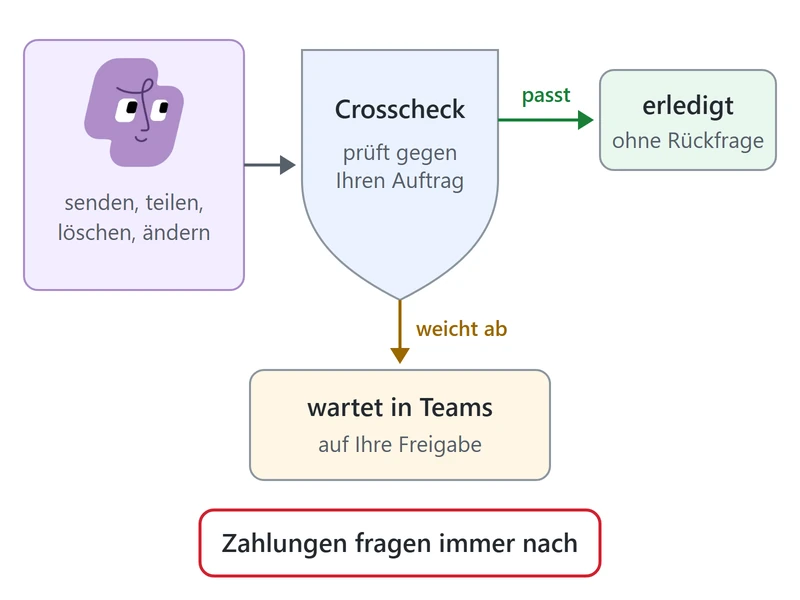
- Approvals: Automated Check, Allow Once
- Feedback: Teach Your Autopilot
- Skills: Create, Upload & Share
- Plugins: Catalog & Blocked by Policy
- Edge Browser: Signed-In Sites
- Memory: Review, Correct & Export
Module 3: Identity, Security & Administration
- Entra Agent ID: Identity & Access
- Purview & Defender: Protect, Investigate
- Activation: Frontier Settings & Rollout
- Spending Policy: Copilot Credits & Limits
- Readiness Review: Autopilot Checklist
Class Logistics
AI Harness: Microsoft Autopilot