Every App Ships Through the Same Workflow

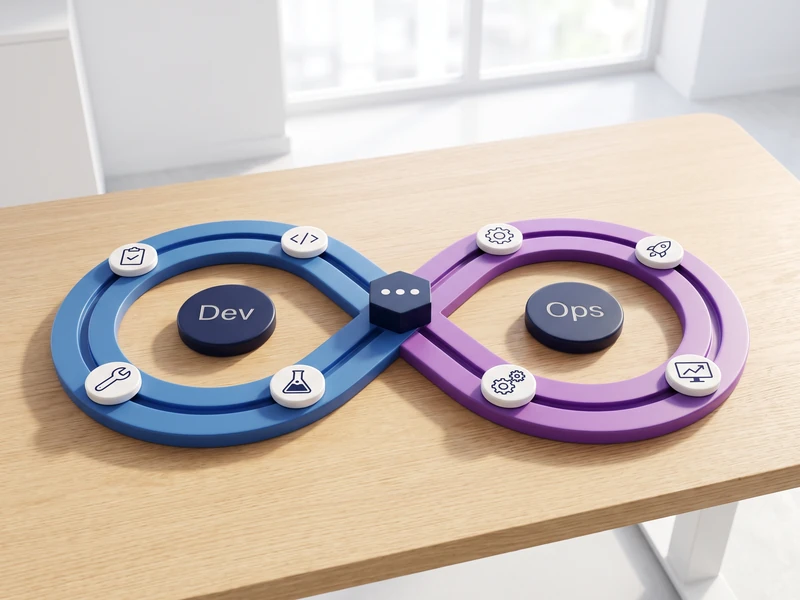
Give each app one GitHub Actions workflow per slot, filtered to its own source path and triggered by a push to that slot’s branch. The run builds the image, pushes it to the registry, connects to the machine and brings the service up.

Keep the compose tag equal to the tag the workflow pushes, per service, and let runs build in parallel but queue on a lock held on the box. Seven workflows run this platform’s own estate that way, and the same shape covers an app on a cloud VM, on rented hardware or on a machine you own.

Blue and Green From the First Deploy

Run two slots per app from the first deploy: green from the main branch, blue from the candidate branch, each with its own hostnames and env file, both on one machine so the candidate costs nothing extra.

Keep the image slot-agnostic and inject configuration at container start, so promotion retags the image that was tested on blue rather than rebuilding it, and rollback is one step on an immutable tag. Prove each release with three facts: the digest on the box, the running container’s image id, and a public hostname that answers.

Claude Code Writes the Pipeline and Works Inside It

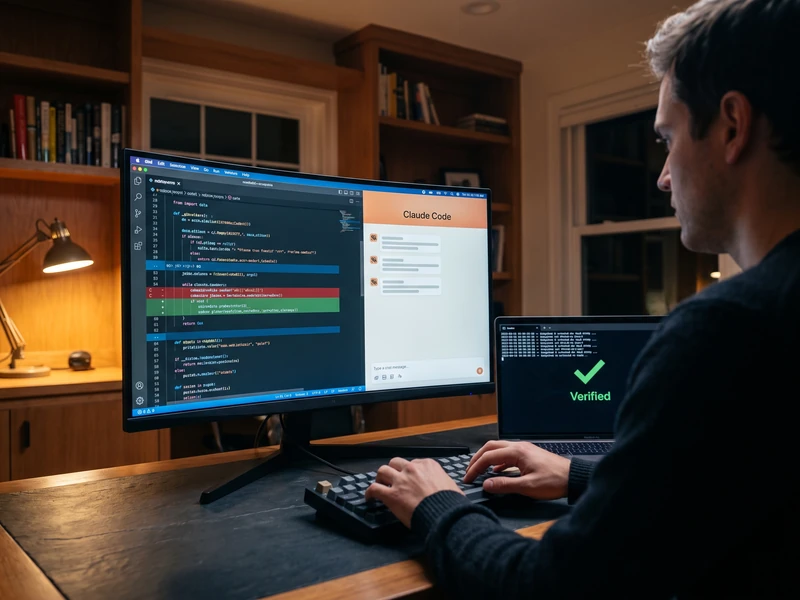
Claude Code is the harness: it writes the workflow, the compose service and the SQL delta, runs the review lenses, and reports the digest it verified rather than reporting success. Guard hooks and an approval gate set what it may do unattended, per environment.

Agents ship the way apps do. An MCP server, an agent service or a scheduled worker gets its own workflow, its own two slots and the same checks, so nothing runs from a laptop. Each agent carries its own identity under the access policies that already govern human users, and GitHub Copilot coding agent and code review sit in the same repository for teams that already run them.

7 workflows
one per app per slot, path-filtered, on this platform's own estate
2 slots
green from the main branch, blue from the candidate branch
3 facts
a proven release establishes: digest, container image id and public hostname
25 hours
two slots ran healthy while nothing could reach them

One Pipeline, Two Slots, Every Release Proven

Build and Ship 4 steps
01

One GitHub Actions Workflow Per App Per Slot

Give each app one workflow per slot, filtered to that app's source path and triggered by a push to the branch the slot is built from, plus manual dispatch. Seven of them run this platform's own estate. Claude Code writes and maintains them in the repository, so the pipeline is reviewed like any other code.
02

Build Once, Push to the Registry, Pull on the Box

Build the image in the workflow, push it to the container registry, then connect to the target machine and run a compose pull followed by up -d. Keep the image tag in the compose file equal to the tag the workflow pushes, per service: a mismatch there is the most common pipeline failure.
03

Prove the Deploy Instead of Assuming It

Establish three facts at the end of every run: the image on the box carries the digest just pushed, the running container's image id equals that image's id, and the public hostname answers. Treat an unchanged digest as a deliberate no-op. Two slots once ran healthy for twenty-five hours while nothing reached them, because the container layer, the DNS layer and the edge layer were each correct alone.
04

Serialize Deploys on a Box-Side Lock

Let every run build in parallel and queue on a lock file held on the target machine. A GitHub concurrency group keeps only one pending run per group, so a push touching several workflow files cancels runs that were meant to deploy. The lock has no such limit, and it is what stops concurrent layer pulls corrupting each other.
Blue and Green by Default 3 steps
05

Blue and Green From the First Deploy

Run two slots per app from day one: green built from the main branch, blue from the candidate branch, each with its own hostnames and its own env file. Both slots share one machine, so the candidate environment adds no line to the bill and nobody skips it. Mark the candidate hostnames noindex.
06

Promote by Retagging the Image That Was Tested

Keep images slot-agnostic: no hostname, redirect URI or API base baked in, and configuration injected at container start. Promotion then retags the exact image that ran on blue rather than rebuilding it, and an immutable tag makes rollback one step. Everything that differs between slots lives in the env file, never in the build.
07

Push an Env File, Then Recreate the Container

Change a secret or a connection string by editing the env file and pushing it, then recreating the container with up -d. A restart keeps the old value forever, because env_file binds at container create time. Add a hostname only after its DNS record resolves, since certificate validation backs off far longer than the DNS fix takes.
Agents in the Pipeline 2 steps
08

Agents Ship Through the Same Pipeline as Apps

Treat an MCP server, an agent service or a scheduled worker as one more app in the estate: its own workflow, its own two slots, the same digest checks, the same env file. Nothing runs from a private machine or a laptop cron. A tool an agent calls is exercised on the candidate slot before the version people rely on gets it.
09

Claude Code Writes the Pipeline and Works Inside It

Claude Code is the harness here: it writes the workflow, the compose service and the delta script, runs the review lenses, and reports the digest it verified. Guard hooks and an approval gate bound what it may do unattended, per environment. GitHub Copilot coding agent and Copilot code review sit in the same repository under the same branch rules for teams that already run them.

Frequently Asked Questions

What does proving a release landed actually involve?
Three checks in sequence. The digest of the image just pushed is compared against the image on the box, which establishes that the right build is there. The running container's image id is compared against that image, which establishes that the running process is the one deployed. The public hostname is called and must answer. Two slots once ran healthy for twenty-five hours while nothing could reach them, because the container layer, the DNS layer and the edge layer were each correct on their own.
Does blue/green mean paying for a second environment?
Both slots run on the same machine, with their own containers, hostnames and env files, so the candidate environment adds no separate hosting line, and databases sit on one shared instance rather than one service per project. The candidate slot exists from the first deploy, which is what keeps promotion a retag of a tested image instead of a rebuild nobody has seen running.
Does this need Azure, or GitHub Copilot?
Neither. The pipeline is GitHub Actions to a container registry to a machine you control, which can be a cloud VM, rented hardware or your own server. Claude Code is the harness that writes and verifies it. GitHub Copilot coding agent and code review fit inside the same repository and branch rules for teams already licensed for them, as an addition rather than a requirement.
Do agents get to deploy unattended?
Per environment, and the boundary is written down before the first run. Read-only checks, builds and candidate-slot deploys run unattended; anything touching the production slot passes an approval gate, and guard hooks enforce the limits rather than a reviewer remembering them. Every action carries the agent's own identity, so the audit trail names a subject rather than a shared service account.
How do secrets and connection strings get changed?
Edit the env file for that slot and push it, then recreate the container. A restart keeps the old value forever, because the env file binds at container create time. Values live in the env file and in the repository's secret store, never in the image and never in a procedure file, which names the file holding a value instead of the value.