
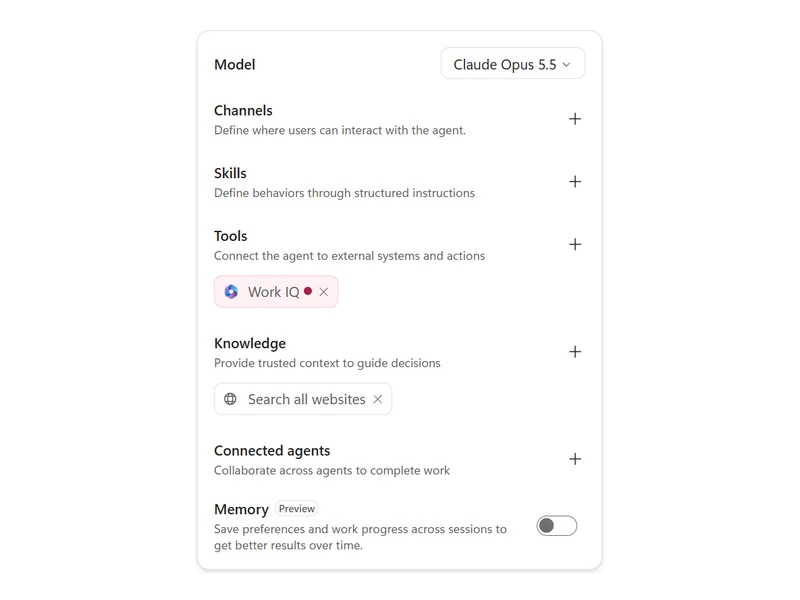
The Microsoft Copilot Harness

The Microsoft Copilot harness is the runtime for agents that break a goal into steps, call tools, connectors, knowledge, MCP servers and connected agents, run hooks at six points of the run and create Word, Excel, PowerPoint and PDF files. It was renamed from GitHub Copilot harness in October 2026 and has been a production-ready preview since June 2026.
Migrating Standard Agents

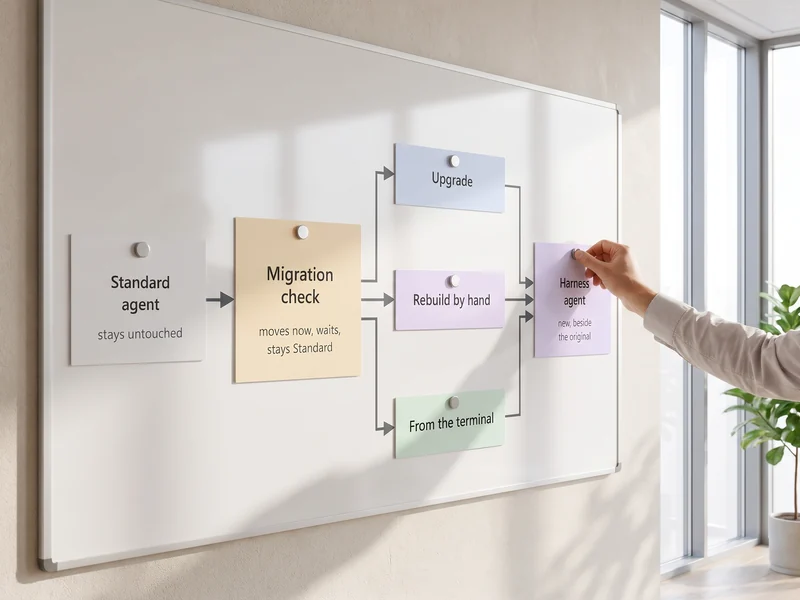
A Standard agent moves to the harness as a new agent beside the original, which stays untouched. A migration check comes first: for each agent it settles what moves now, what waits, what stays Standard and what running it costs. The migration per agent follows in seven steps and moves each topic to a skill, a workflow or a hook.

Costs and Licensing

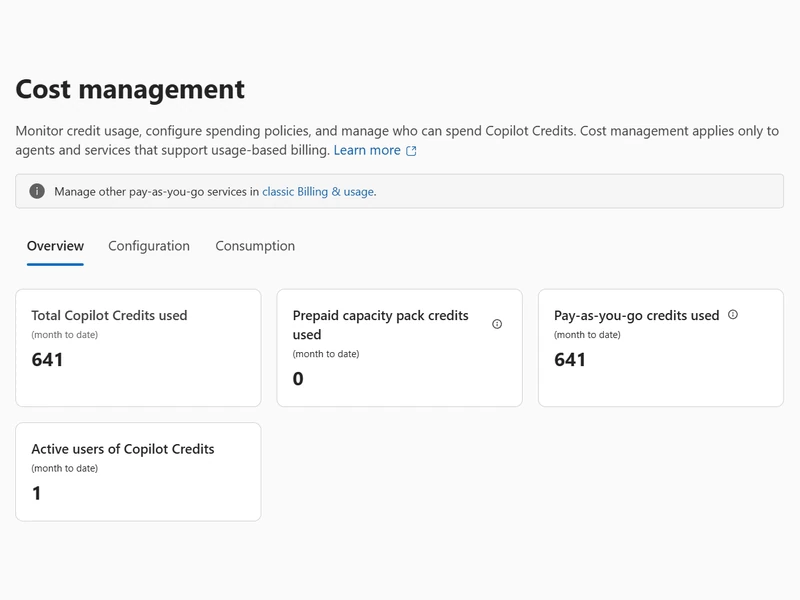
Building, testing, evaluating and running harness agents consume Copilot Credits, and a Microsoft 365 Copilot license does not cover them. A monthly limit stops an agent when Stop usage is switched on. The migration check puts the expected running cost next to each agent before you decide which agents move and when.

Migration Guide for Standard Agents

Migration Check 2 steps
01

Purpose Map of the Standard Agent

Treat the migration as re-architecture. Write down the agent's tasks, outcomes, boundaries and risks and how you will evaluate it, then list what each topic, flow, variable and prompt is for. Each purpose maps to instructions, skills, tools, workflows, memory, code execution or connected agents.
02

Agents That Stay Standard

An agent moves when the scenario gains something you can name: better answers, more efficient orchestration, long-running execution, a reasoning model, or skills, memory and the native code interpreter. Agents that rely on Adaptive Cards, computer use or the SharePoint or Dynamics 365 Contact Center channel stay Standard.
Routes and Mapping 2 steps
03

Upgrade, Rebuild or Terminal Route

All three routes leave the Standard agent untouched and create a new agent beside it. The upgrade, in preview, starts on the Copilot Studio home page with a request such as upgrade my HR Buddy agent, adds the new agent as a card ending in (Upgraded) and reports what was migrated, what needs attention and what was skipped. The rebuild by hand adds each capability from the map yourself. The terminal route runs /mcs-assistant:migrate, which writes a migration plan you approve before it builds and pushes the new agent.
04

Mapping of Standard Parts

Instructions, suggested prompts, connector tools and MCP servers carry over as tools. Knowledge sources are added again, and Azure AI Search is not supported. Power Fx is not migrated: its logic moves into workflow branches, the native code interpreter or the agent sandbox. Child agents become skills or connected agents, and event triggers become Triggers (preview).
Migration Paths 2 steps
05

Topics Become Skills, Workflows or Hooks

Ask of every topic what it is for. Know-how the agent applies becomes a skill. Fixed steps become a workflow tool that starts with When an agent calls the flow and ends with Respond to the agent, published, answering within 100 seconds with Asynchronous response off. Steps that must run on every turn or tool call become a hook. Agent flows are not converted, so each one is rebuilt as a workflow.
06

Hooks for Steps That Run Every Time

A hook binds a published workflow to one of six events: Start (pre-loop), User prompt submitted, Pre tool use, Post tool use, After tool failure and Error. A Start hook replaces the Conversation Start topic, an Error hook replaces On Error, and a Pre tool use hook can deny a call, for example an order above the user's approval limit. Hooks are in preview and fail open, so a hook is never the only safeguard of a business rule.
Cutover 1 steps
07

Regression Test, Then Channel Cutover

Run the same user journeys and the same test set on both agents in Preview with debug mode on. The migration is done when the new agent completes the core journeys of the original. Then the channels cut over to the new agent, published to Microsoft 365 and Teams or to websites with Entra ID or no authentication. We start with the migration check: request a free consultation.

Frequently Asked Questions

Which Standard agents should move first?
Agents that gain better answers, more efficient orchestration, long-running execution, a reasoning model, skills or memory are the ones to move. Agents that depend on Adaptive Cards, computer use or the SharePoint or Dynamics 365 Contact Center channel stay Standard. The harness is a production-ready preview, so the migration check settles each agent before anything moves.
Is the original agent changed by the migration?
No. In all three routes the migration creates a new agent beside the original, and the Standard agent stays unchanged. The same journeys and the same test set run on both agents before the channels switch. The terminal route resumes from its migration plan file.
What does a harness agent cost to run?
Building, testing, evaluating and running consume Copilot Credits. A Microsoft 365 Copilot license does not cover them, and a monthly limit stops the agent when Stop usage is on. The migration check puts the expected running cost next to each agent.