
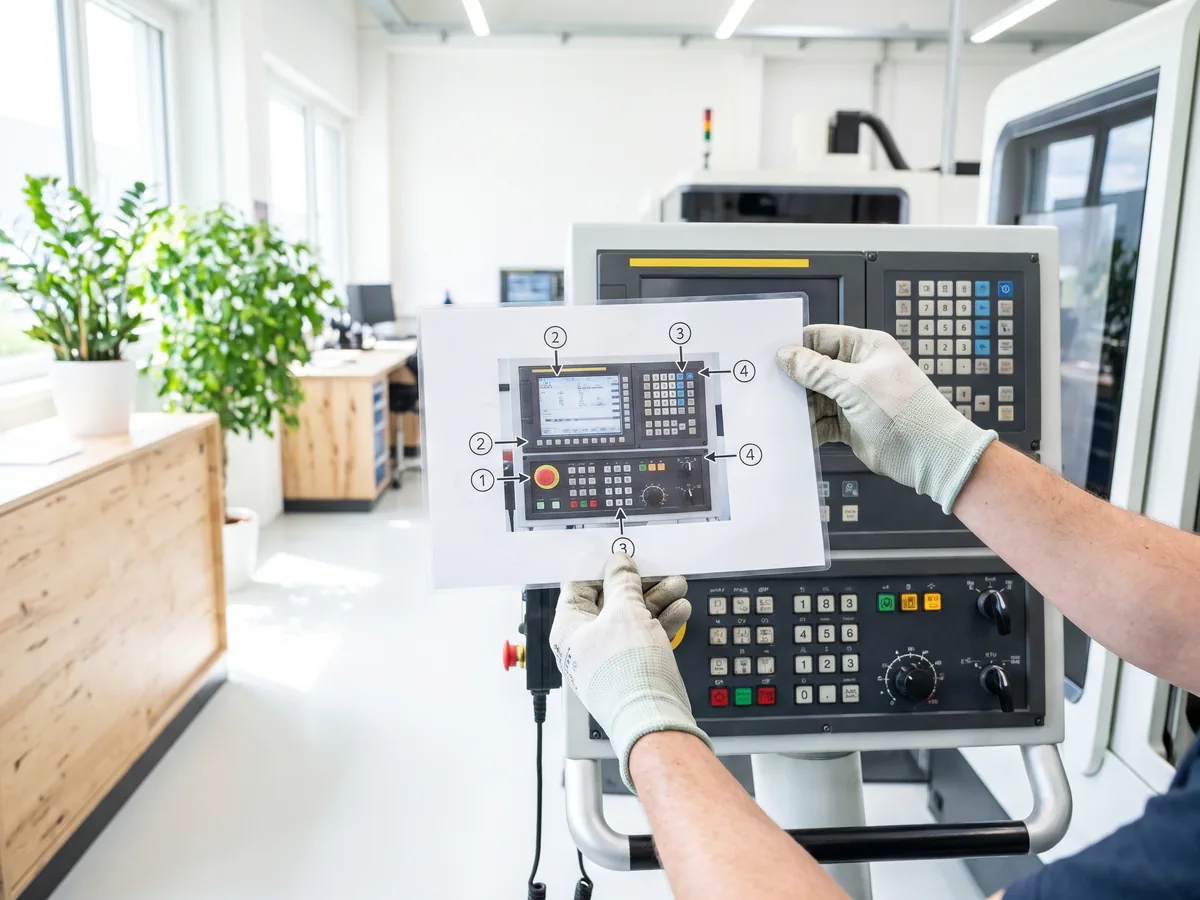
Turn your own photos from the business into consistent training graphics with markers, a caption and arrows, without editing every image one by one. You set the markers once in the browser, and every further photo receives them automatically. Several photos sit on one shared training slide in the same layout.
In use
Built and in use in-house, it produced training graphics on hand signals for a safety course.
The Agentic Part
You set the markers, caption and arrows once in the editor in the browser. For every further photo, an agent carries that template over by itself and no position is entered one by one. It combines several reference photos into one shared training slide with a consistent layout.
Main Features
- An editor in the browser sets markers and arrows, and you install nothing
- Markers, caption and arrows appear automatically on every further photo
- Several photos sit on one shared training slide in the same layout
- When a process changes, existing training photos get new markers and an updated caption
- Photos from several sites become consistent training graphics in the same color scheme and layout
Use Cases
- A new employee learns to operate a machine. Photos with markers and numbering explain the operating steps, which you set once and which carry over automatically to the whole photo series.
- A process changes slightly. The existing training photos get new markers and an updated caption, and nobody edits every image one by one.
- For several sites, consistent training graphics in the same color scheme and layout come out of each site's own photos.
What we build for you
- Your own photos from the business
- Caption and numbering for your process
- The work steps that should stand side by side on one slide
- Your slide layout and your colors