Agentic Gym & Sport Management runs a gym, studio, club or sports provider from one back office. Member management holds every member with contract, payments and open amount, and the club website shows the class schedule and the trainers live from the same back office. Enquiries and trial session requests from the website arrive in an inbox where the AI drafts the reply.

AI for gyms starts with an assistant that answers questions about your members and open dues. A chat plans routine work as automations that wait for your approval. Monthly dues are generated after a preview, open dues are followed up with dunning, and the class schedule with its trainers is planned in one weekly grid. The solution is set up for your organization.

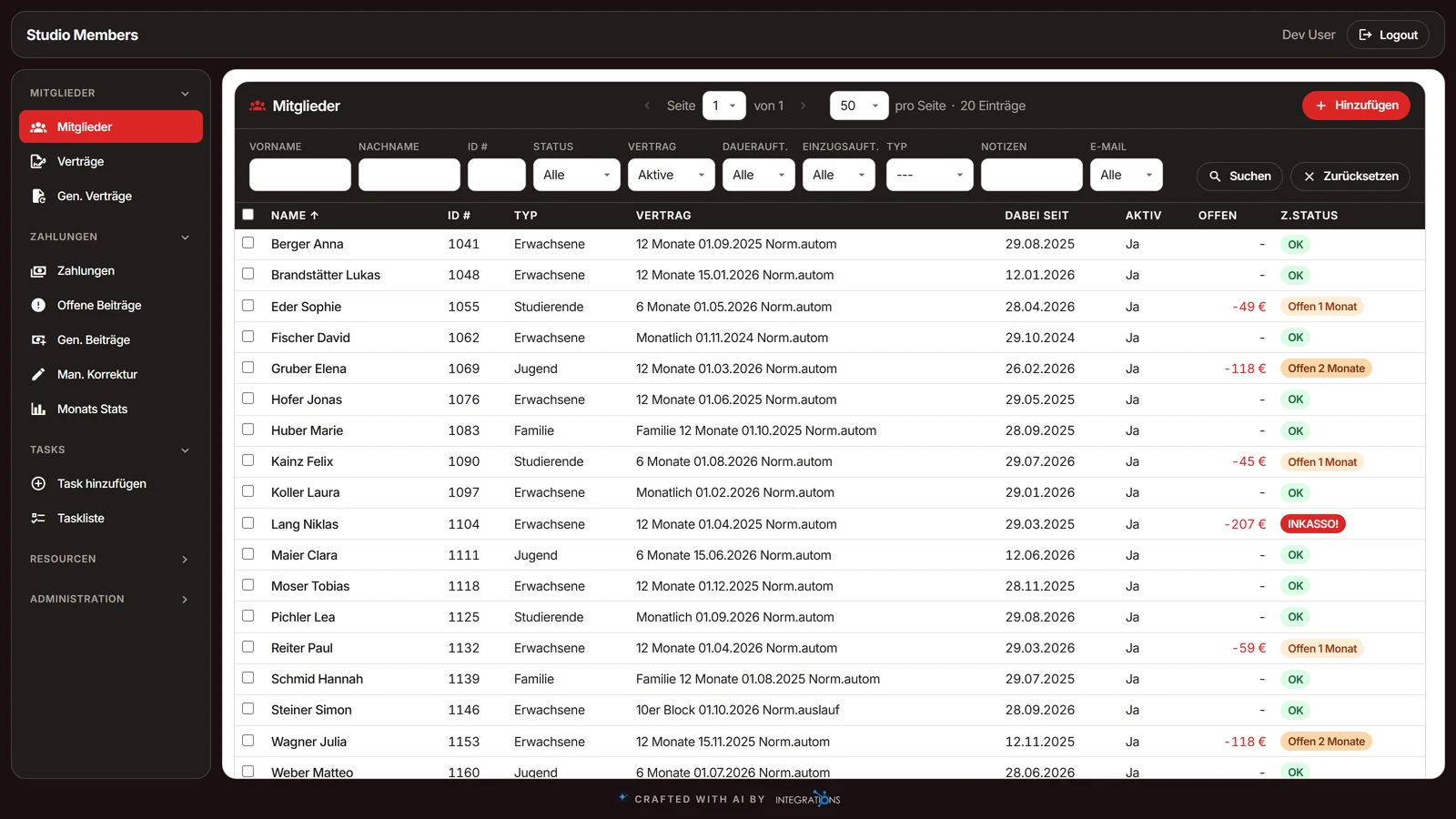
The member list of a gym with status, contract, member type, open amount and payment status for each member, and the filters above the list

Key Features

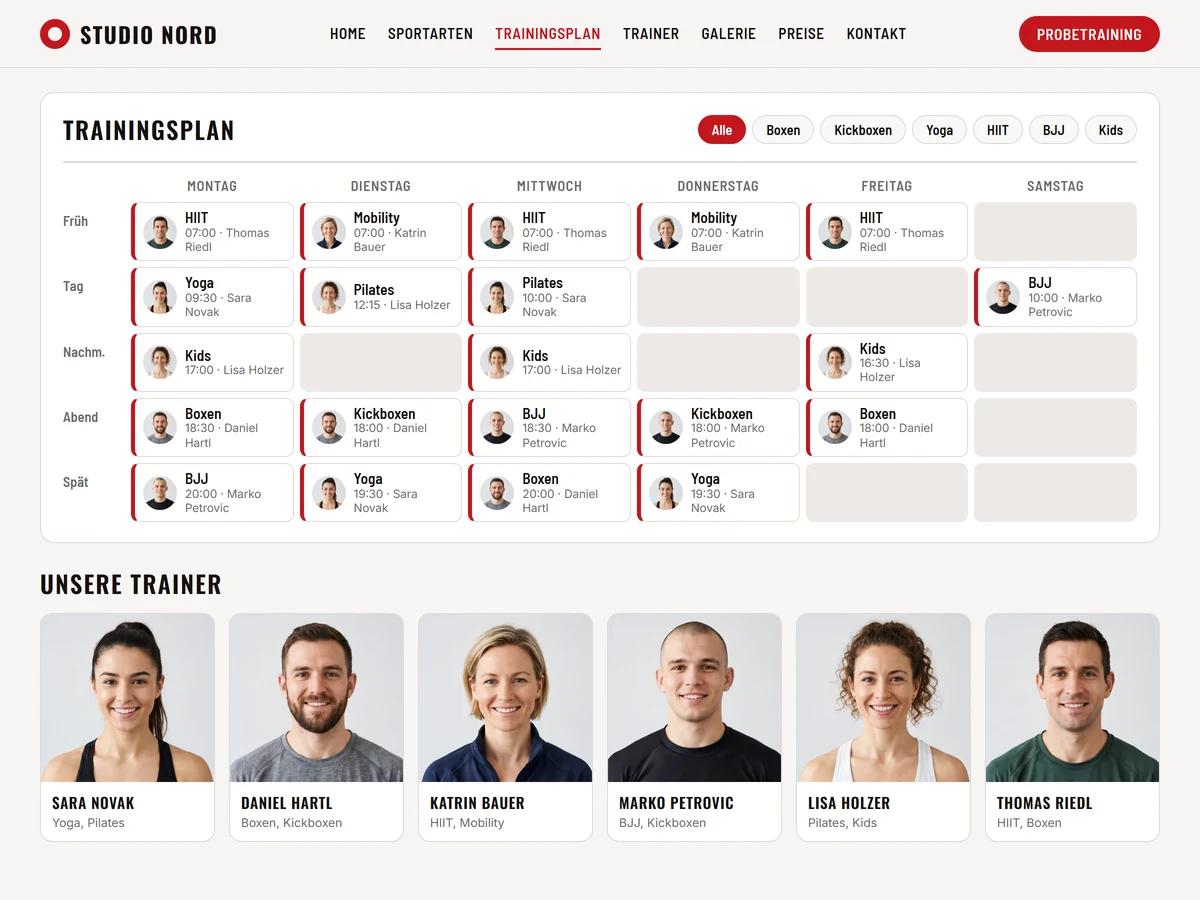
The website of a sports club with the weekly class schedule and the trainers, shown from the back office data

Club Website from the Back Office

The club website shows the class schedule, the trainers, the sports with their experience levels, the galleries and the videos live from the back office. A change made in the back office is on the website without a second edit.

A visitor asks for a trial session on the website and the request lands in your enquiry inbox. You decide in the back office which sports, photos and videos the website presents.

The website publishes its data in a machine-readable form and offers it to AI agents, so an AI assistant can read the schedule and the trainers of your club.

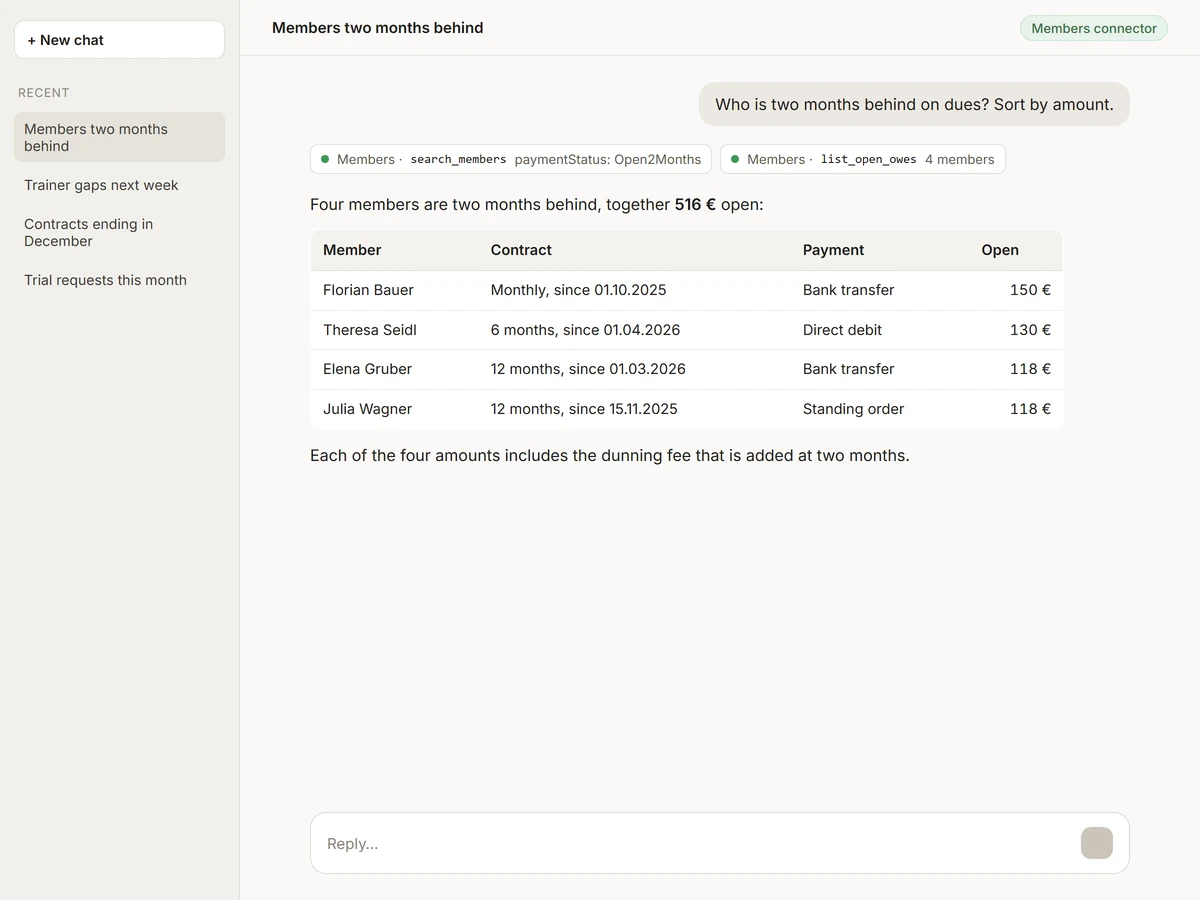
An AI assistant chat in which the assistant answers a question about open dues and active members of a gym with a list of members

AI Assistant for Your Members

Ask an AI assistant which members have open dues, which contracts are running and what was paid in a period. The assistant answers from your member data and reads the enquiries, the class schedule and the trainers as well.

The assistant works with read access to your data. You see the answer in the chat and decide what to do with it.

The connector for Claude or the AI of your choice is an MCP server, the open standard AI apps use to work with tools and data. Claude and any other AI app that supports MCP reach your members, contracts and payments directly.

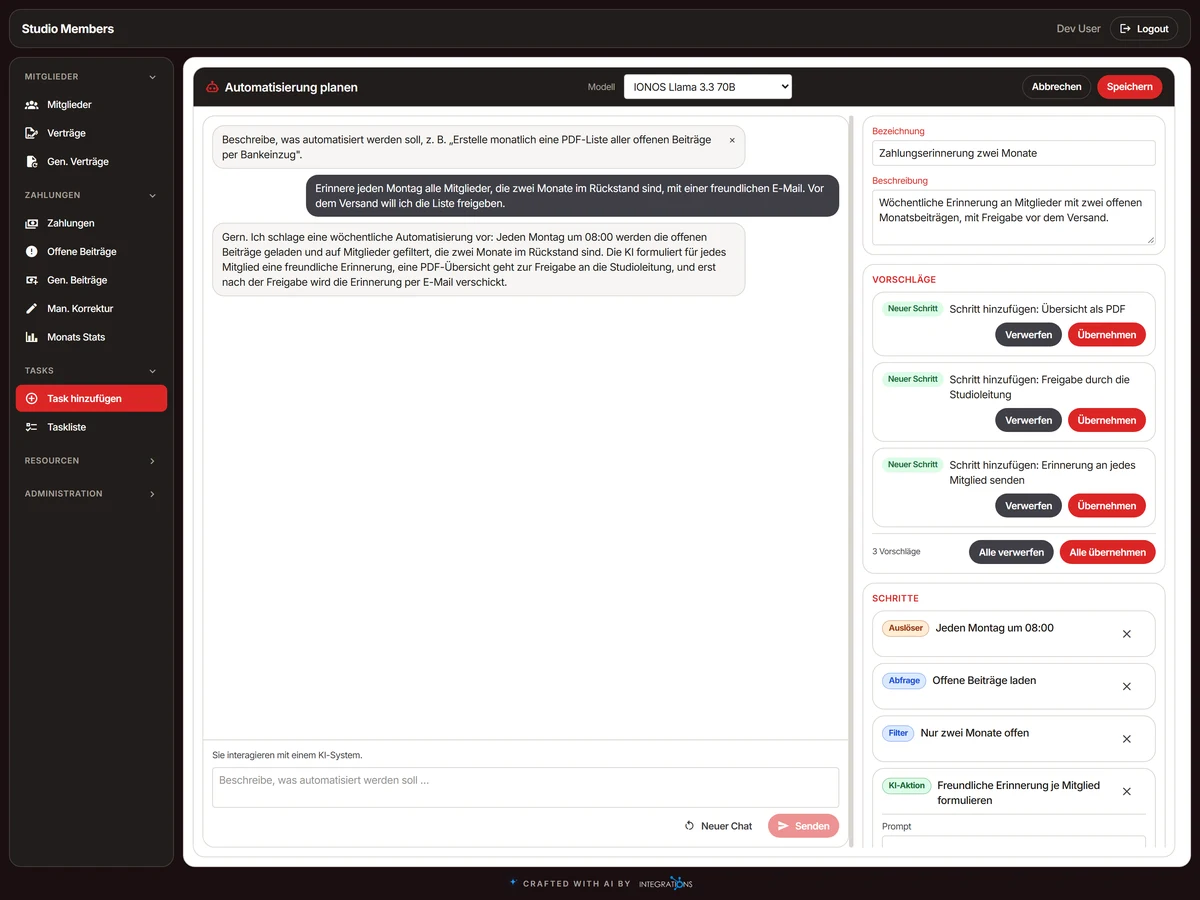
The automation planner chat of the members app with a plan of steps, some accepted, including an approval step

Automation Planner

Describe a routine job in a chat and the AI drafts the steps: query, filter, AI action, PDF, export, e-mail, approval and database update. You accept the steps one by one or all at once.

An automation runs by hand, at an interval, daily or weekly. An approval step stops the run until a person approves or rejects it. The task list shows status, schedule, model, last run and run history.

The AI action summarises, classifies or rewrites member rows from a prompt, and the chat tells everyone that they are talking to an AI system. Each run shows the tokens it used and its cost.

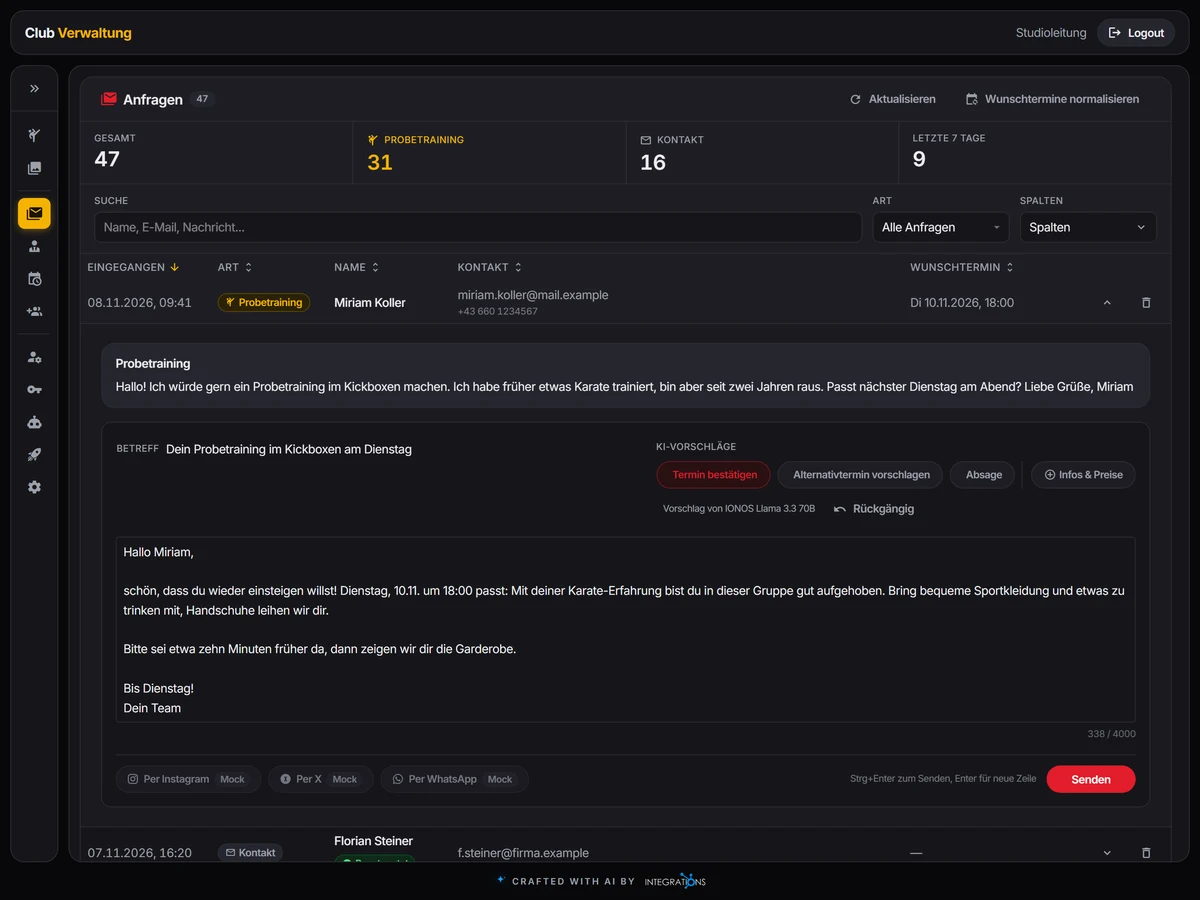
The enquiry inbox of a gym with a trial session request open, the reply drafted by the AI and the research on the sender

Enquiry Inbox with AI Replies

Enquiries and trial session requests from the website land in one inbox with tiles for total, trial sessions, contact and the last seven days, a search and a conversation thread for each enquiry.

The AI drafts the reply to each enquiry and turns the free-text preferred dates of a trial session request into exact dates and times. You read the draft, change it and send it. Your club gets a mail on each new enquiry, and the reply goes out by mail.

An AI agent researches each new sign-up, with name, company, online presence and how sure the result is, and shows the findings on the enquiry.

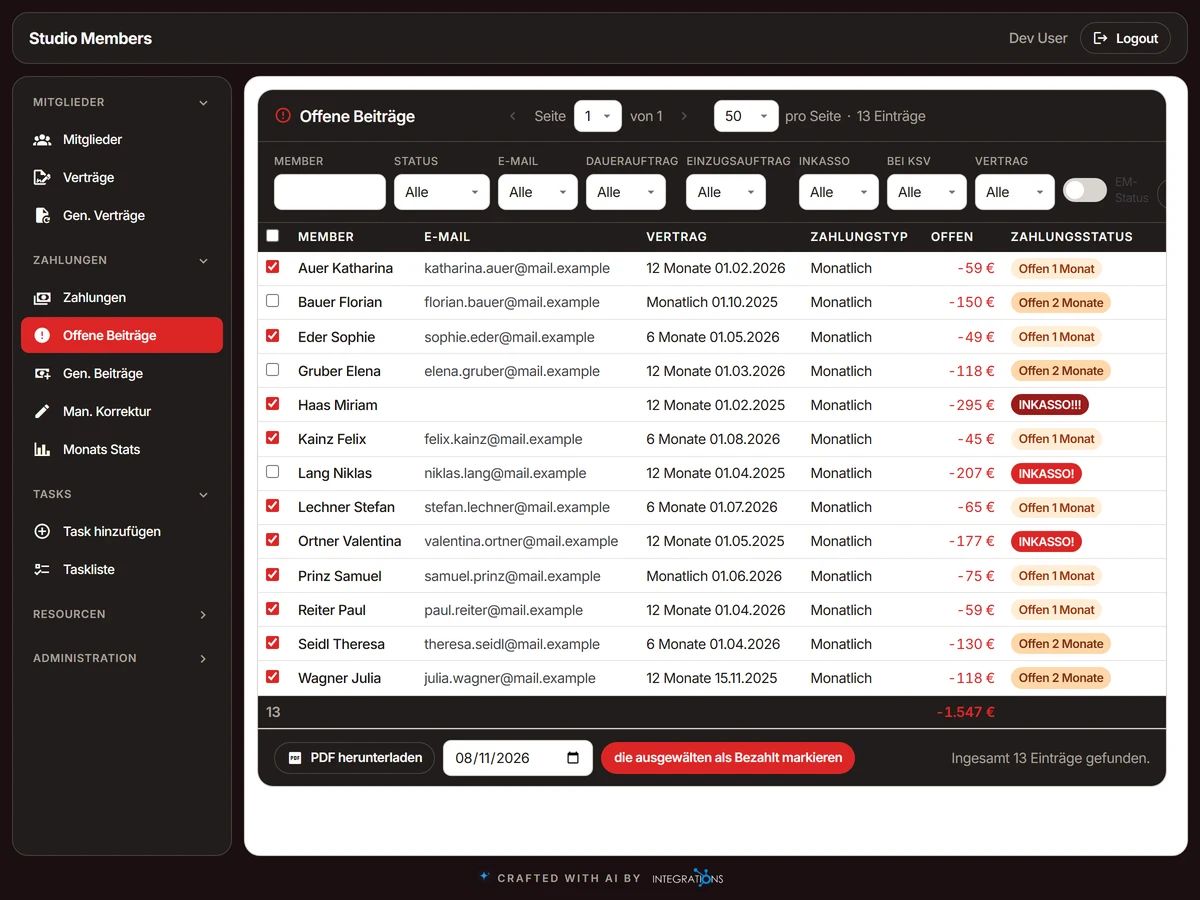
The open dues of a gym sorted by age with several members selected for marking as paid

Open Dues and Dunning

Monthly dues are generated for every payable contract after a preview, with manual corrections. Open dues are sorted by age: paid, one, two, three and four or more months, up to the collection agency. At two months open a dunning fee is added.

You select dues and mark them as paid in bulk, or export the list as PDF. The member list shows each member as current, one month open, two months open or in collection.

The dunning state of each member is calculated from the contract balance, so the member list, the open dues and the statistics come from the same data.

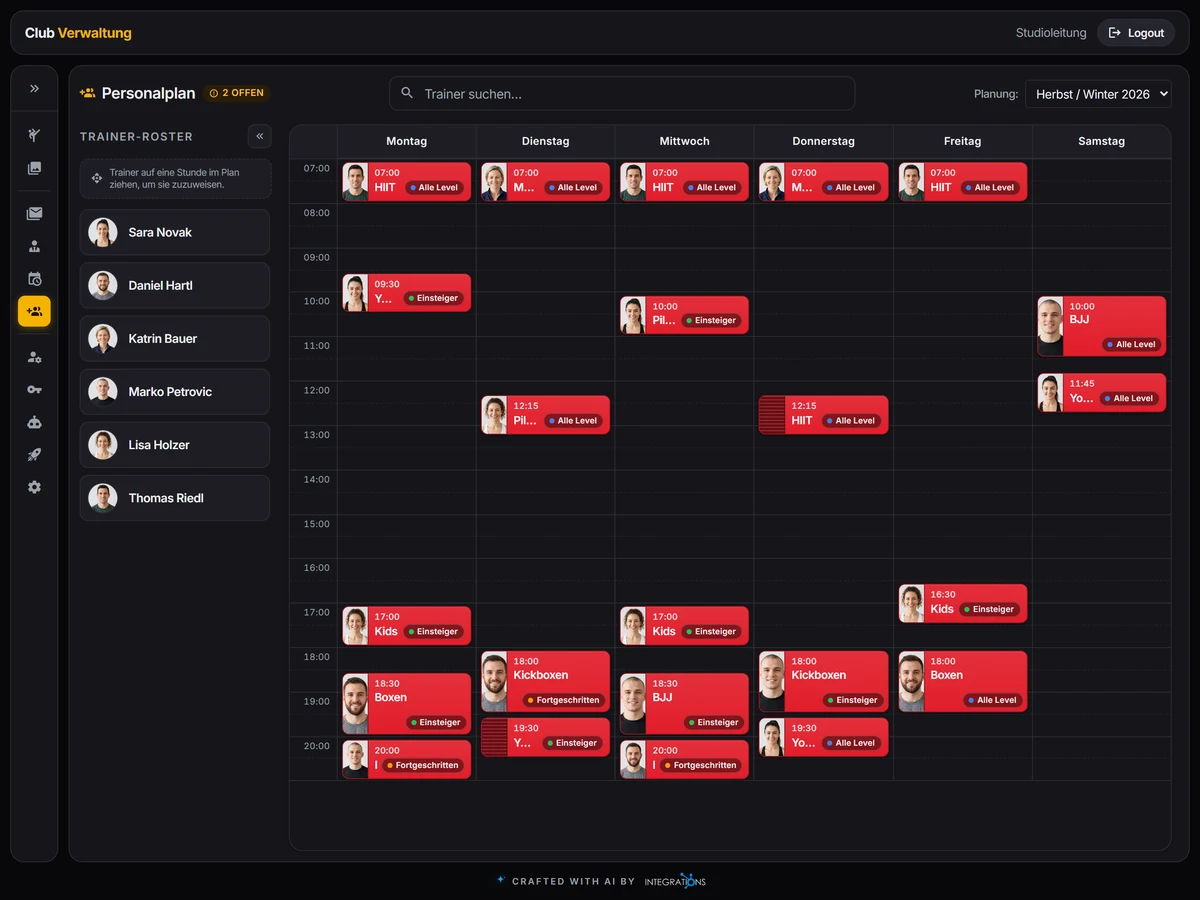
The weekly plan grid of a gym with session cards and the trainers assigned to each session

Class Schedule and Trainers

Plan the class schedule by period in a weekly grid. Session cards carry name, sport, start, end and weekday and move by drag and drop. Each session has its trainers, and the staff plan lists the trainer roster per period.

Trainer profiles hold a short description, the sports and a photo. You decide who teaches which session.

Schedule, staff plan and trainer profiles are kept in the back office. The club website and the AI assistant read them from there.

Main Features

Member Records and Contracts

Each member has a record with master data, address and contact, notes and photo, and tabs for contracts and payments. The member list filters by active, expired and future members, standing order and direct debit, and downloads as CSV. Contracts renew after a preview.

Website Fed from the Back Office

Sports with experience levels, images and videos, a home page video and photo galleries with upload, order and descriptions are edited in the back office. The website brings pages for the trial session, prices, news and contact.

AI Under Your Control

The AI runs on one EU provider so member data goes nowhere else. Each run shows its tokens and cost, and an approval step pauses a run until a person decides.

Payments and Monthly Statistics

Payments are listed with date and note filters, and a dialog assigns a payment to dues. Monthly statistics per member filter by contract type, payment type, standing order and direct debit and download as CSV.

Trainer Profiles and Staff Plan

Each trainer has a profile with a short description, the sports and a photo. The staff plan holds the trainer roster per period.

Enquiries and Trial Sessions

Each enquiry from the website notifies your club by mail. The thread keeps the replies and marks an enquiry as answered, and trial session requests are counted on their own tile.

  • Mail through your mail server (SMTP) or Microsoft Graph, with PDF attachments
  • PDF tables for reports
  • Users, roles and permissions per role
  • AI models with provider keys and a connection test
  • Lookup lists for member types, ID types, professions, countries and contract types
  • A deployment page with versions, backups and promotion of a preview to live
  • Data moved over from your old membership system
  • An assistant report on trainer absences, open substitution gaps and weekly capacity

Set Up for Your Business