a9script is an integration platform for the API integration and workflow automation of a business. It connects your systems and runs the automations between them. The logic between your systems lives in one place, runs there and can be read there. Every call to another system is configured once and recorded as it runs, and the code that remains is the business logic in plain JavaScript, written by your team or by an AI agent.

A failed run turns red until a person acknowledges it. After a restart, a run continues from its last saved point, and a call already made is never made twice. An endpoint can be offered as an MCP server, so an AI assistant works with your configured calls as tools.

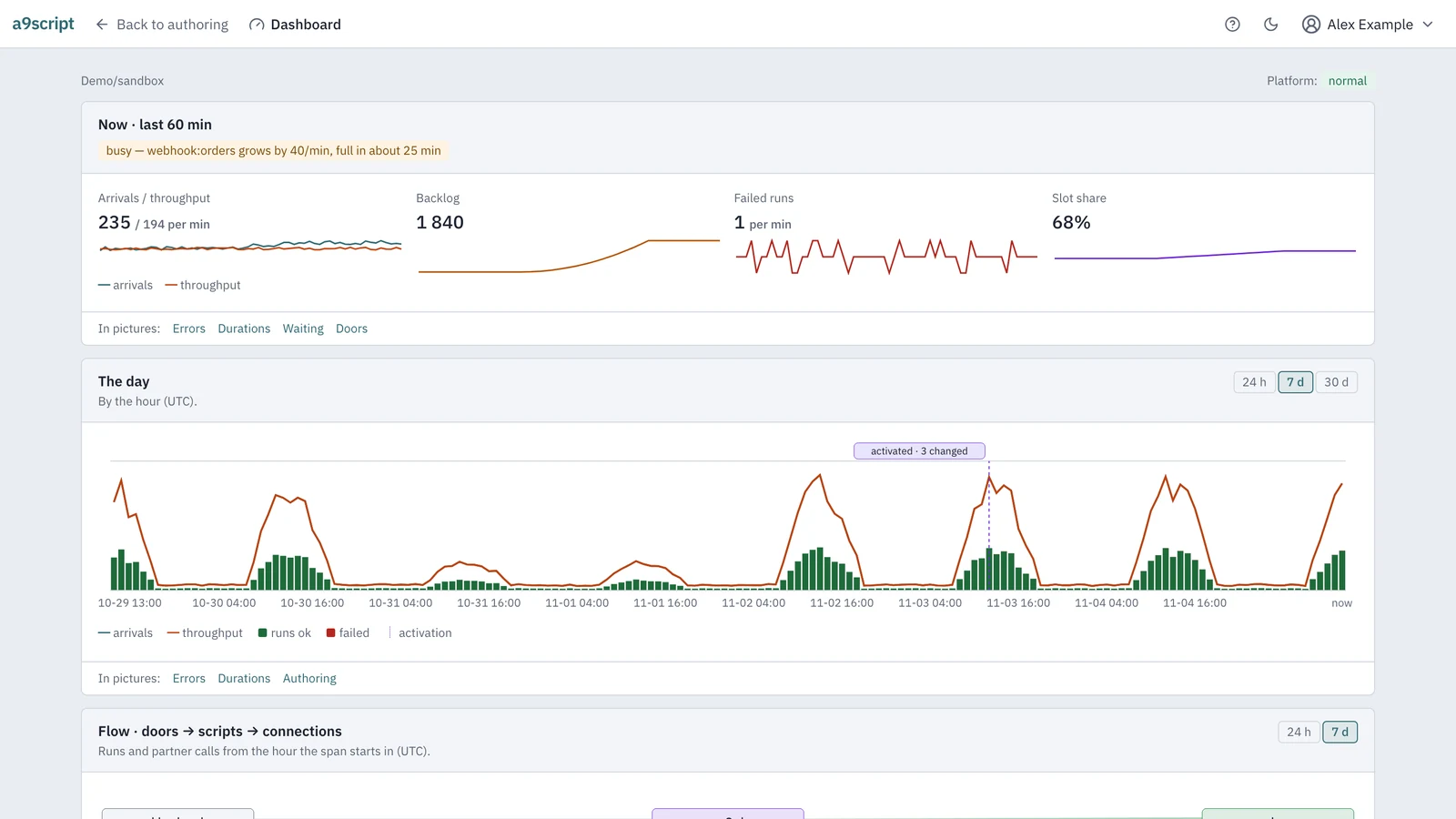
The a9script dashboard with sample numbers for arrivals against throughput, backlog, the week with an activation and the flow into scripts and out to connections

Key Features

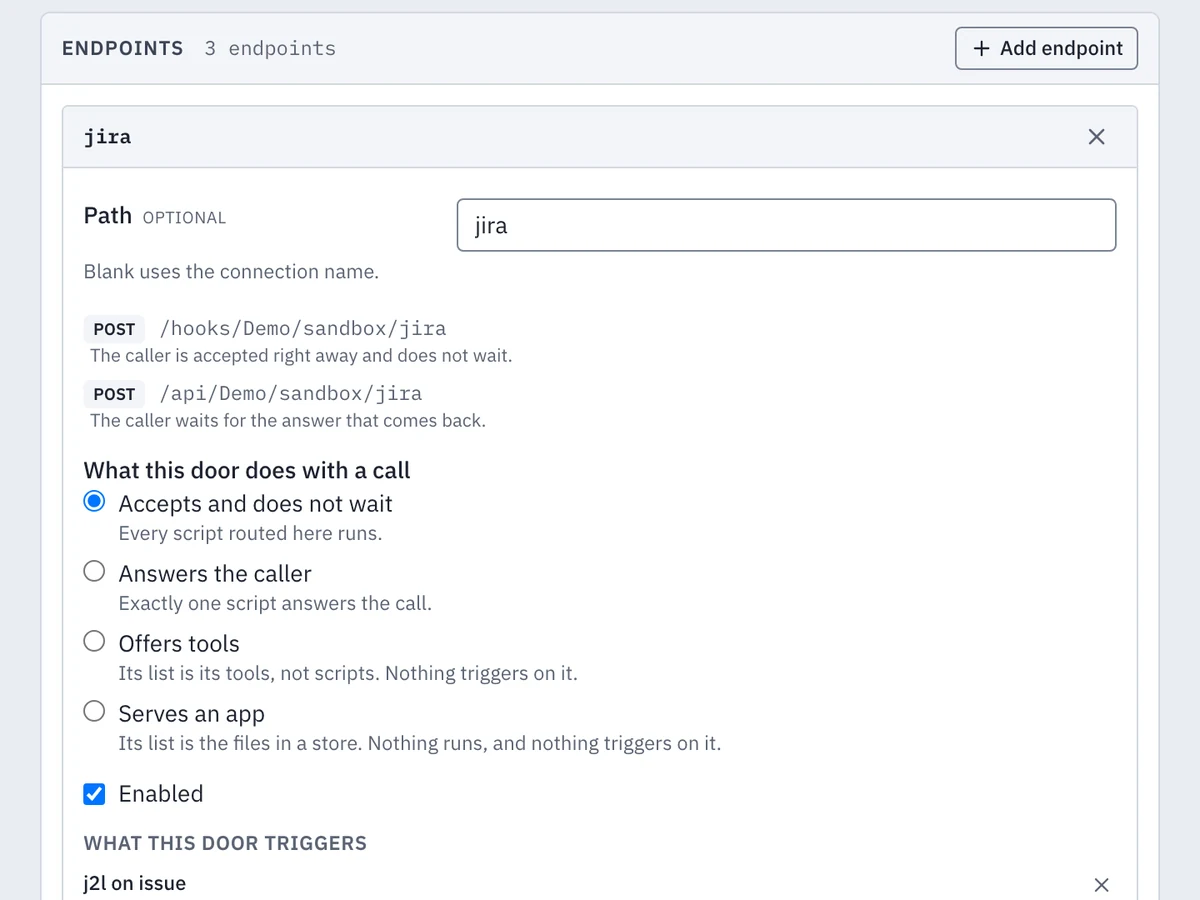
One a9script endpoint with its four readings: webhook, API, MCP server and app

Endpoints and MCP Server

One endpoint of a9script can be read in four ways. As a webhook it acknowledges the sender at once and runs your scripts afterwards. As an API the caller waits for the answer of one script. As an MCP server an AI assistant lists your operations and calls them as tools. As an app it serves a folder of files at your address with sign-in.

A legacy REST API becomes callable by an assistant without a server written for it. A webhook can carry several scripts, each with its own filter, so you decide which script reacts to which message. Every activated endpoint describes itself.

MCP is the open standard AI apps use to work with tools and data. The tools come with generated schemas, and the credential stays on the platform.

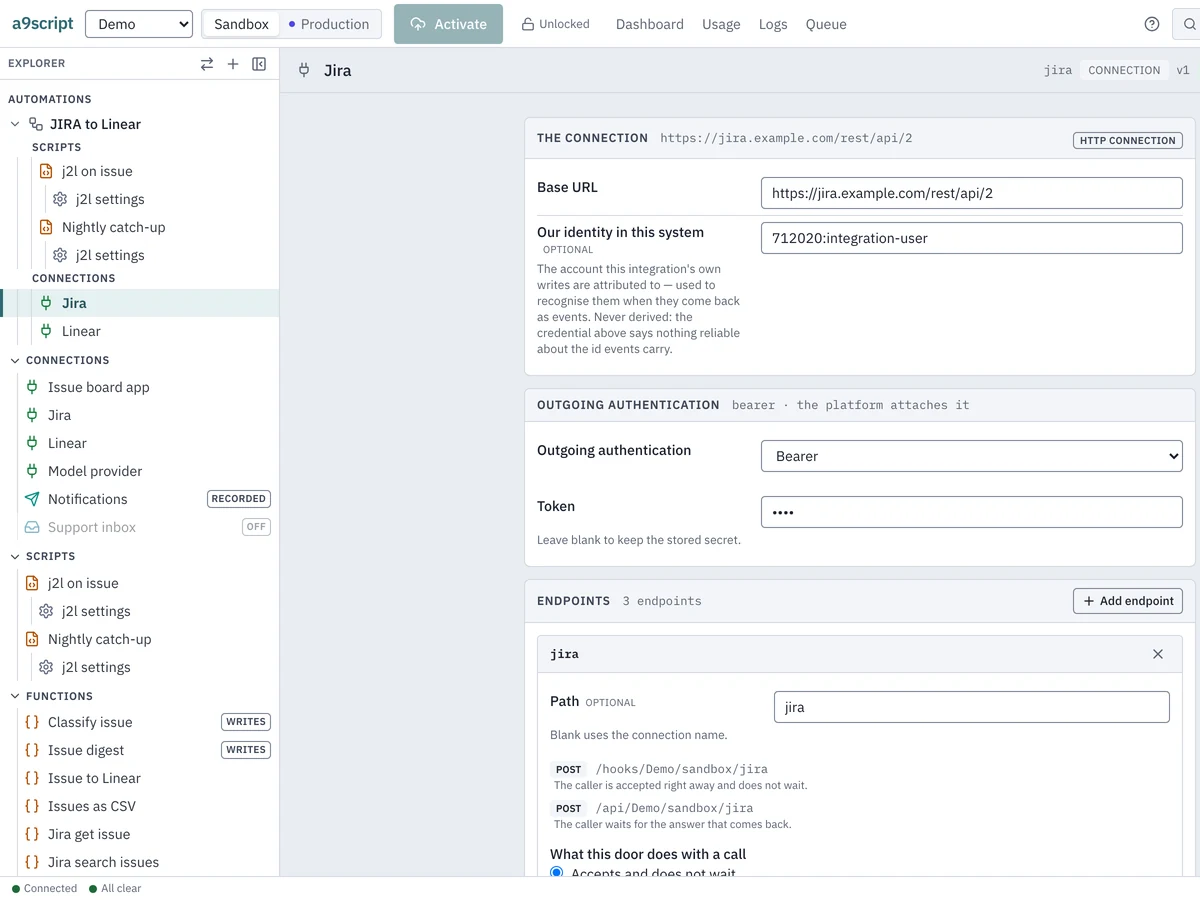
The a9script explorer beside a connection with its address, identity and endpoints

Connections and Secrets

Every system you connect has one place with its address and its credential. A script never sees a secret: the platform attaches the credential, refreshes an expired token once and sends the call again.

Senders such as GitHub, Atlassian Jira, Microsoft Graph, Shopify, Slack and Stripe come pre-configured. Sandbox and production each have their own connections and credentials, and a promotion carries none. You enter a secret once, and no screen returns it.

The platform keeps the credentials encrypted at rest and attaches them to every outgoing call.

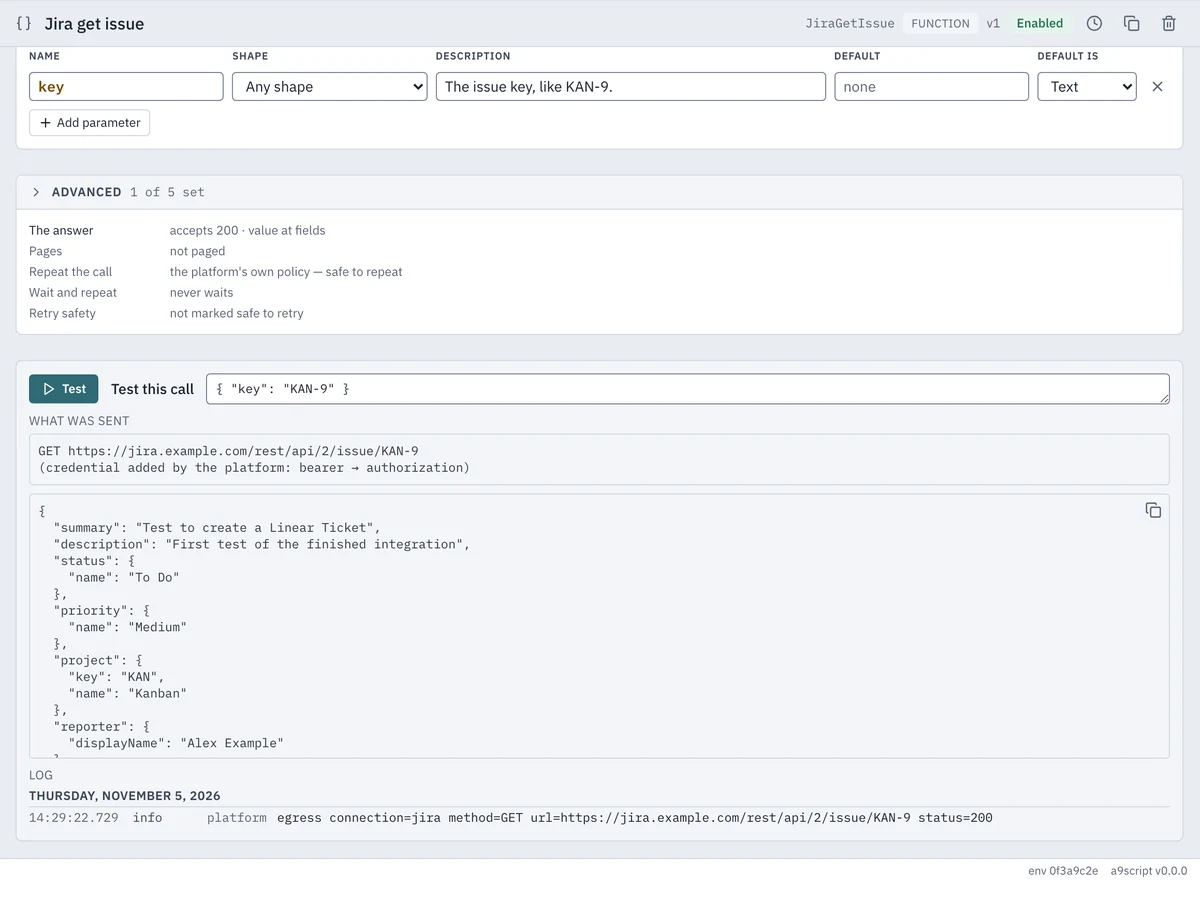
A configured call in a9script after Test, with the answer the script gets and the request sent, the credential named and never shown

Configured Calls

A call to another system is configured once: address, credential, retries, paging and what counts as an answer. You name it in your own words, and the script calls it by that name. Test shows the answer the script gets and the request that was sent, with the credential named and never shown.

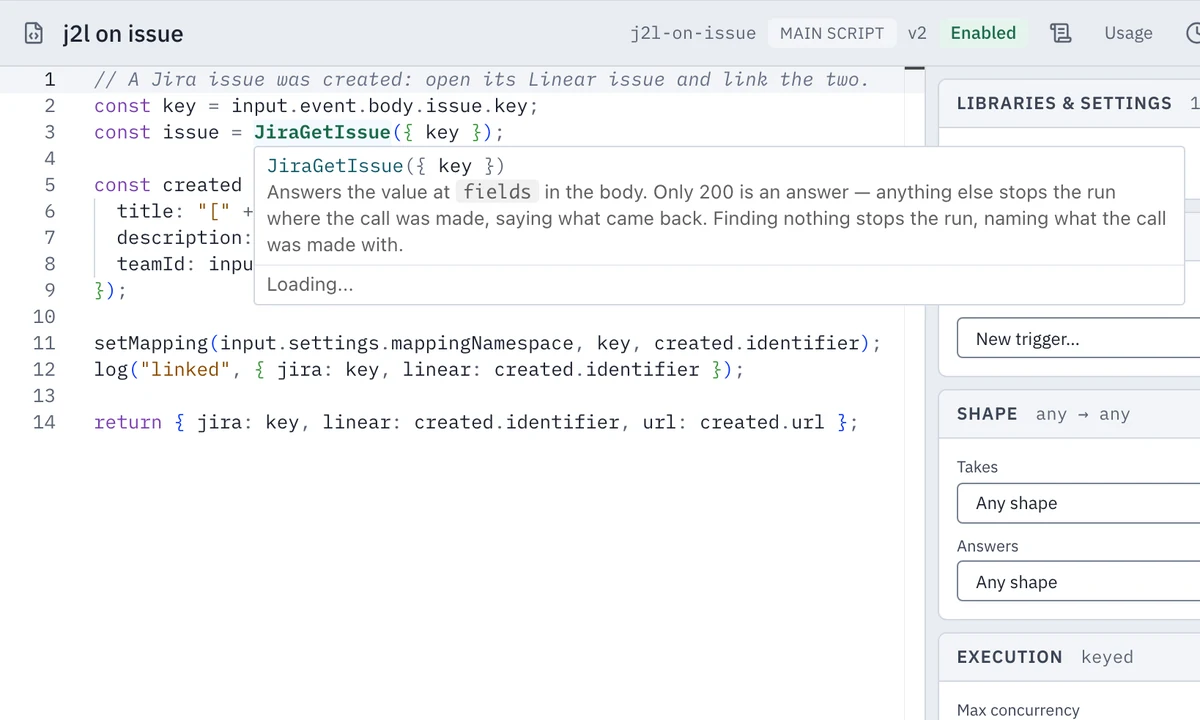
The script editor completes every configured call with its signature and answer on hover, and marks a name that resolves to nothing while you type. Your team tests a call before it is activated.

Calls to HTTP APIs, mail, CSV files, mappings and AI models are configured the same way. A model call holds prompt, model and the connection with the key in one place, and the answer of a model is input the script validates.

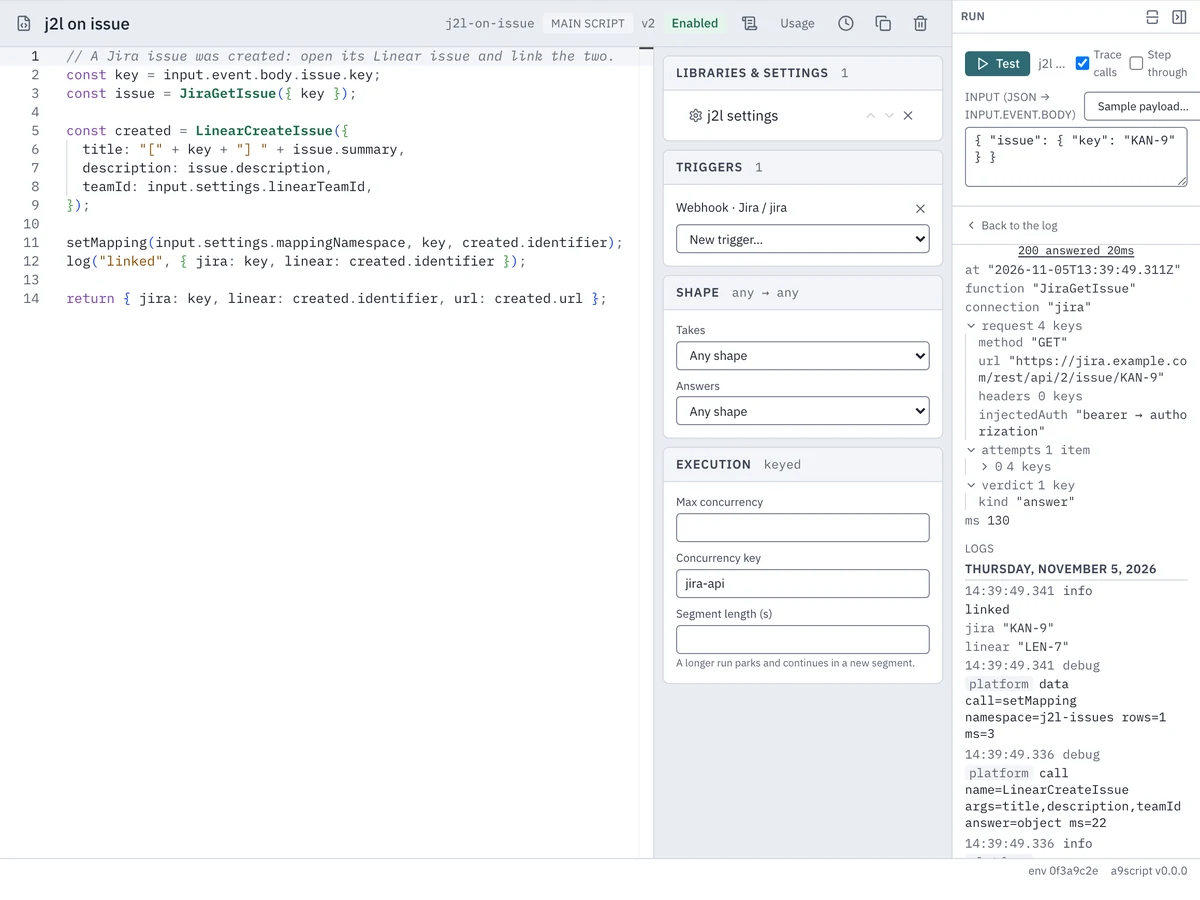
A traced test run in a9script with every outbound call, what it sent and what came back

Workflow Runs with Retries

A run is written down step by step. A transient failure is repeated, and a status such as a rate limit parks the whole run for the time the other system asked, up to 24 hours, holding nothing open. After a restart, a deployment or a lost machine the run continues from its last saved point, and a call already made is never made twice.

In the sandbox you start a run with trace and read every call, what it sent and what came back. A stepped run parks after every external call, so you can check each step before the next.

Transient failures are repeated three times by default. A sandbox run with trace keeps every request and answer for 7 days.

Main Features

Pre-configured Webhook Senders

Senders such as Atlassian Jira, GitHub, Linear, Microsoft Graph, Okta, Shopify, Slack, Stripe, Twilio and Zoom come pre-configured. Registration handshakes are answered without a run, and ignore rules drop your own writes coming back.

Retries and Rate Limits

Transient failures are repeated, and a rate limit parks the run for the time the other system asked, up to 24 hours. A night job that meets a limit at two in the morning is finished by three, and paging takes one line.

Thousands of Records a Night

Thousands of records a night are read page by page, mapped, checked for duplicates and written in bounded pieces. Records are matched across systems by source id, and a bad row is set aside with its key and reason while the job continues.

Alerts That Stay Red

A failed run turns its script red until a person acknowledges it, and a connection that meets faults in a row opens its circuit and turns red as well. Notification rules mail you, throttled, and system triggers start a script of your own.

Versions with Diff and Restore

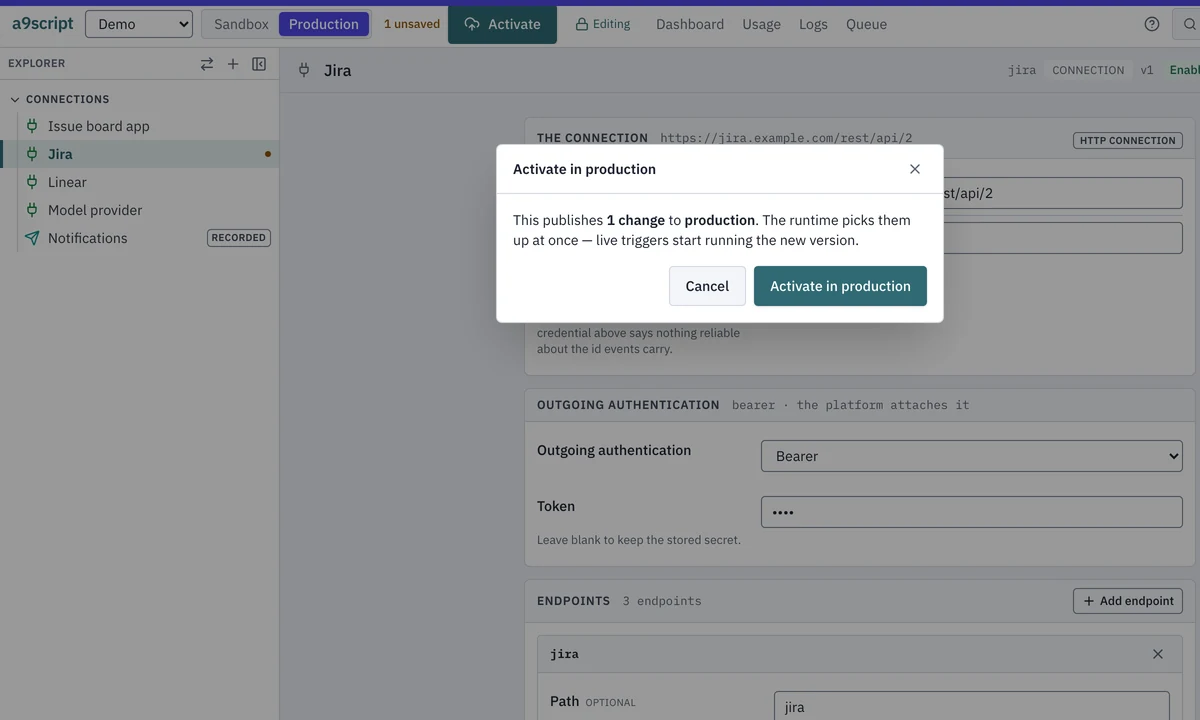
Every activation is a numbered version with history, diff, blame and restore. Production is marked in colour, and activating or deleting there asks first. A promotion from the sandbox shows a plan before anything changes.

Your Own Users

Callers of your endpoints are users of your environment, invited by mail through your own mail account and given the roles your environment defines. The script sees who called.

  • Model calls with the key kept on the platform
  • Mail through SMTP or Microsoft Graph, with attachments
  • Runs started by a mail arriving in a mailbox
  • Schedules for recurring runs
  • PDF documents built from blocks or markdown
  • Large files held by the platform, CSV of any size in chunks
  • Endpoints that describe themselves
  • A command line for building and running from a terminal
  • A fair queue across tenants with readable ceilings
  • Deleting a tenant removes everything on every machine
  • Security-scanned builds
  • Two processes on one server with one volume, and backups while it runs
  • Sandbox and production sealed off, with a promotion plan to read first
  • Mappings and texts outside the code, owned and tested by the person who owns the wording

Optional Modules

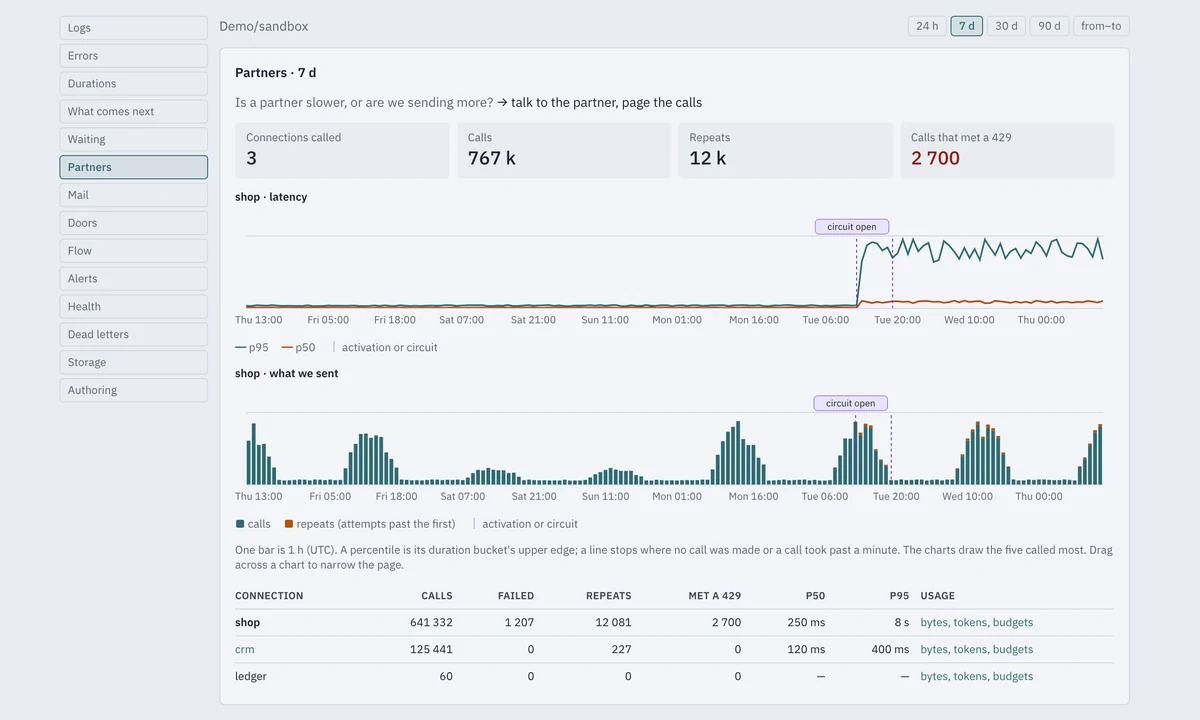
The a9script Partners page with sample numbers for latency, repeats and an open circuit per connection

Insights

Every recorded number that informs a decision is drawn on a page that names its question and its decision. The pages hold counts, durations, codes and names, never the content of a message.

  • Dashboard with arrivals against throughput, backlog and failed runs
  • Errors by code, the code new since the last activation named first, to fix or roll back
  • Durations with working time against wait for a slot, to tell code from capacity
  • What comes next: the next 24 hours of scheduled starts and resumed runs
  • Partners with latency, calls, repeats and an open circuit per connection
  • Node load for the administrator: slot occupancy, memory and the system log
A configured function in the a9script editor with its signature shown on hover

Building with Agents

An AI agent builds integrations from a terminal or over MCP and never holds a credential.

  • MCP in both directions: build over MCP and serve over MCP, with the credential on the platform's side both times
  • An agent probes a call, writes a folder, applies it, runs it with a trace and reads what came back
  • A built-in guide teaches an agent the whole loop and is checked against the product on every build
  • Debug, step and probe exist in a sandbox, and a misspelled flag or argument is refused
  • A Jira project connected to a Linear team by an agent, with the existing connections reused and what it could not verify reported
a9script with production marked in colour and the confirmation naming the environment

Security

Tenants and environments are sealed off from each other, and secrets are entered once and never shown again.

  • Secrets encrypted at rest and returned by no screen, command or diff
  • Tokens that name one tenant and environment and expire after 14 days at most by default
  • Password plus second factor with recovery codes, and sessions that end after 30 minutes idle
  • Roles for Administrator, Tenant admin, Specialist and Auditor, and no default administrator
  • Network allow-lists for inbound calls and sender signature checks
  • Two append-only audit trails, hash-chained to show tampering
  • Disk encryption owned by the operator who runs the machine

Set Up for Your Business