
Processing Lists with AI
The AI processes lists of any kind and creates a draft with new and changed entries. You review it, and it is saved when you click “Apply”.
Agentic Scheduling & Appointments keeps your appointments, the deployment of your staff by day and week, absences and the self-service for your customers in one place. The planner takes the routine work off your hands: a list becomes a plan, invitations go to your customers by mail or letter, and the status of every appointment is in view.
An assistant answers questions about the staff plan in plain language. The AI processes lists of any kind and proposes plans. Recurring tasks run as automations that wait for your approval at the release step. What gets saved is what you review and accept.
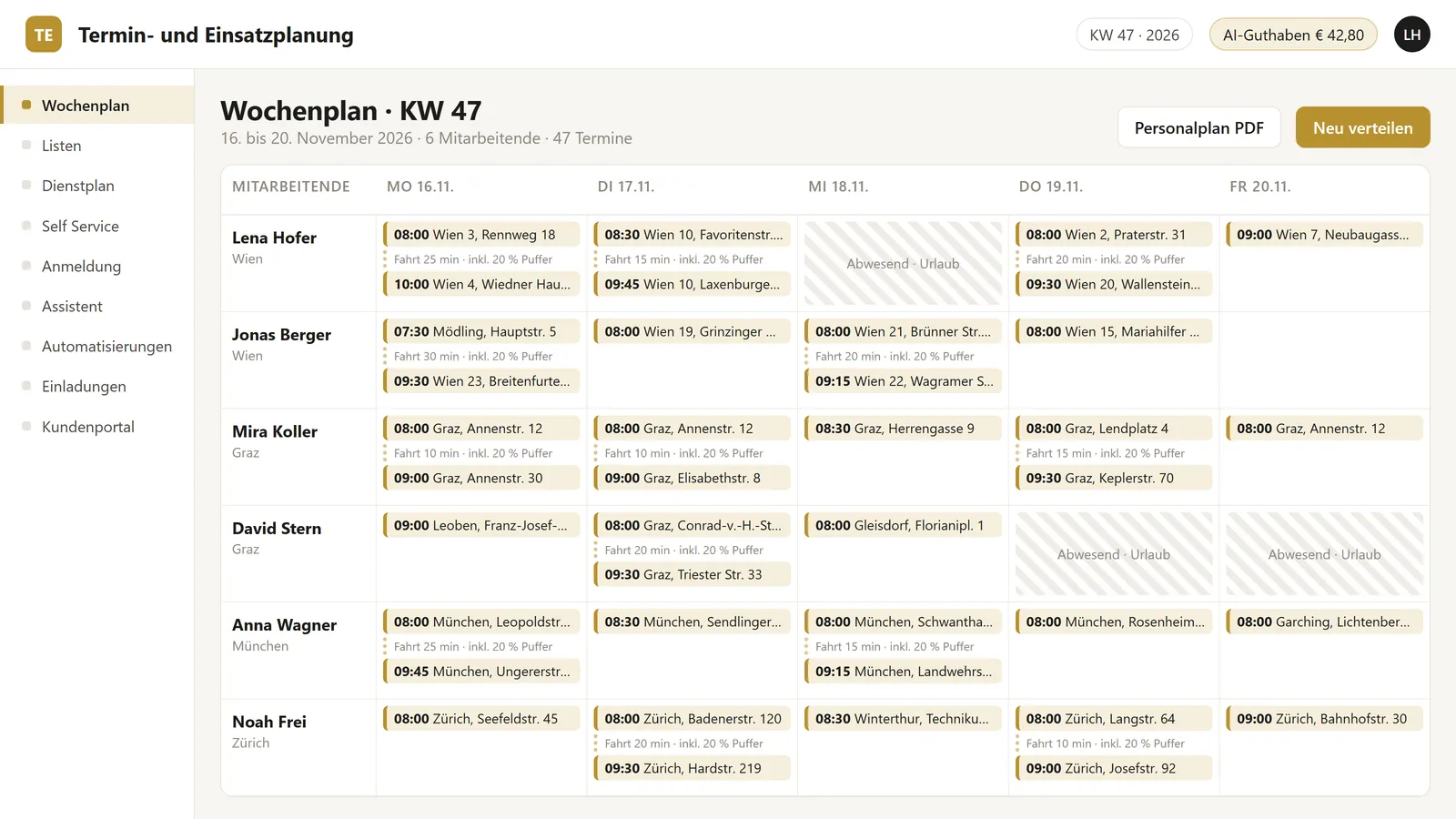
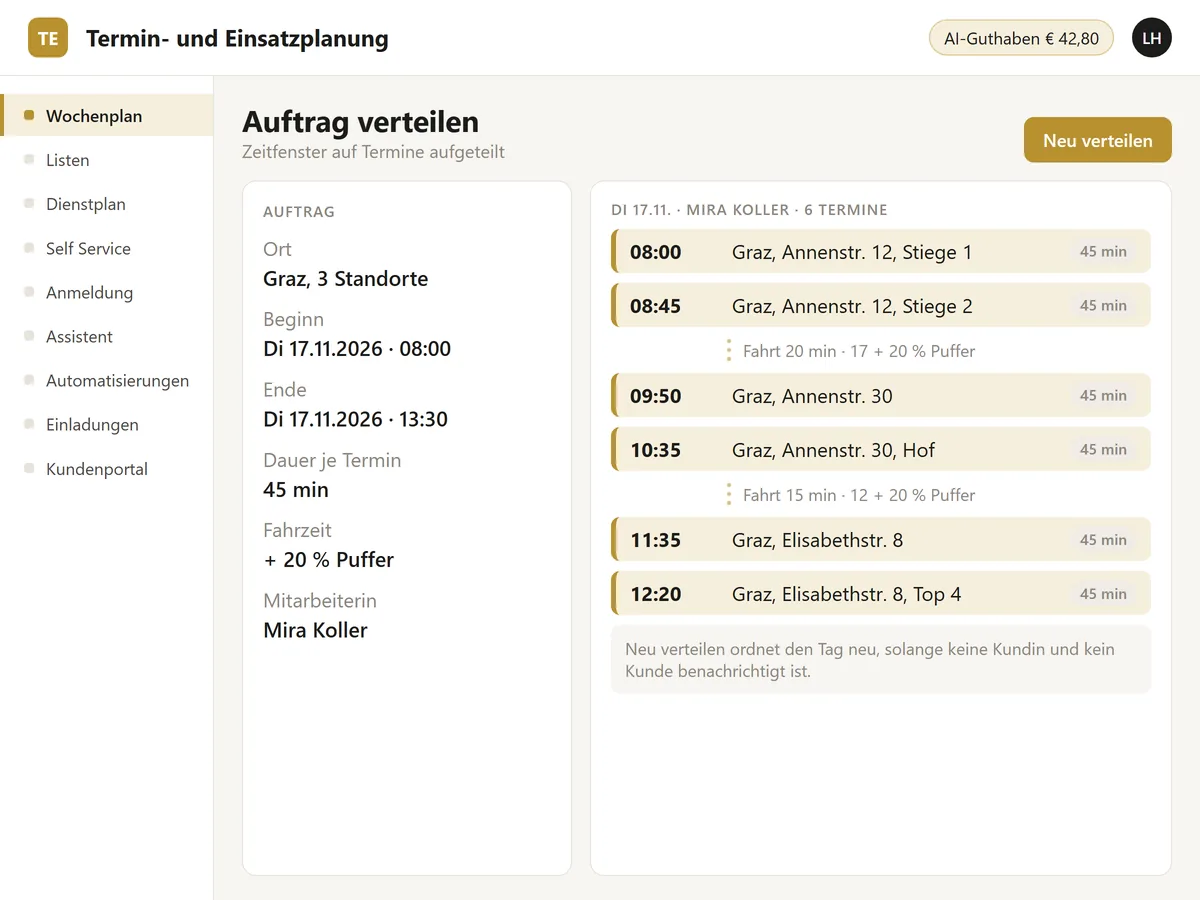
The weekly plan shows your staff in rows and the days in columns. For an order or location you set start, end and duration, and the planner spreads the appointments across that window. Between locations it allows travel times with a 20 percent buffer. Open screens update live, and every staff member gets their schedule as a PDF.
With “Redistribute” you rearrange a day. The planner refuses as soon as customers have been notified or an absence touches the day. You decide whether a day is redistributed.
Travel times come from Google Routes when a key is stored. When no key is stored, the planner groups the locations by postcode.
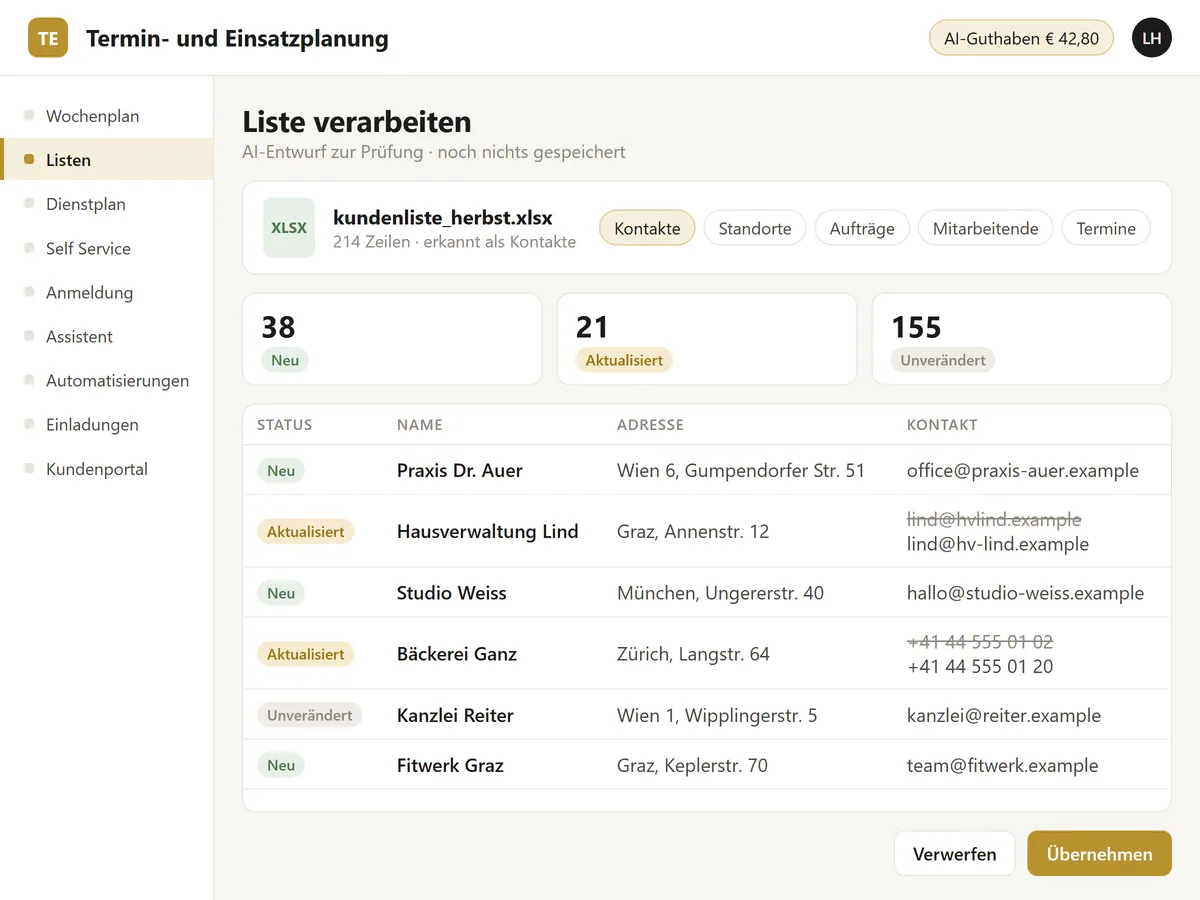
You upload a list of any kind: contacts, locations, orders, staff or appointments. The AI turns it into a draft of new, updated and unchanged entries, or proposes a weekly or monthly plan. Locations within 150 metres are merged in the plan, and it schedules at most five visits per day.
The proposal appears in the weekly plan with the note “Created with AI support”. You review it and accept it with “Apply to weekly plan”, if you wish with time windows and mail drafts, or you discard it.
A language model at IONOS processes the list. You choose which one in the settings. Long imports run as background jobs, and Claude can start them through the connector.
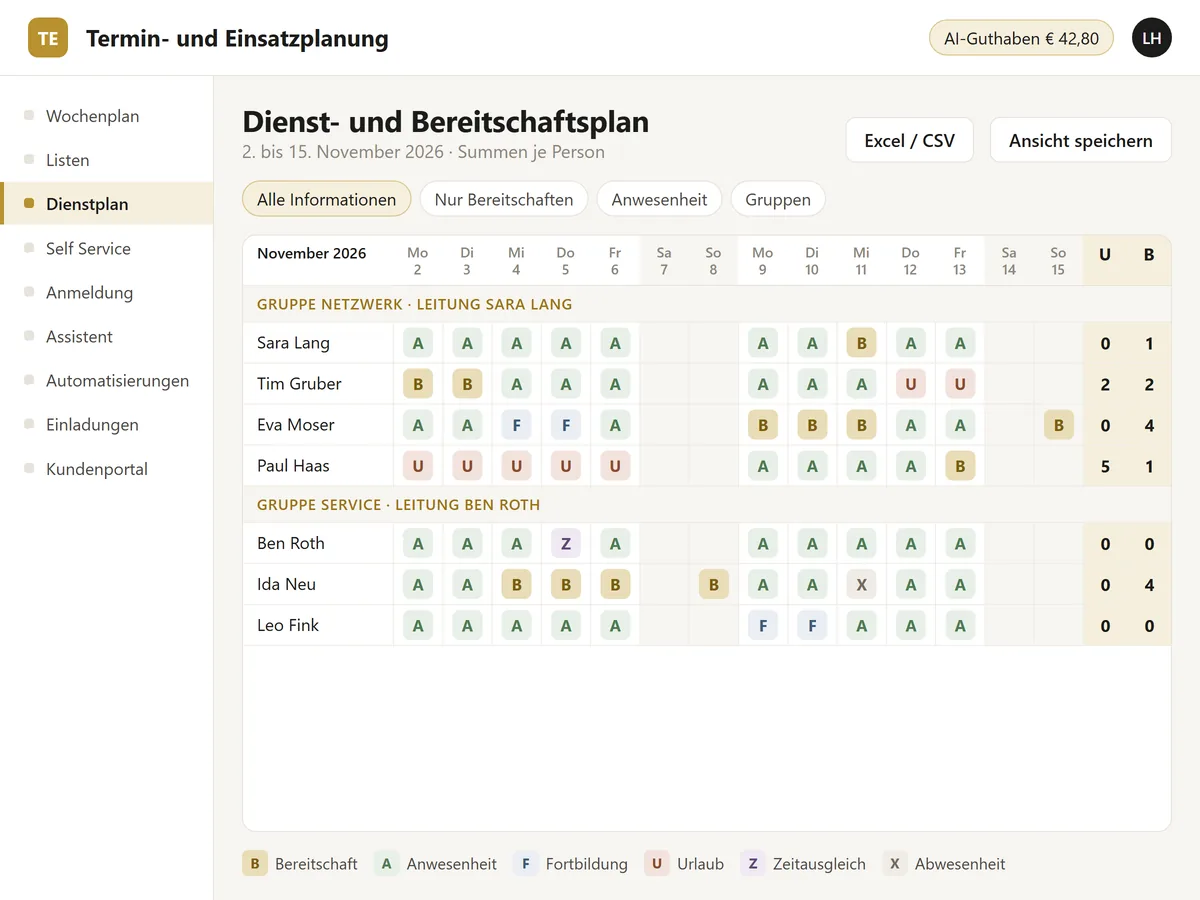
A monthly matrix shows on-call, presence, training, vacation, time off in lieu and absence per staff member as icons with a legend. There are separate views for on-call duty, presence and groups. Groups keep their lead with a date, public holidays run on two calendars, and every day can carry a comment. Totals are shown per person, group and year.
An Excel list can be imported. When an imported value differs from a manual entry, both values stay and you choose the valid one. The export to Excel or CSV runs by hand or by script, and every user saves a personal view.
We built this roster in an earlier project. We add it to the planner on request.
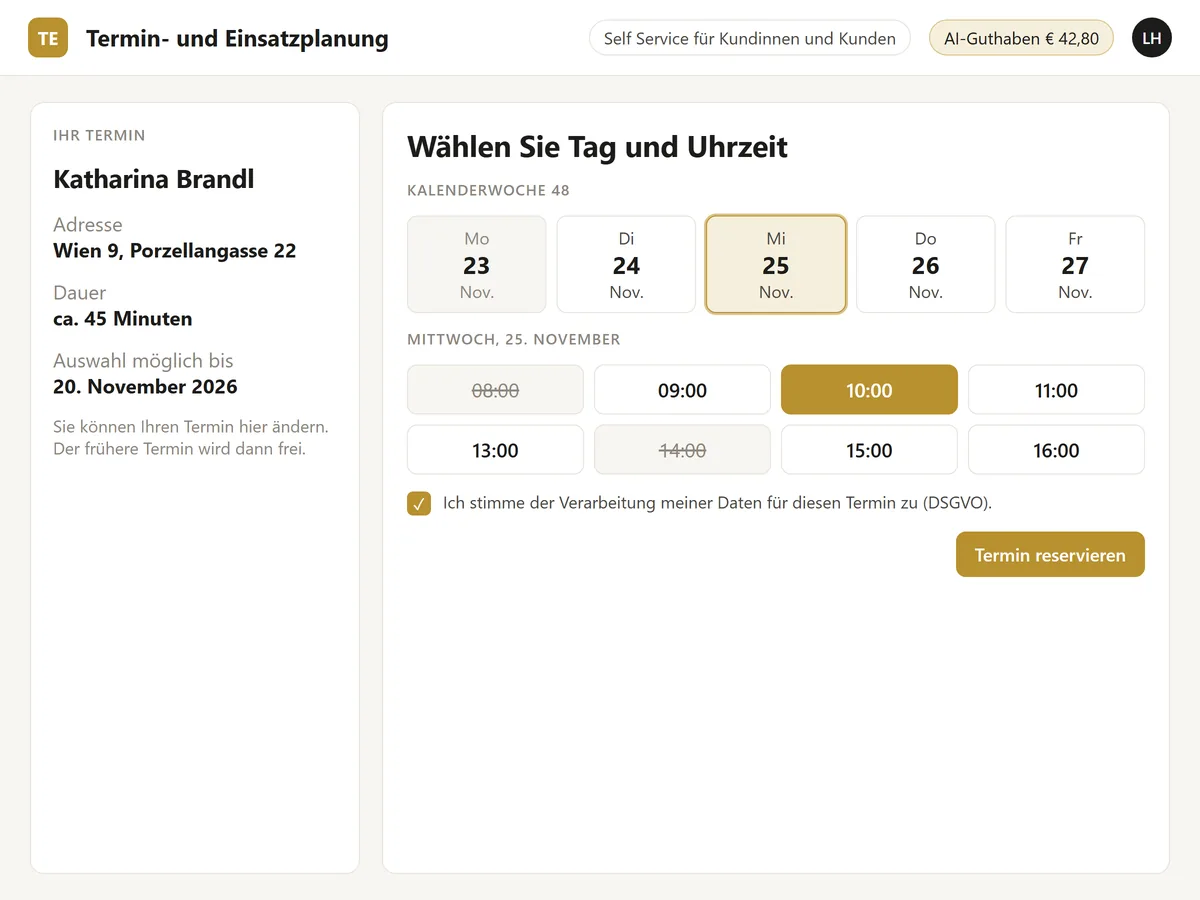
Your customers serve themselves. Customers who prefer mail receive an invitation with a link that is valid for 14 days. There they choose date and time, give their GDPR consent and see “Your appointment has been reserved!”. When they choose again, the planner releases the old appointment.
Confirmations and cancellations go out through Microsoft Graph from your company's mailbox.
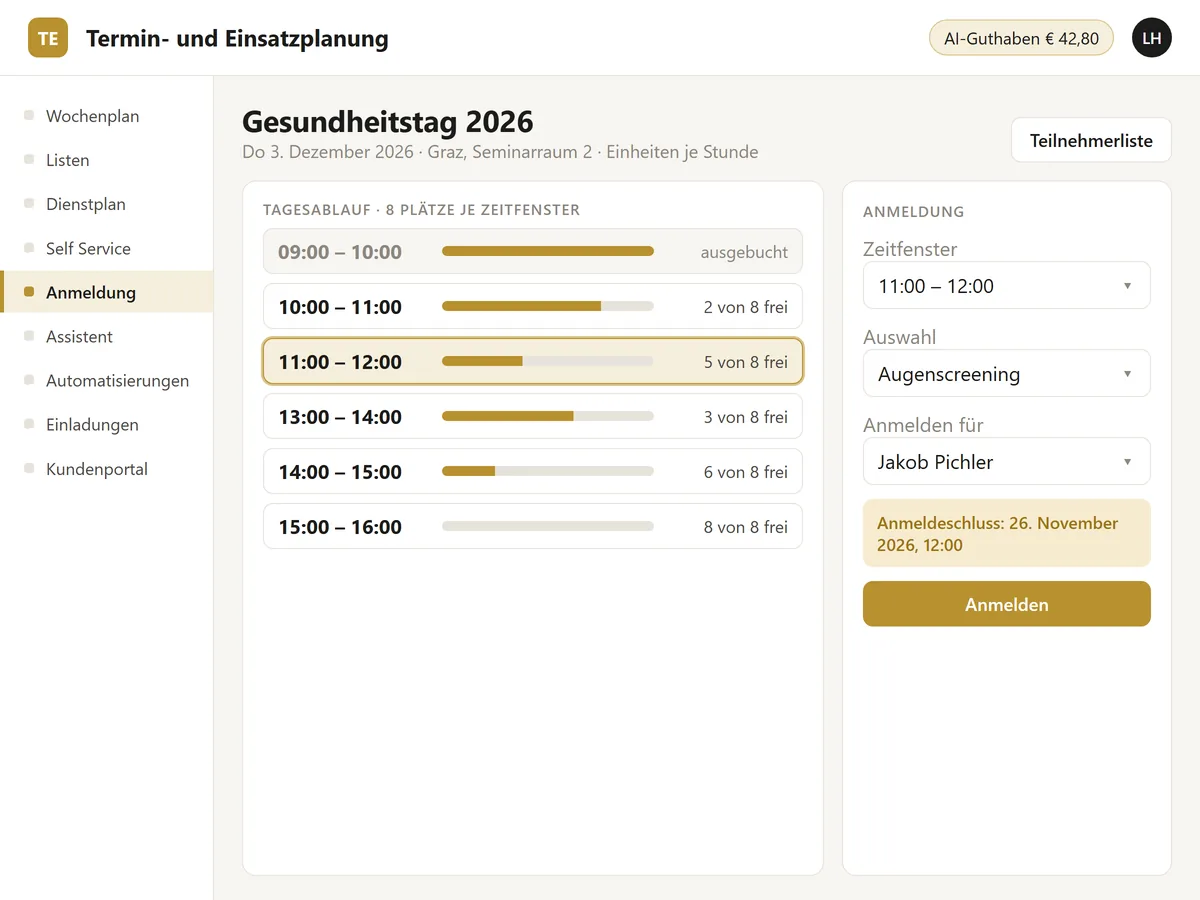
Events have a day plan with sessions per hour and places per time slot. One-off appointments with yes or no can be created with an optional choice. You register someone on their behalf, and each event can carry choices such as menu, venue or variant.
Every booking creates a calendar entry. A registration deadline expires, or you close the registration by hand. Access follows groups, a visibility window sets from when to when the event appears, and the participant list can be shown or hidden.
We built this registration in an earlier project. We add it to the planner on request.
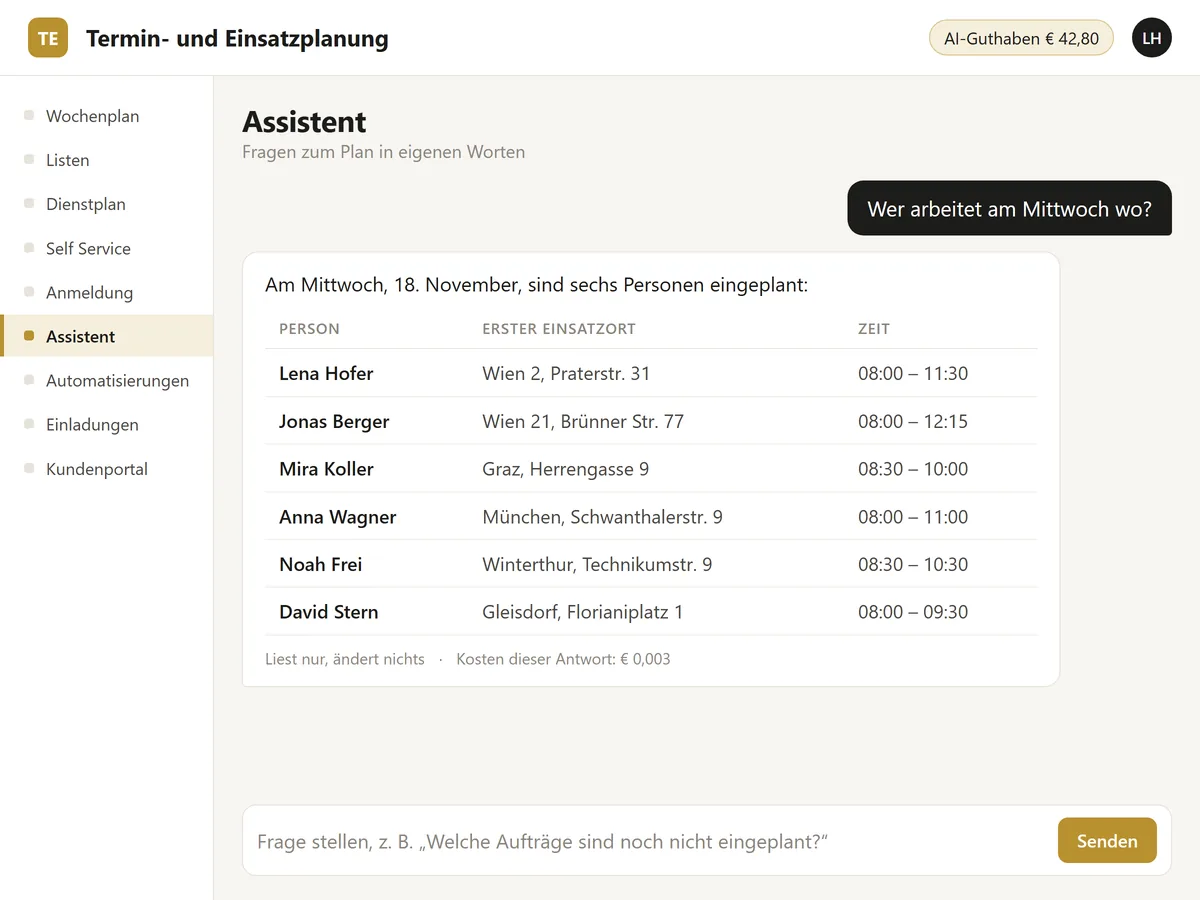
You ask questions in plain language: who works where on a given day or in a given week, what a person's plan looks like, which time slots are free, which reservations are open, which orders are unscheduled, which trips the day has, how busy a staff member is.
The assistant reads the data. It proposes changes to automations, and you accept them with “Apply”.
The same read functions are available to the connector for Claude. The model runs at IONOS, and every answer shows its cost.
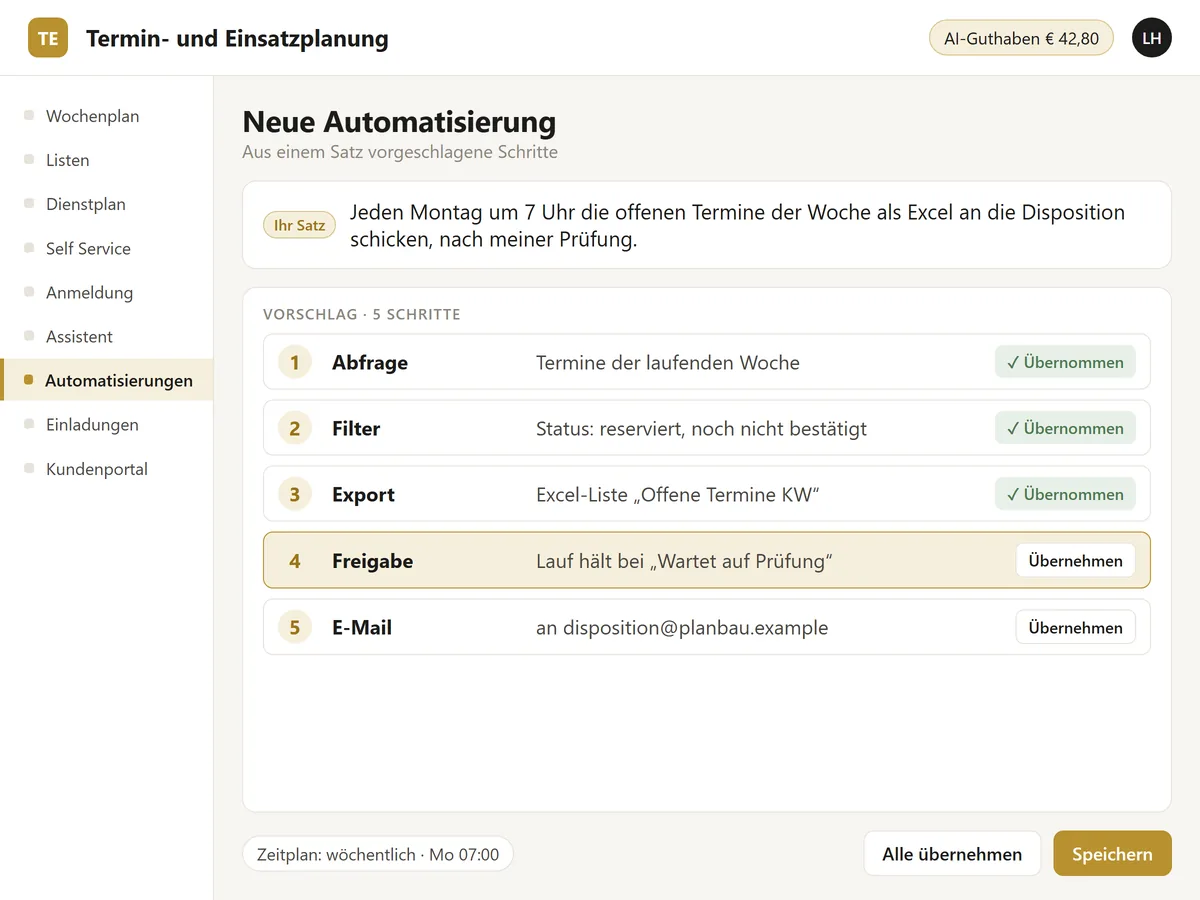
You describe a recurring task in one sentence. The AI proposes the steps: query, filter, AI action, export as CSV, JSON or Excel, PDF, mail, approval and data change. You accept each step individually or all together.
Runs happen daily, weekly or at an interval. An approval step holds the run at “Awaiting review” until a person approves or rejects.
Every run stores usage and cost.
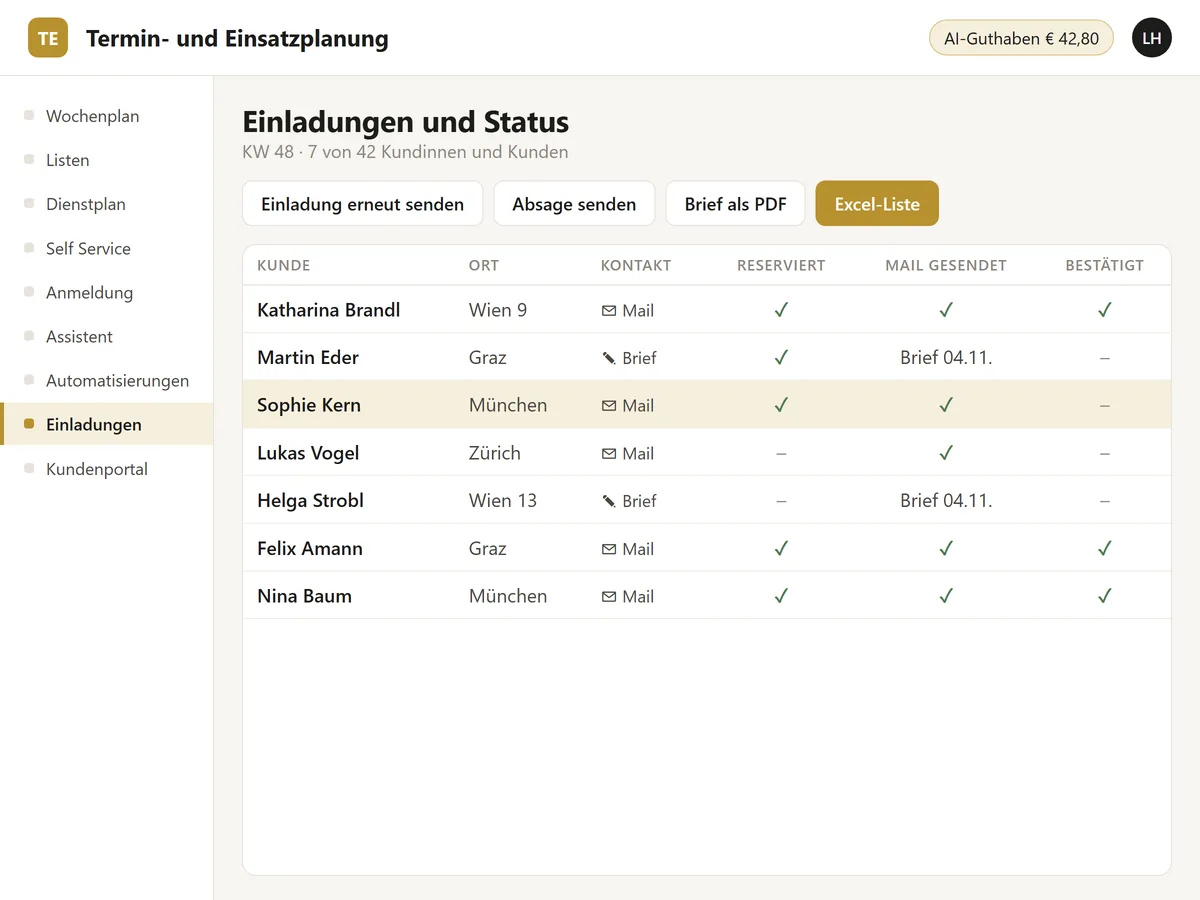
For each customer you see the status: mail contact, reserved, mail sent, confirmed. Customers who prefer post receive a letter, one PDF page per customer, and the letter date is recorded.
You resend an invitation, send a cancellation and download an Excel list of the appointments. Templates for mail and letter work with placeholders.
The AI processes lists of any kind and creates a draft with new and changed entries. You review it, and it is saved when you click “Apply”.
The connector opens the functions of the planner to Claude and other AI apps. Every call is logged with the user who triggered it.
The AI models run at IONOS, with a price per million tokens. Usage and cost are shown per call and per run, and the AI credit sits in the top bar. Hosting costs a fixed amount per month. We bill AI usage by consumption.
You enter absences as periods with times, and the planner checks them against booked appointments. For each device or order you store a qualification, for example for service work.
The timesheet is available per staff member and period, the staff plan as PDF. A staff member asks an AI app for “my day”, their trips and their workload.
Sign-in runs through Microsoft Entra or an account of its own. The second factor arrives by mail, or by SMS when an SMS service is connected. Users, roles and permissions apply per menu item.