
Skills by Role
Each person sees the Claude skills of their role in the browser and in Claude, where the catalogue lists every skill with its plugin, description and release.
Claude Skills & Automated Research keeps the Claude skills and plugins that make up your team’s AI harness in one catalogue, drawn from your own GitHub repositories. Each person on your team works from the same current version and sees the skills of their role. Partners receive what you share with them by email.
Claude and every other AI app that supports MCP reach the catalogue through one MCP server. Scheduled research jobs watch the sources your skills depend on and confirm each finding at its primary source. Each finding arrives in your repository as an issue or pull request. Once you merge the change, the updated skill reaches everyone it is shared with.
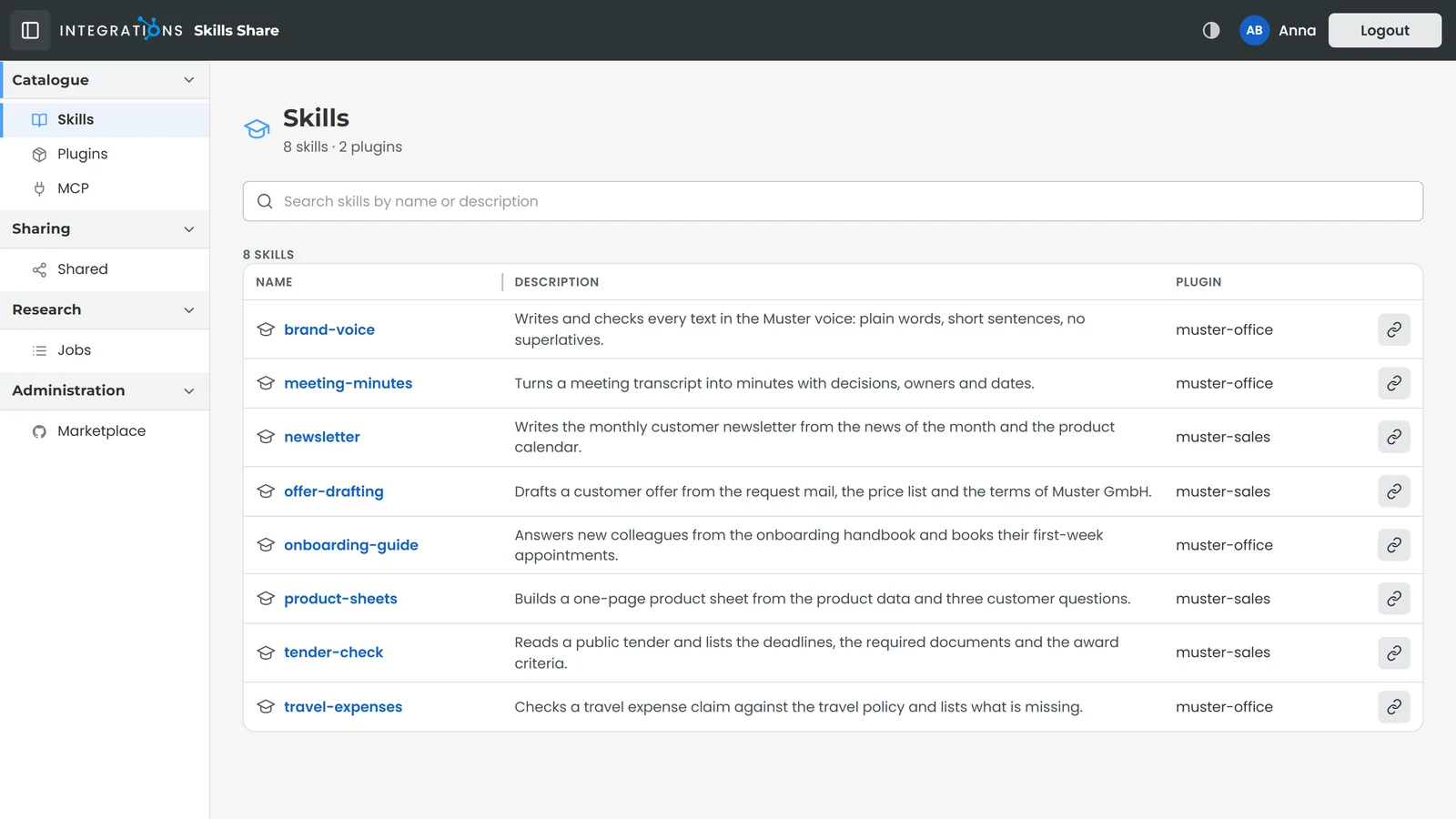
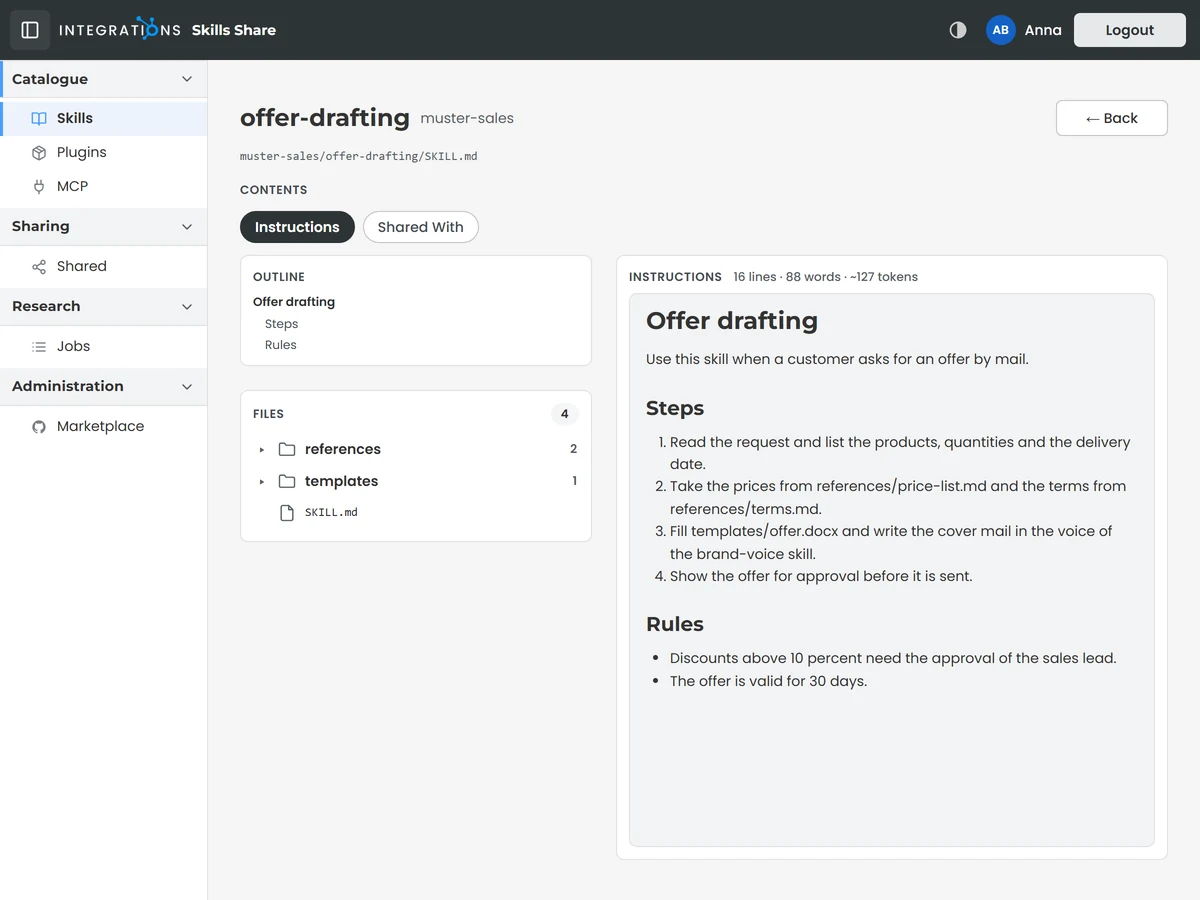
Every Claude skill your team works with sits in one catalogue. A skill's page shows what it does, its instructions, the files it brings and the plugin it belongs to. Search finds a skill by its name or its description.
The catalogue serves each skill as you last released it in your repository, so your team works with the version you approved.
Your team sees in the browser the same skills Claude works with, drawn from your own GitHub repositories.
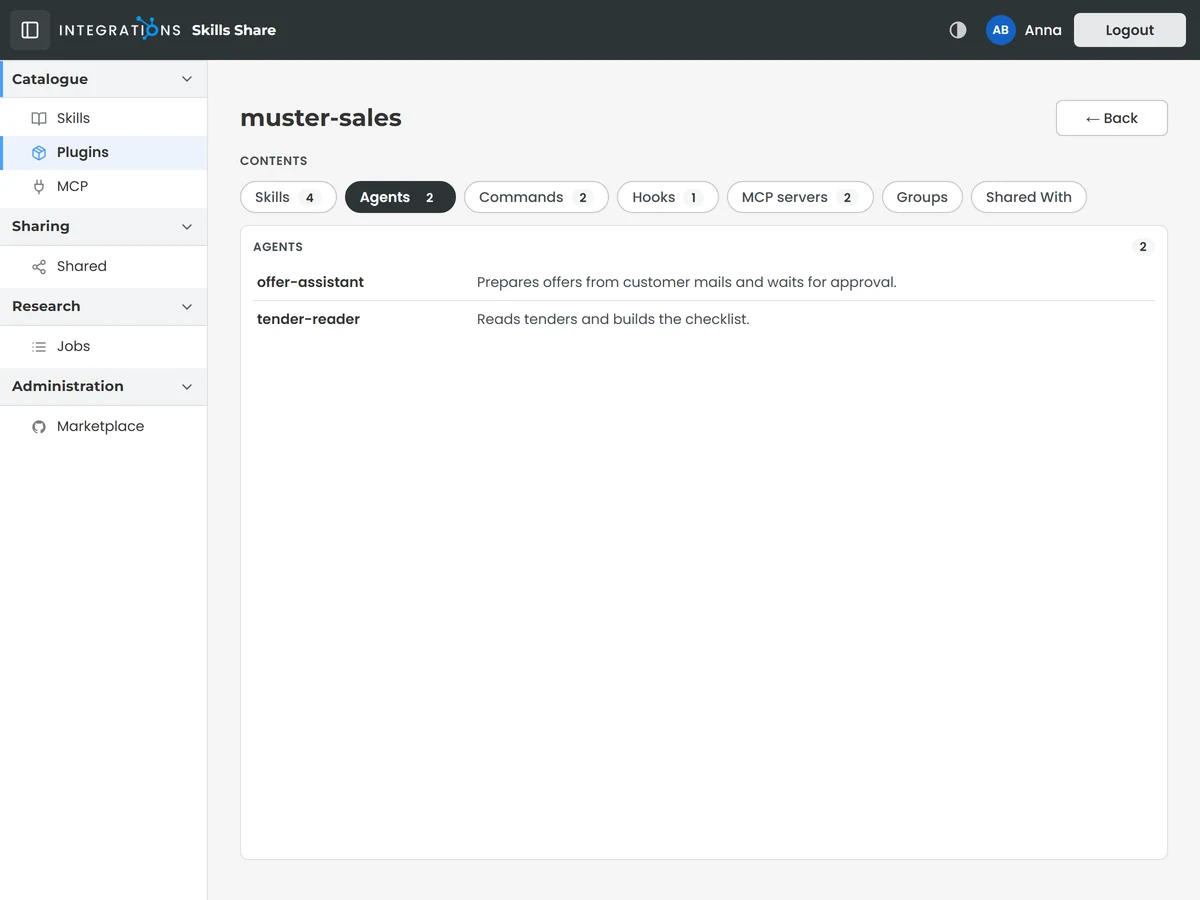
A Claude plugin brings skills together with what belongs to them: agents for specialised work, commands your team starts by name, hooks that run at fixed points and MCP servers that connect Claude to further tools. The plugin page lists each of these parts.
A single share passes a whole plugin with all of its parts to each person you choose.
Plugins come from your GitHub repositories together with your skills and reach Claude through the same MCP server.
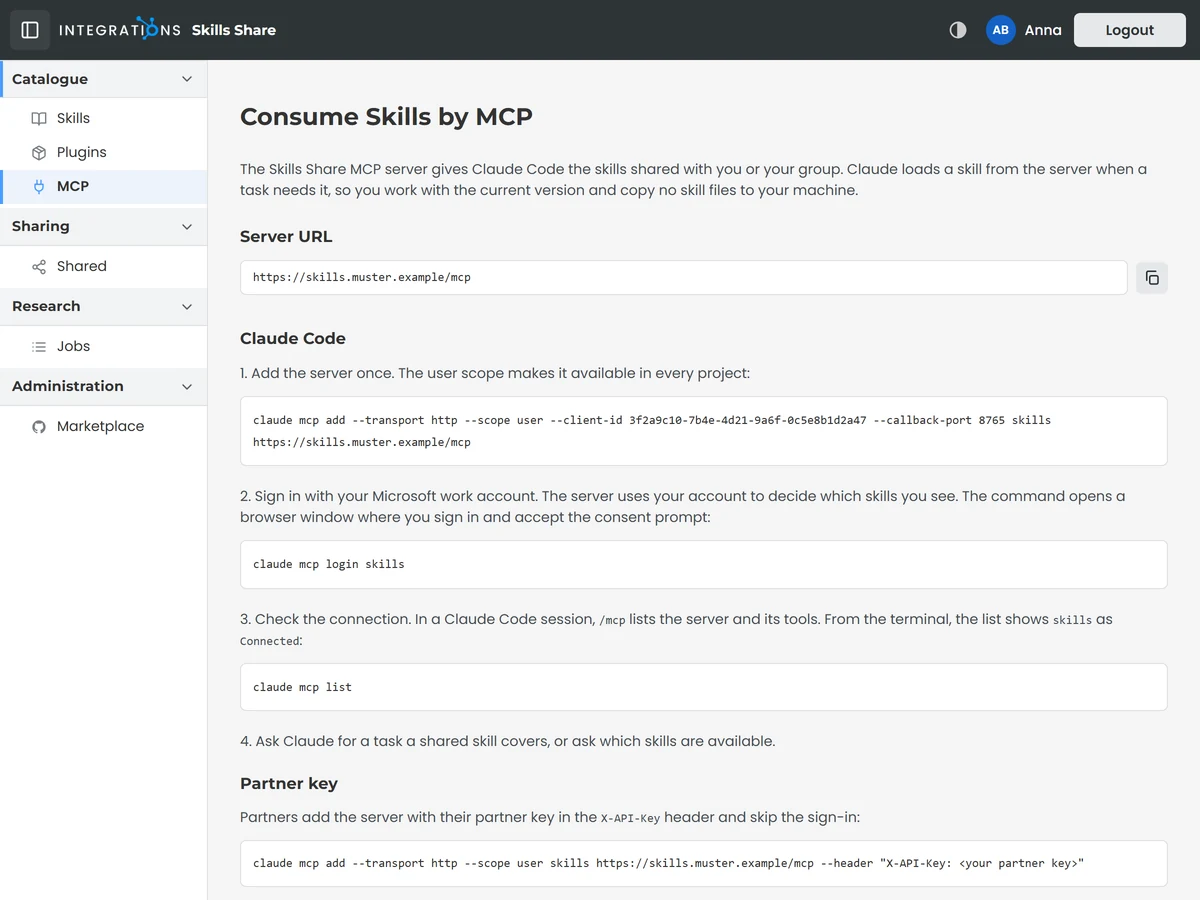
The MCP page gives each colleague the address of your skills server and the steps to connect Claude Code. Claude then loads a skill from the server when a task needs it, so everyone works with the current version.
Each person connects once with their work account, which decides the skills they see.
MCP is the open standard AI apps use to work with tools and data, so Claude and every other AI app that supports MCP reach your Claude Code skills through one server.
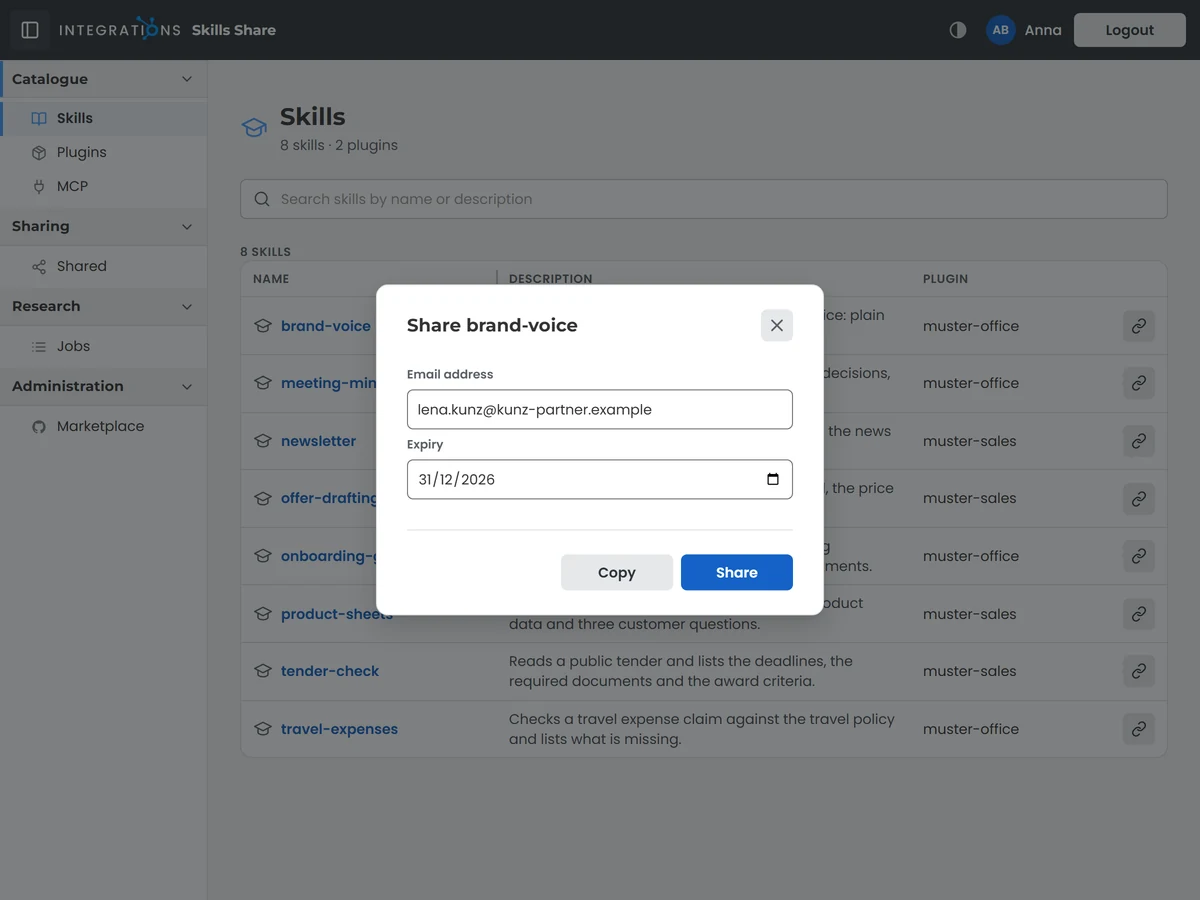
Share a skill or a whole plugin with a colleague or a partner by entering their email address. Access lasts until the share expires. The email they receive carries the steps to connect Claude Code to your skills.
You set the expiry, one week unless you change it, then press Share to send the email, or copy the link and send it yourself.
The share itself creates the person's user, so their access starts with the email that Microsoft Graph sends.
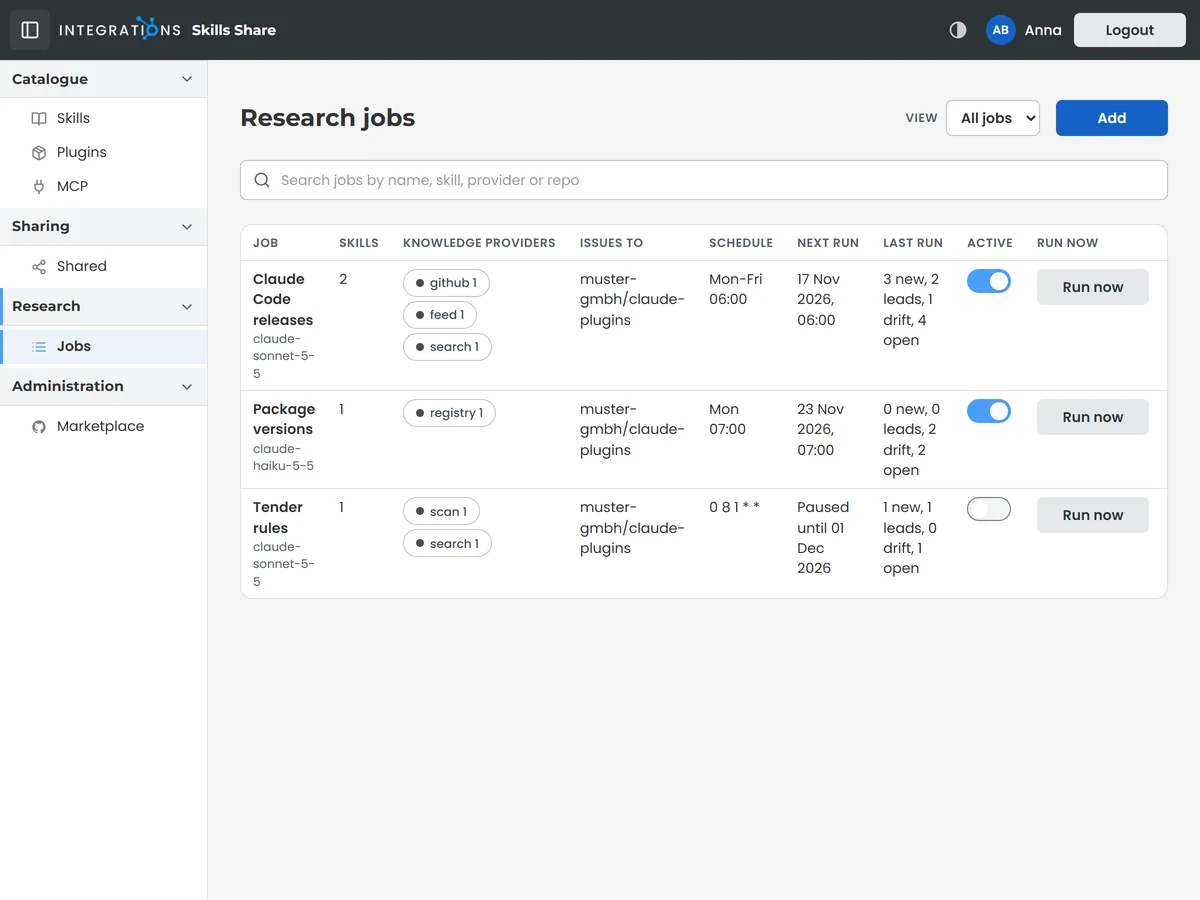
Automated research keeps your skills in step with the tools and services they describe. Each research job watches the sources your team depends on and reports what changed since its last run, on a schedule you set.
You choose whether a job delivers its findings as issues or as pull requests, and you pause it or start it at once with Run now.
A job reads GitHub repositories, web pages, feeds and package registries, and runs web searches on its subject.
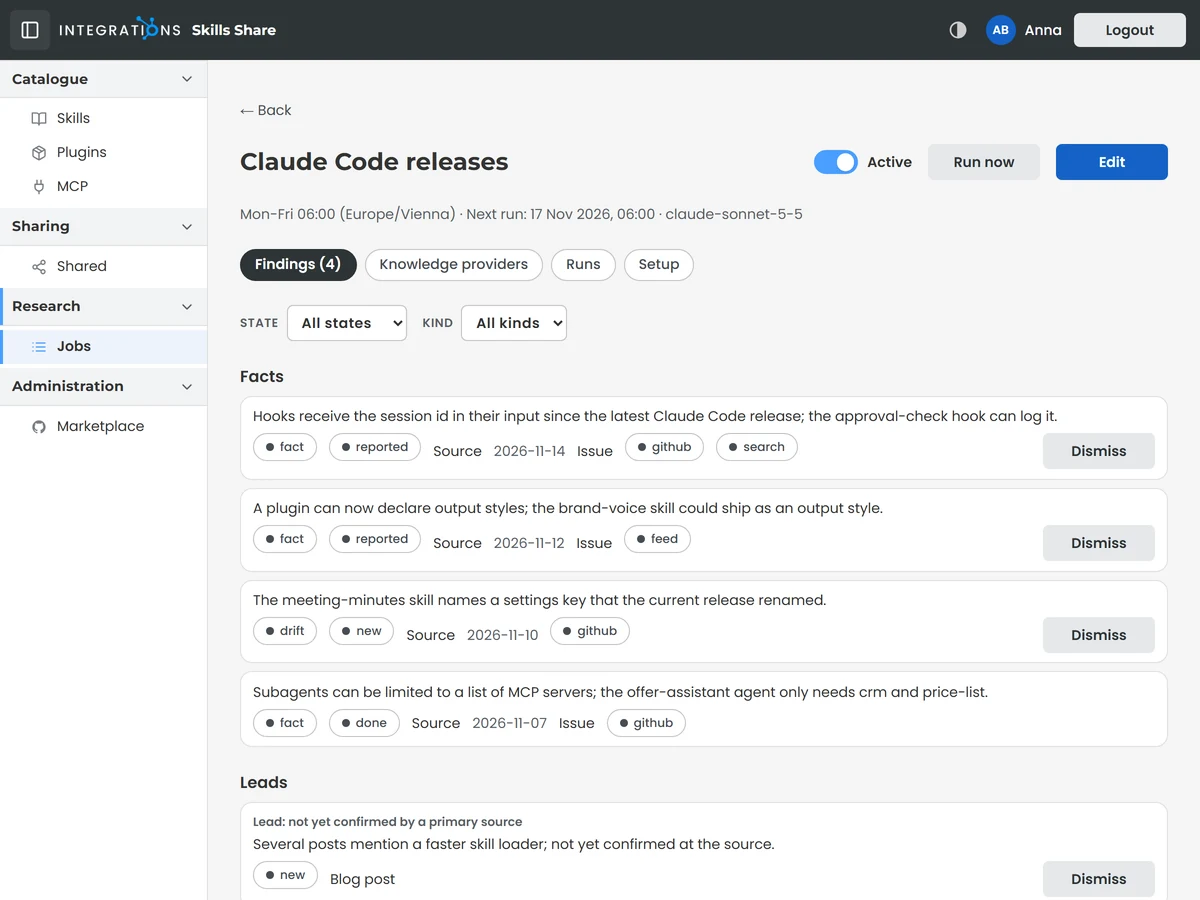
Each finding carries a trust tier that tells your team how far to rely on it, and it names the source behind it. A lead counts as confirmed when a primary source backs it.
You decide what goes into a skill by merging the pull request or acting on the issue that a finding opened.
Issues and pull requests open in the GitHub repositories your team works in. A merged change reaches the catalogue and everyone the skill is shared with on the next release or push.
Each person sees the Claude skills of their role in the browser and in Claude, where the catalogue lists every skill with its plugin, description and release.
Partners outside your company sign in with a one-time code sent to their email and see the skills and plugins you shared with them for as long as the share runs.
Connect every GitHub repository your skills live in and disconnect each one on its own. A release or a push to any of them updates the catalogue by itself.
When GitHub, a web page, a feed, a package registry and a web search report the same change, your team gets one finding with every source behind it.
Research compares the package versions pinned in your repositories with the latest releases on NuGet, npm and PyPI and names each package that fell behind.
Each finding follows its issue in your repository. When your team closes the issue, the finding is marked done and carries the linked pull request.
Partner companies install the plugins shared with them from a Claude Code marketplace of their own.
The Knowledge area keeps everything your research jobs found, searchable across every job.