
Connector for Every AI App
Every service of the store is MCP enabled. Claude and every other AI app that supports MCP work with your secrets, documents, AI providers and app settings through one connector, and you decide what each of them may reach.
Password Manager & AI Gateway is the one place where your company keeps its secrets and credentials, important documents, the keys of its AI providers and the settings of its apps. Your team, your other apps and your AI agents work from the same store, and the app configuration is fully managed. The daily search for a password or a server address comes off your desk.
Every service is MCP enabled, so Claude and every other AI app that supports MCP reach what you release to them. The store runs on your own server, in your own database, with your own encryption key, and your team signs in through any OAuth system. Your data is shared with nobody.
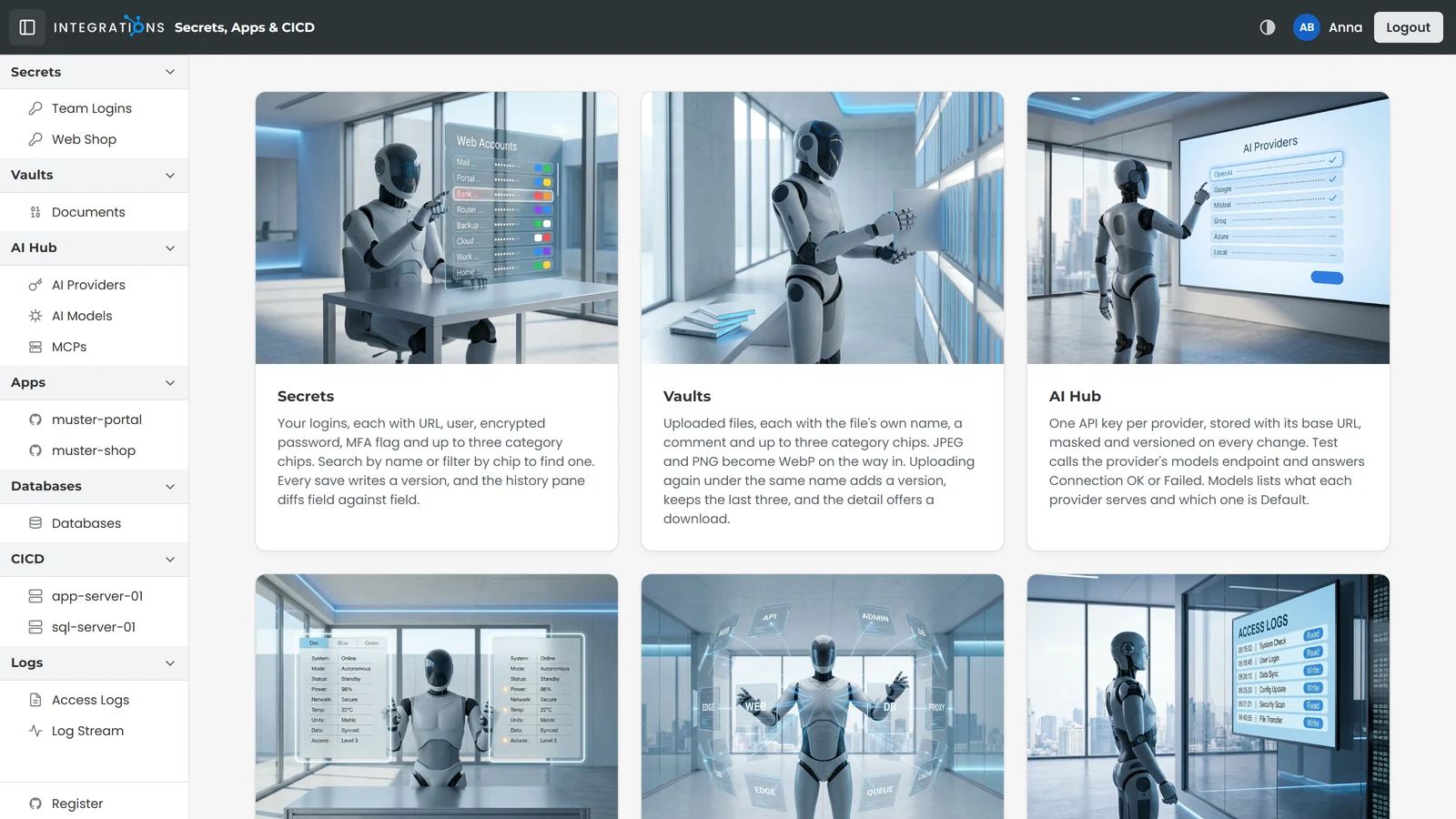
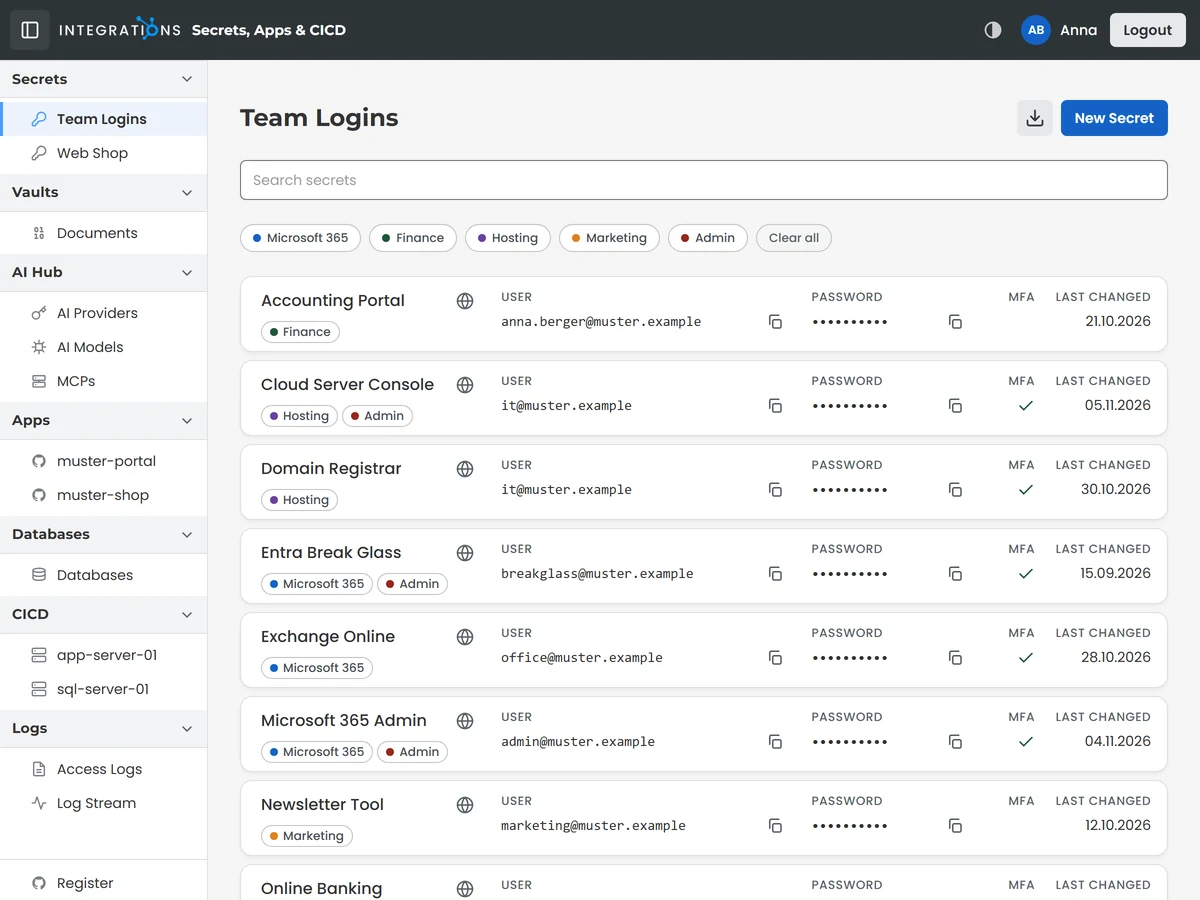
Your team and your AI agents keep the secrets and credentials of the company in one searchable list with URL, user and password, a marker for multi-factor sign-in and up to three category tags. Search finds an entry by name, a category narrows the list, and user and password each copy with one click.
Your team works with the list in the browser, with the browser add-on and with the offline-capable app on phone and tablet, and your agents reach it through MCP. Every save adds a version, and the history shows two versions side by side.
Passwords are stored encrypted in your own database, and your team signs in through any OAuth system.
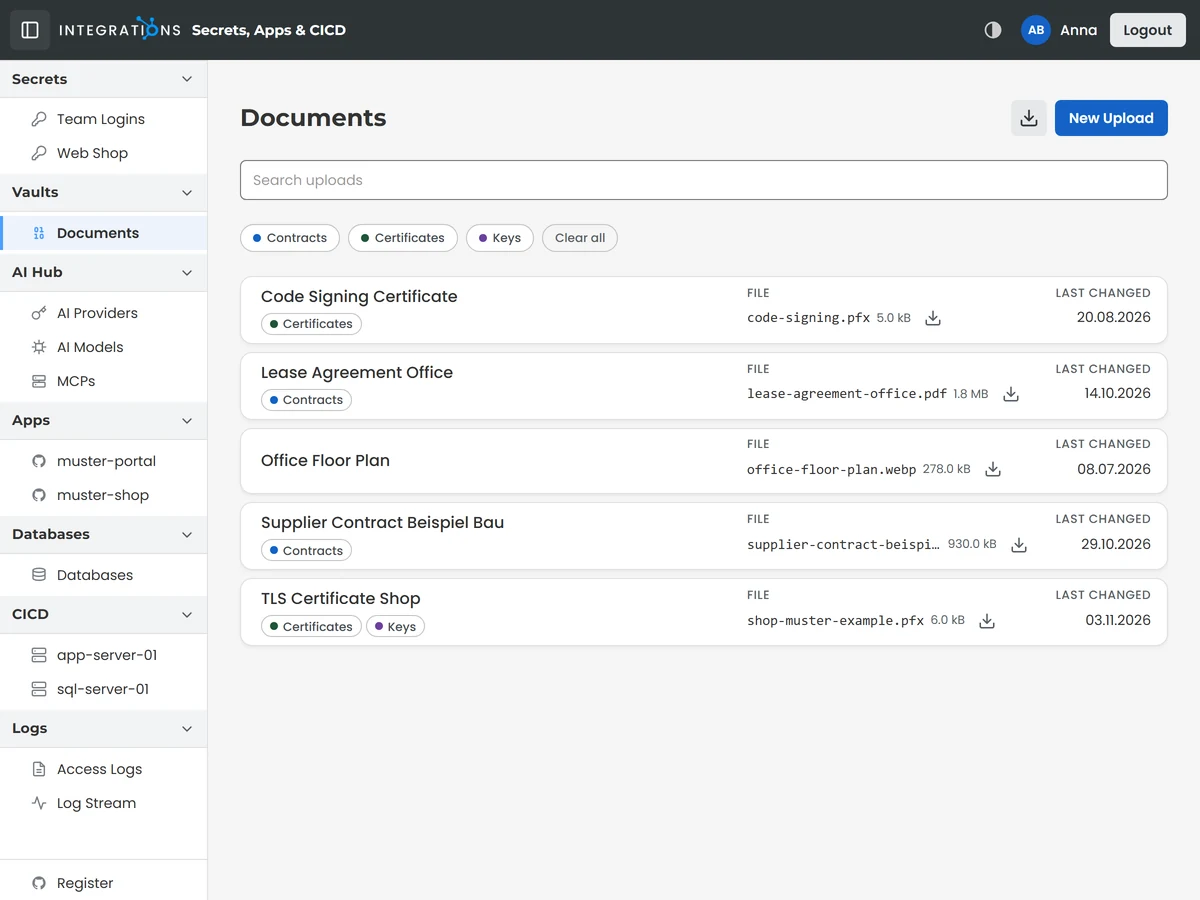
The Document Vault keeps your important documents. Each document carries a comment and up to three category tags, uploading again under the same name adds a version, and the last three versions are kept.
You and your team work with the vault interactively in the app, where each document has a detail page with its download, and through MCP.
The documents are stored in your own database, next to the secrets and credentials, behind the same OAuth sign-in.
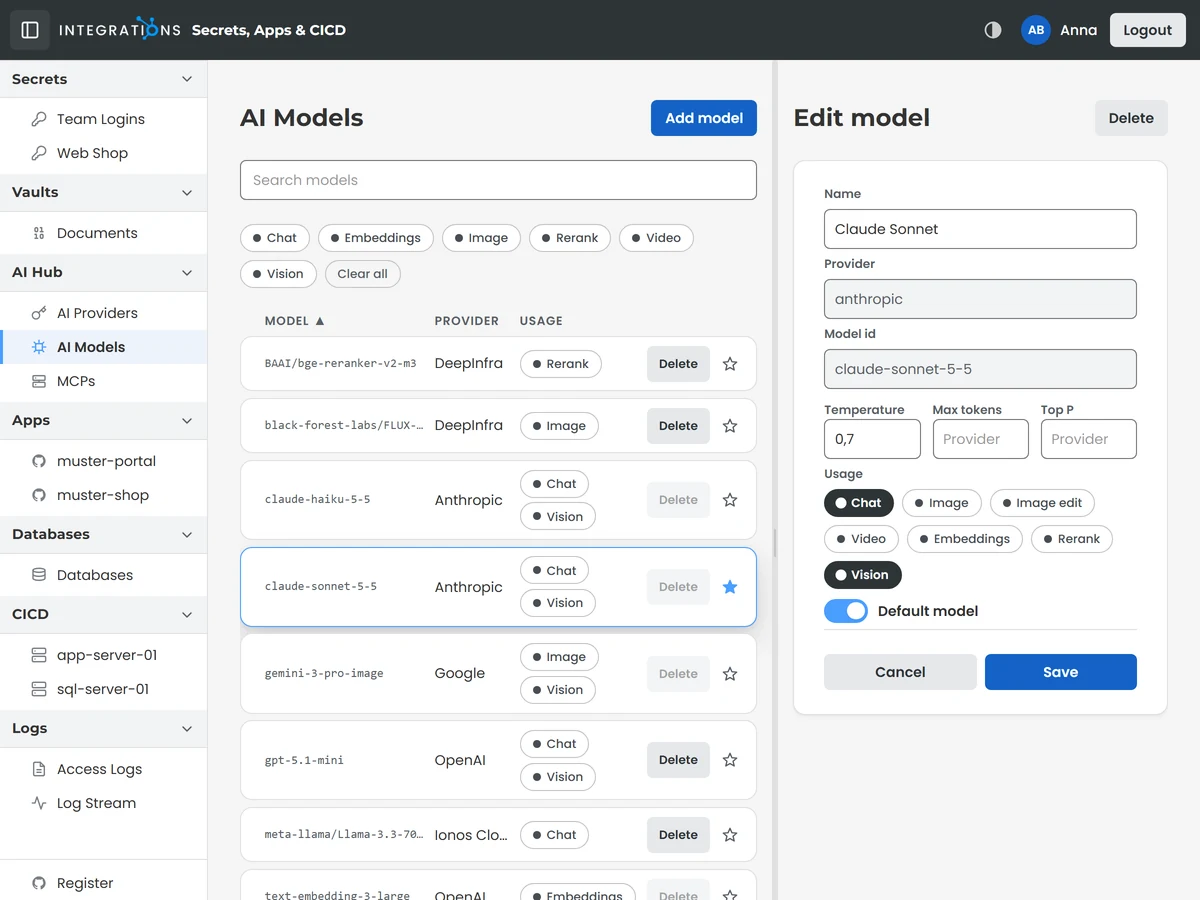
One AI hub that your other apps, your users and your AI agents use. Register any provider and any model with its prices, and buy where the price suits you best. Each model shows which apps and agents use it, and every app and agent has a default model of its own.
You decide who can use what: each app and each agent works with the providers and models you release to it. Each agent signs in with its own identity, so usage and logs show who used which model and when, and who fetched which key.
The hub is an MCP server, the open standard AI apps use to work with tools and data. Claude and your coding agents list the models, set and test provider keys and fetch the key a job needs at the moment it runs. One press on Test answers Connection OK or Failed. Keys stay hidden on screen and in every key list, and they rest encrypted in your own database.
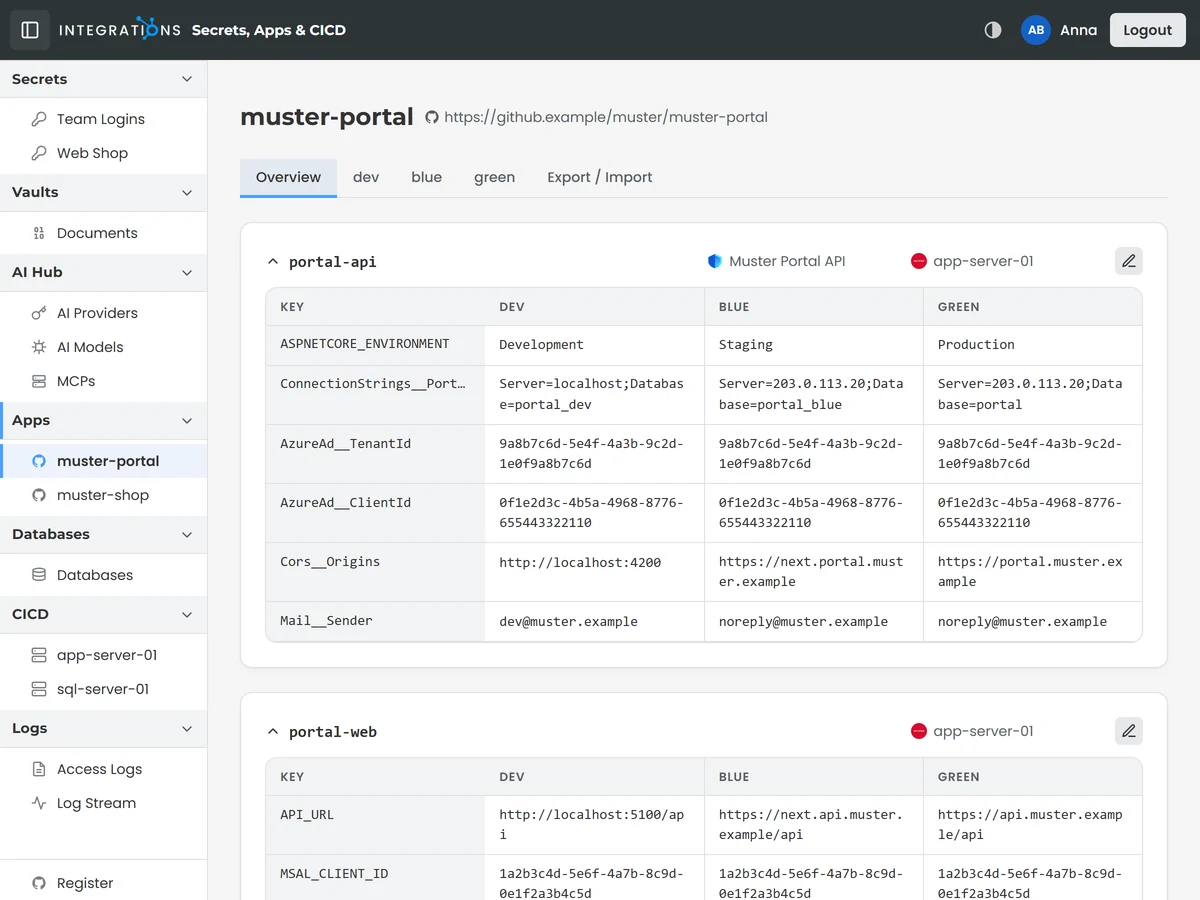
The Agentic Config Service is fully managed. Every app keeps its settings for every environment side by side in one place, and every server has one entry with its address, its credentials and the apps running on it. Your team delivers software without hunting for access data, because everything a delivery needs sits in one place that everyone works from.
You export the settings of an environment into files, check an uploaded file against the store, which compares keys only and shows which settings are missing on either side, and update the store from a file. You choose the file and start the check or the update from the page.
Your AI agents work from the same place and run the same check before a release, so differences show up before it goes out. You decide what each agent may reach, so your AI works safely inside the limits you set. Your settings stay in your own database.

State-of-the-art agentic CI/CD, delivered to any Linux-based host at the hyperscaler of your choice: Hetzner, Azure, Google, AWS or whatever you prefer and your data compliance rules allow, without vendor lock-in.
Every server has one entry in the store with its command to connect, its address, its location, its credentials and the apps running on it. Your AI agents work from these entries, so a delivery finds everything it needs in one place.
You choose where your software runs, and there is no recurring fee.
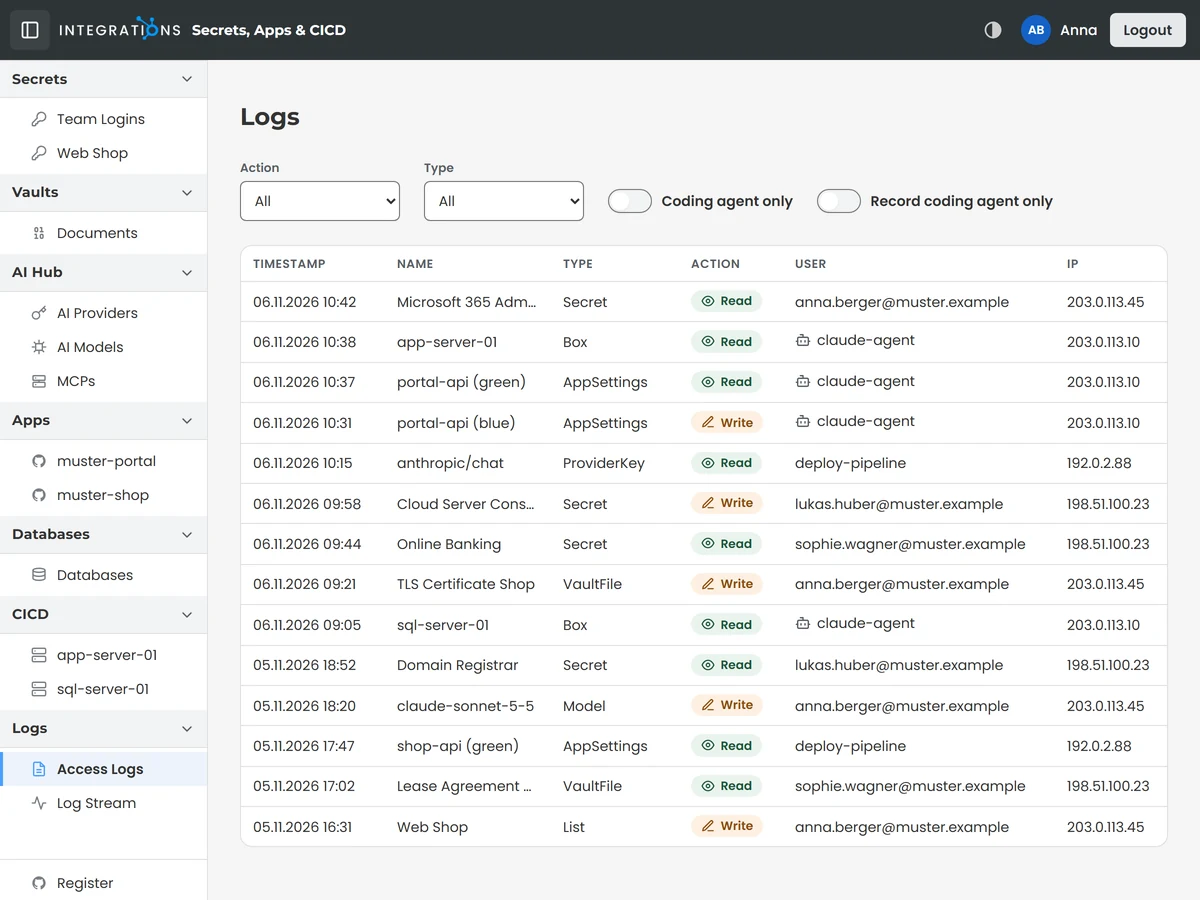
Stay in control of who does what in your store. Each entry of the access log holds the time, the action, the entry touched, the user and the IP address, and the list filters by action, type and user. Recording covers your coding agents by default and every user once you switch it on. Log Stream shows the live output of a running application in the page.
The owner reads the log. You pick an application and connect, and the stream starts.
Entries are kept for 14 days.
Every service of the store is MCP enabled. Claude and every other AI app that supports MCP work with your secrets, documents, AI providers and app settings through one connector, and you decide what each of them may reach.
Each agent signs in with its own identity. The areas you release to it decide what it can work with, and the usage and log views show you what it did with the AI providers and models.
People sign in through OAuth, so the store works with any OAuth system. Two roles set what a person reaches: Owner for the whole store, Customer for AI providers, models and MCP servers.
The store runs on your own server, on any Linux host at the hyperscaler of your choice, in your own database and with your own encryption key. Your data is shared with nobody.
Passwords, provider keys, MCP server keys and the GitHub token are stored encrypted in your own database. The passphrase that opens them stays on your own server.
Your data stays yours. Export all secrets and credentials as a CSV file, the settings of each app and environment as files, and every document from its detail page.
Your company credentials in Chrome and Edge: find an entry in the toolbar and fill the sign-in form of the open page with one click.
Your company credentials on iPhone, iPad and Android phones and tablets: install the app from the browser and read them offline.
Each agent that works through MCP needs one MFA approval per session, enabled on request.