
Background Agents
A scheduler runs agents and tasks in the background. They import invoice mails from the mailbox on demand, analyse each receipt on upload and settle recurring vouchers daily. Every run is logged with its agent.
Vouchers AI keeps the receipts, invoices and payments of a business in one place and does the routine work with AI. Photograph a receipt or send in an invoice by mail, and supplier, invoice number, date, VAT and total are read out for you to check. For an open invoice, the AI to-do proposes the entry from how you entered that supplier before and saves it when you press one button.
An assistant answers questions about your figures, prepares entries and invoice drafts in Outlook and waits for your approval. Recurring jobs run as planned tasks that stop at a review point until you approve. Your cash forecast and your liquidity come from the same data, and optional modules add stocks and precious metals.
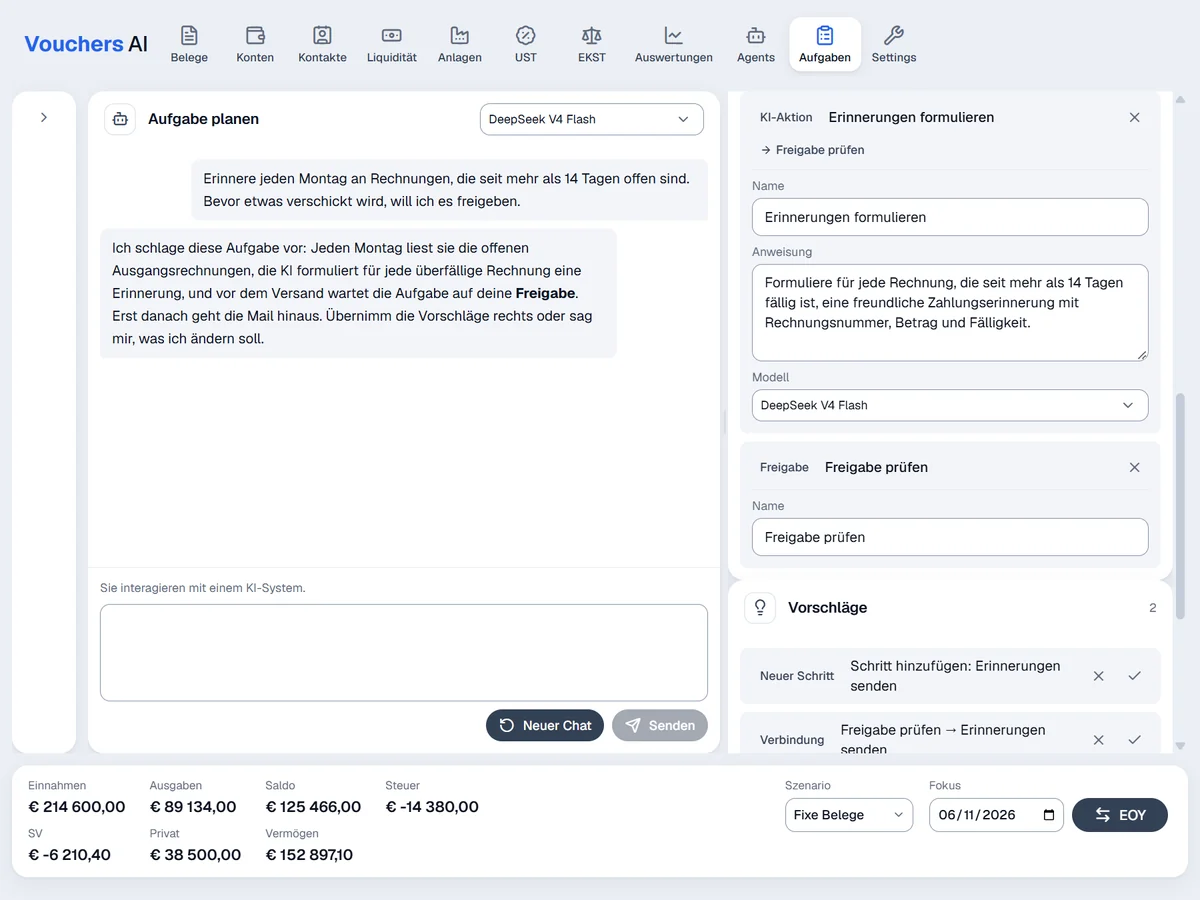
Describe a recurring job in one sentence and the AI builds the steps: query, filter, AI action, export, PDF and email.
A review point stops the run until you approve or reject it. The run history shows what each run used and cost.
The planner runs on a chat model of your choice. The AI step returns its answer as table rows, so the next steps such as export, PDF or email can use it directly.
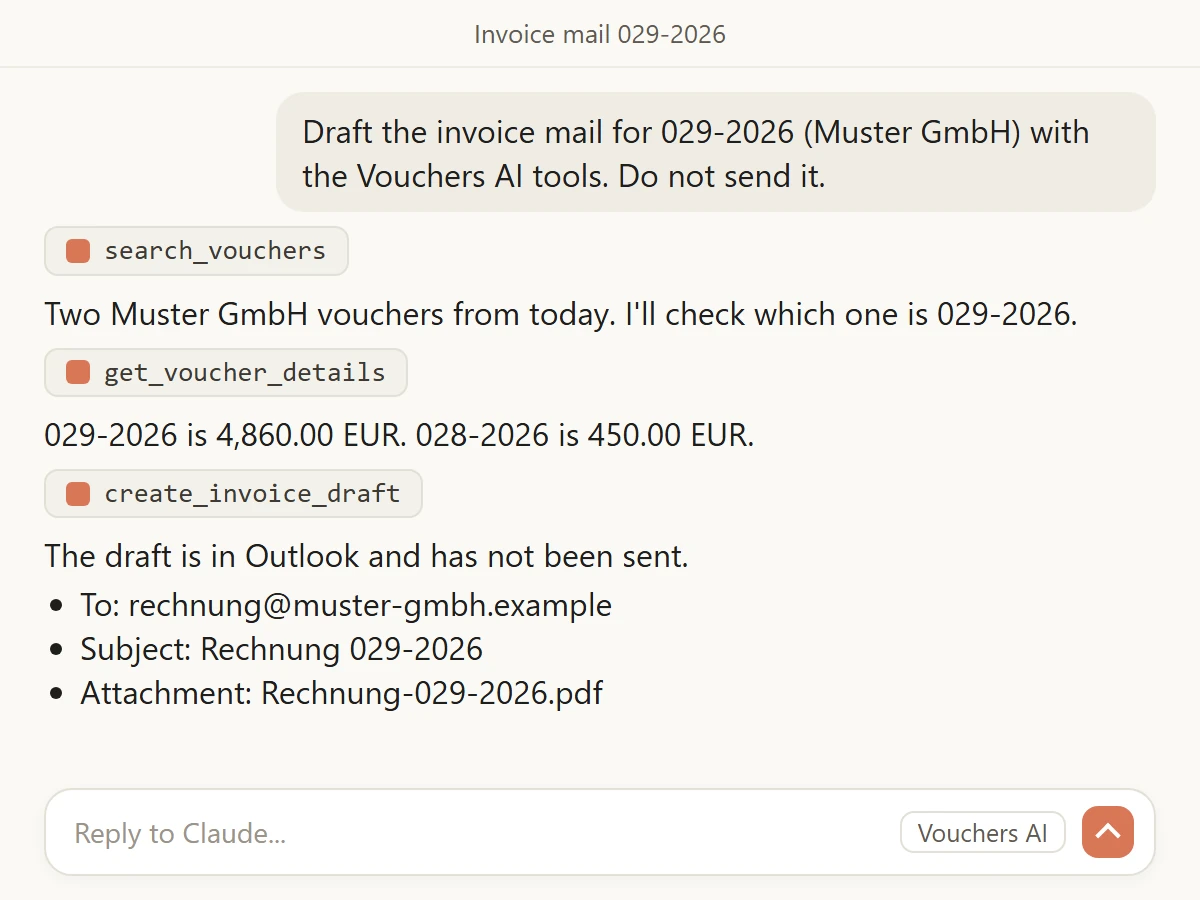
Connect Claude or another AI app to Vouchers AI and work in a chat. Ask for the figures of a period, look up a voucher or have the invoice mail drafted.
Claude finds the invoice voucher and creates the mail as a draft in your Outlook mailbox with the PDF attached and your signature. The draft is never sent. You read it in Outlook and send it yourself.
The Vouchers AI connector is an MCP server, the open standard AI apps use to work with tools and data. Any AI app that supports MCP reaches your vouchers directly. The Outlook draft is created through Microsoft Graph in your own mailbox.
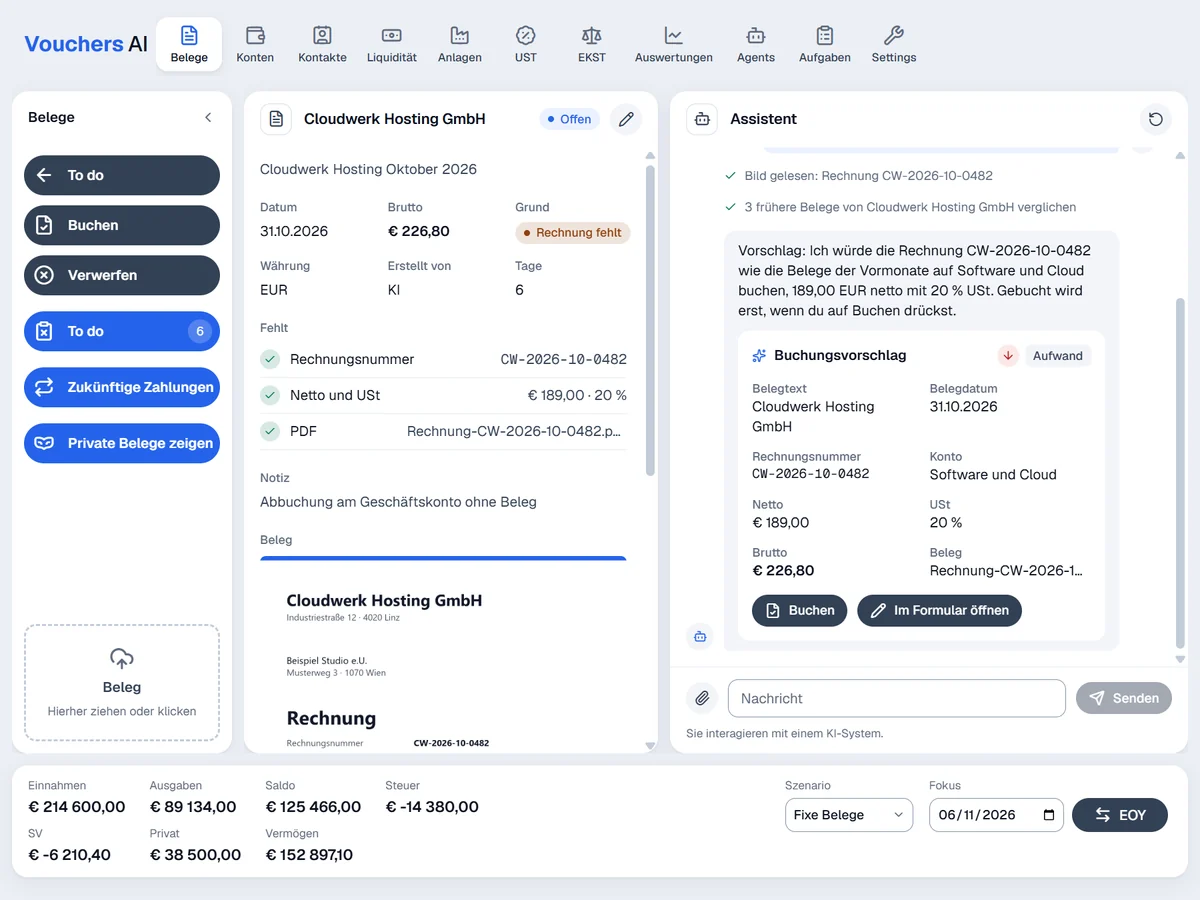
The AI reads an incoming invoice, looks at how you booked the same supplier before and proposes account, VAT and amounts.
Nothing is booked until you press the book button. Each to-do shows whether the AI or a person created it.
A language model you select in the settings reads the invoice and compares it with the supplier's earlier vouchers.
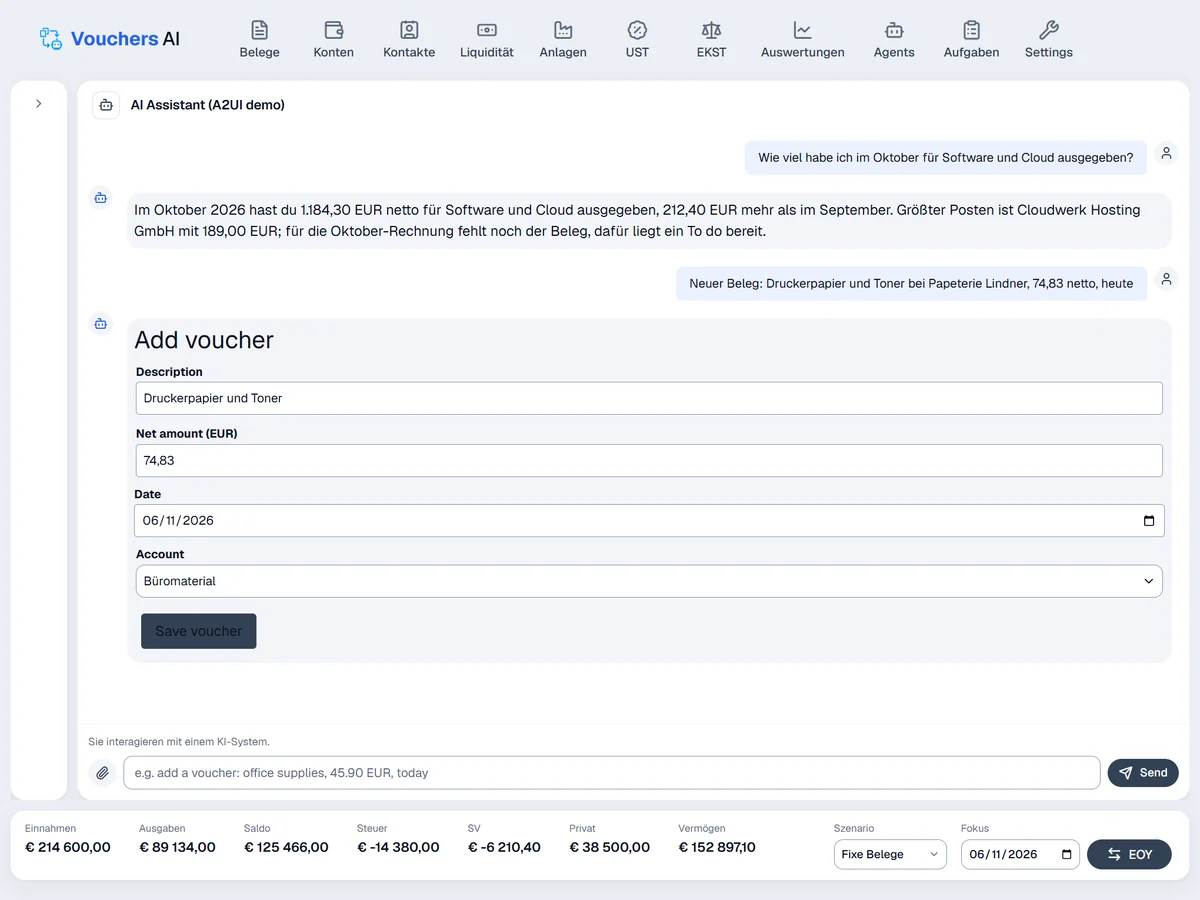
Ask in your own language about your figures, contacts, open receivables, cash and vouchers. The assistant answers from your data.
It prepares bookings, changes and invoice drafts. Anything that writes to your books waits for your approval.
The assistant runs on the AI model you choose and works with the same tools as the connector for Claude and other AI apps.
Vouchers AI reads the mailbox you set up for invoices, turns PDFs, images and mail text into voucher drafts for review and marks the mail as read. The assistant searches invoice mails by sender, date, folder and attachment.
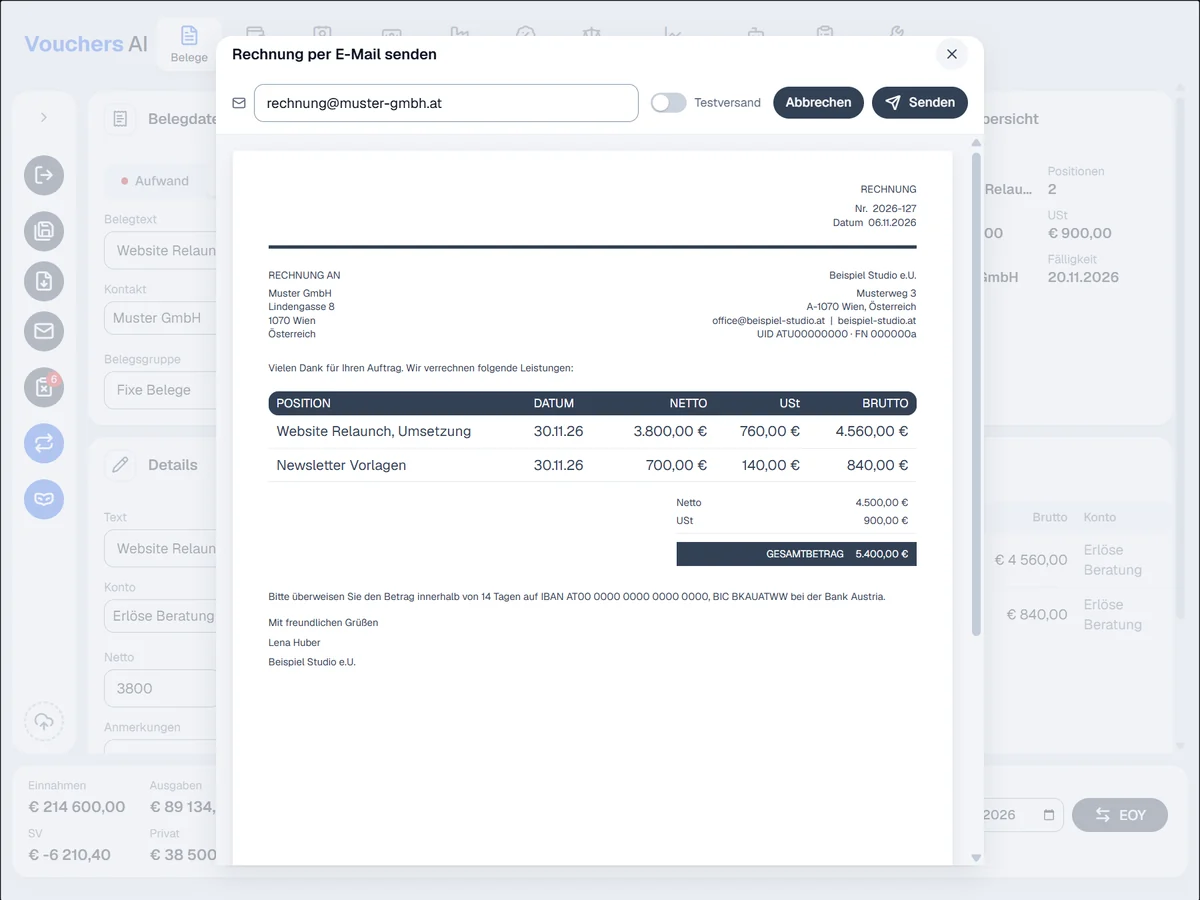
Invoice drafts land in Outlook with the PDF and your signature, and you can send an invoice from the app. A to-do opens its source mail with one click.
Microsoft Graph connects Vouchers AI to your Microsoft 365 mailbox for reading invoice mails, creating drafts and sending invoices. Sender, signature and mailboxes are set in the settings.
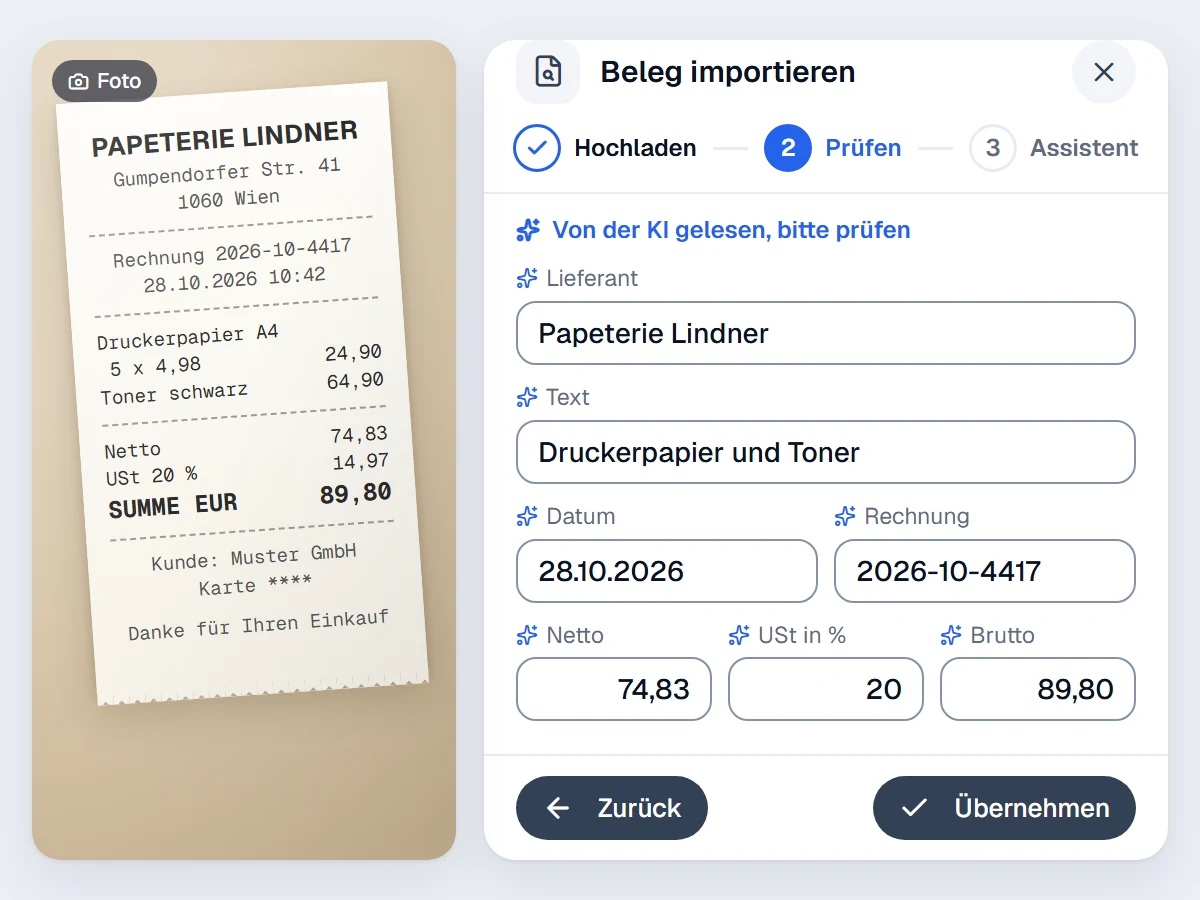
Take a photo of a receipt, or upload a PDF or a mail attachment. Vouchers AI reads supplier, invoice number, date, VAT lines and gross amount.
A receipt with several VAT rates is split per rate. You check the result before the voucher is saved.
An AI model with vision reads the photo or PDF. You choose which model does the reading in the settings.
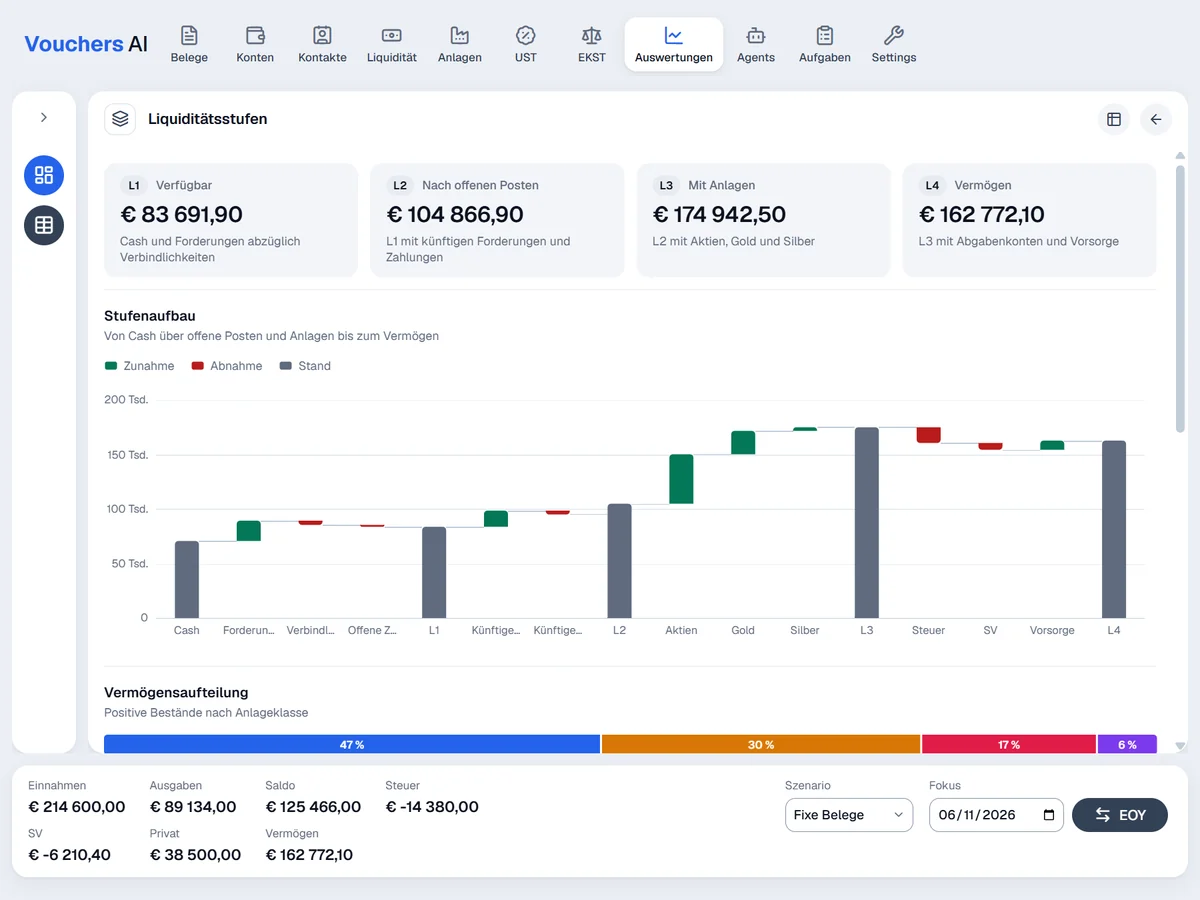
See your liquidity in four levels: what is available now, what remains after open invoices and payments, what you hold in investments, and your total wealth. Amounts due for taxes and social insurance count toward the last level.
The cash forecast and scenarios, such as the fixed vouchers scenario, are calculated from your vouchers and their recurrences.
Stock prices come from OnVista and precious metal rates from the Raiffeisen rate sheet, so investments count at their current value.
A scheduler runs agents and tasks in the background. They import invoice mails from the mailbox on demand, analyse each receipt on upload and settle recurring vouchers daily. Every run is logged with its agent.
Describe an expense in one free-text line. Vouchers AI fills in the text, net amount, date and account, and you adjust what is needed.
Add the AI models you want to use and put them in your order of preference. Providers include Claude, Microsoft Foundry and GDPR-compliant European providers such as IONOS, Mistral AI and STACKIT. The credit balance of your provider is shown in the app.
The shared invoice mailbox is read on demand. Each invoice mail becomes a draft voucher for review, with the mail text kept as a PDF.
Rent, subscriptions and other fixed costs repeat on their own and are booked as they fall due. Future recurrences feed the forecast.
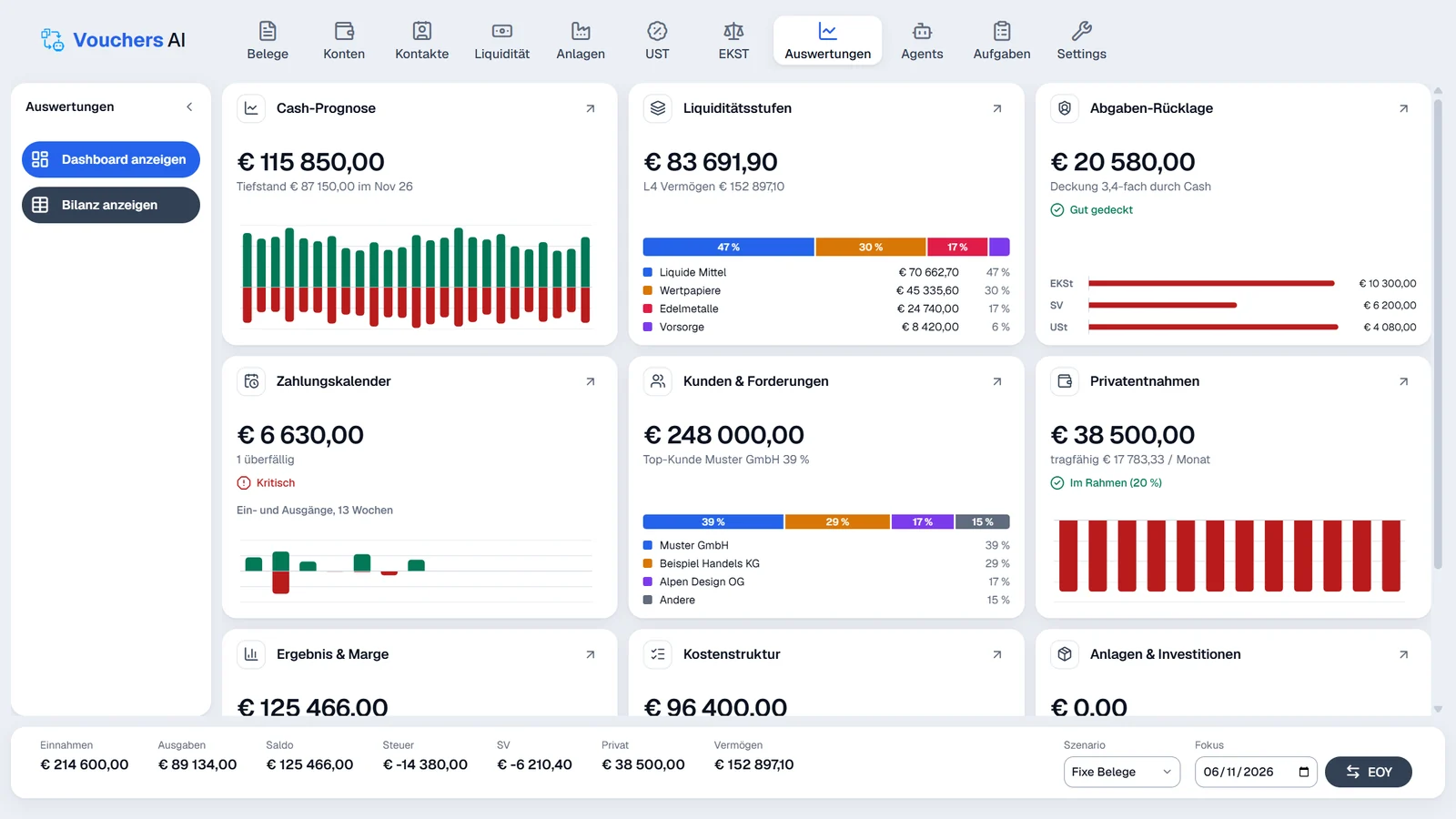
The dashboard shows your cash forecast, liquidity levels, open receivables per customer, owner withdrawals, result and margin and cost structure. Each tile opens its own detail page.
Create invoices from your own template with logo, footer and preview, add your mail signature and send them from the app. A currency calculator converts foreign amounts.
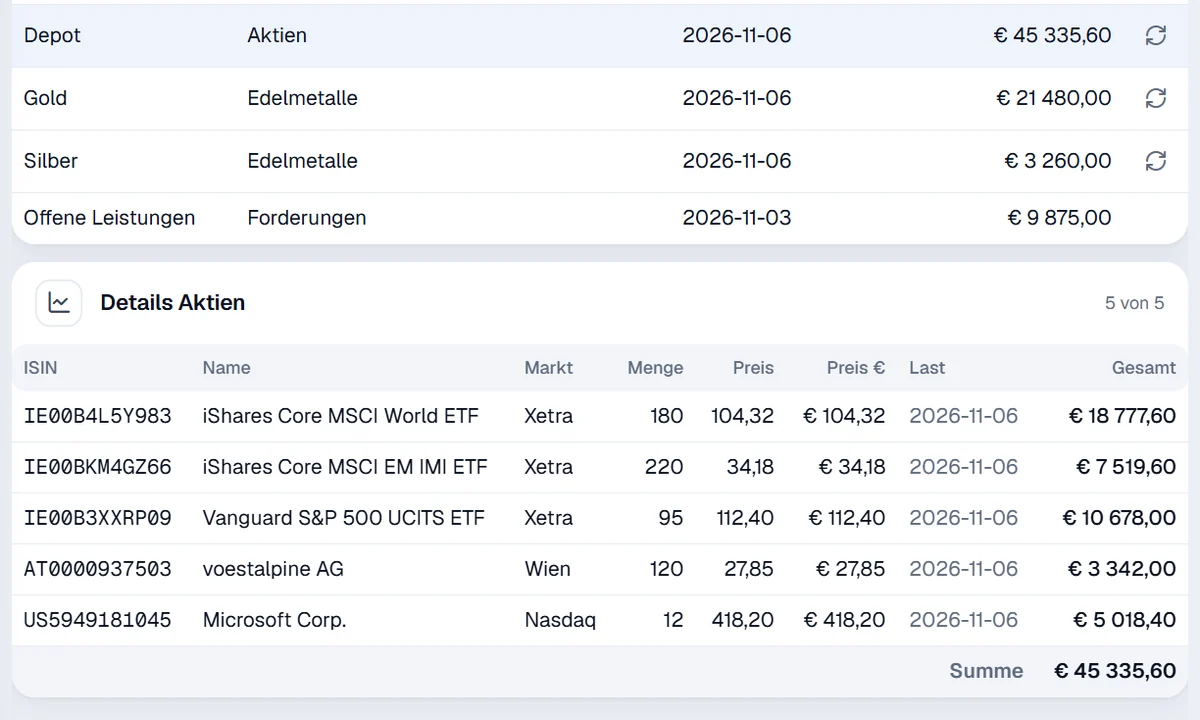
Your holdings with current prices, counted in your liquidity.
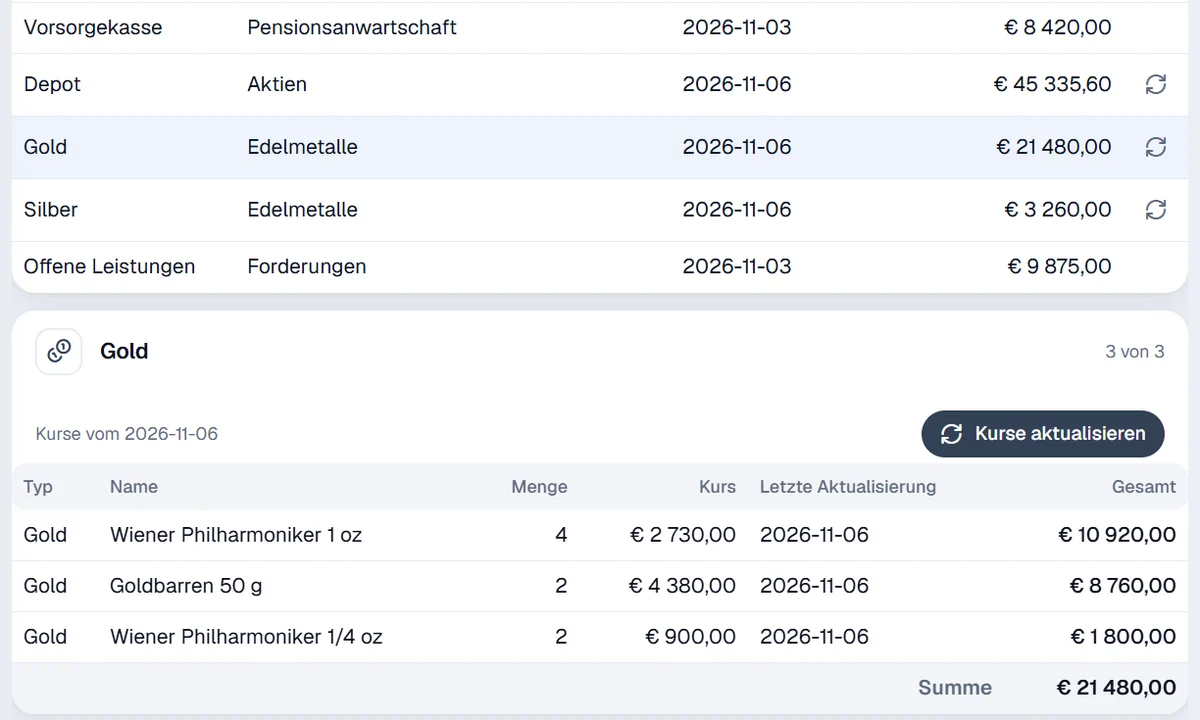
Gold, silver, platinum and palladium valued at current rates.
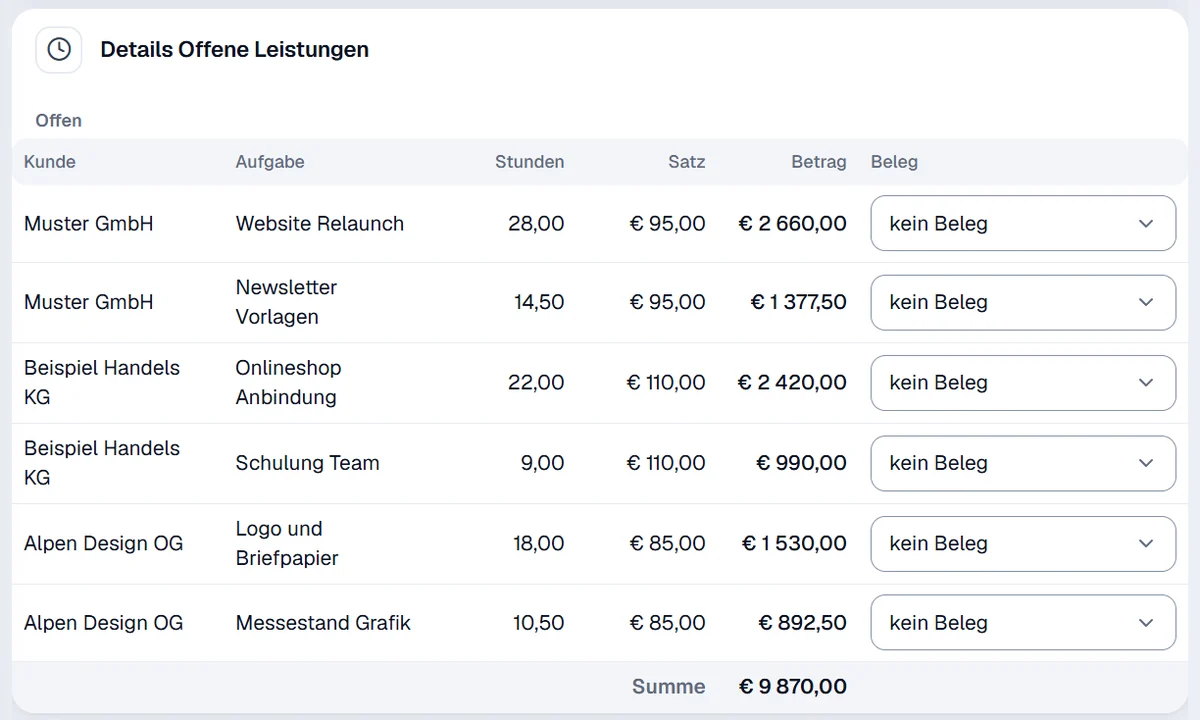
Hours worked for customers, ready to become invoices.