
Storage of Your Choice
The apps of the suite share one storage profile: Azure, S3-compatible cloud storage or the disk of your own server. Every image, clip and video your team makes lands in the storage you chose.
This customized solution sets up the AI image, video and article studio, Claude skills with automated research and time tracking as one suite for your business, on the storage of your choice. Through the connectors of the suite, Claude or the AI of your choice works with your images, videos, skills and hours.
The studio makes AI images and clips in your house style, videos from storyboard to YouTube and articles with a fact check. Your skills and plugins reach your team and partners by email and stay current through scheduled research confirmed at the source. Time tracking records the hours of every project and what each image, clip and narration cost.
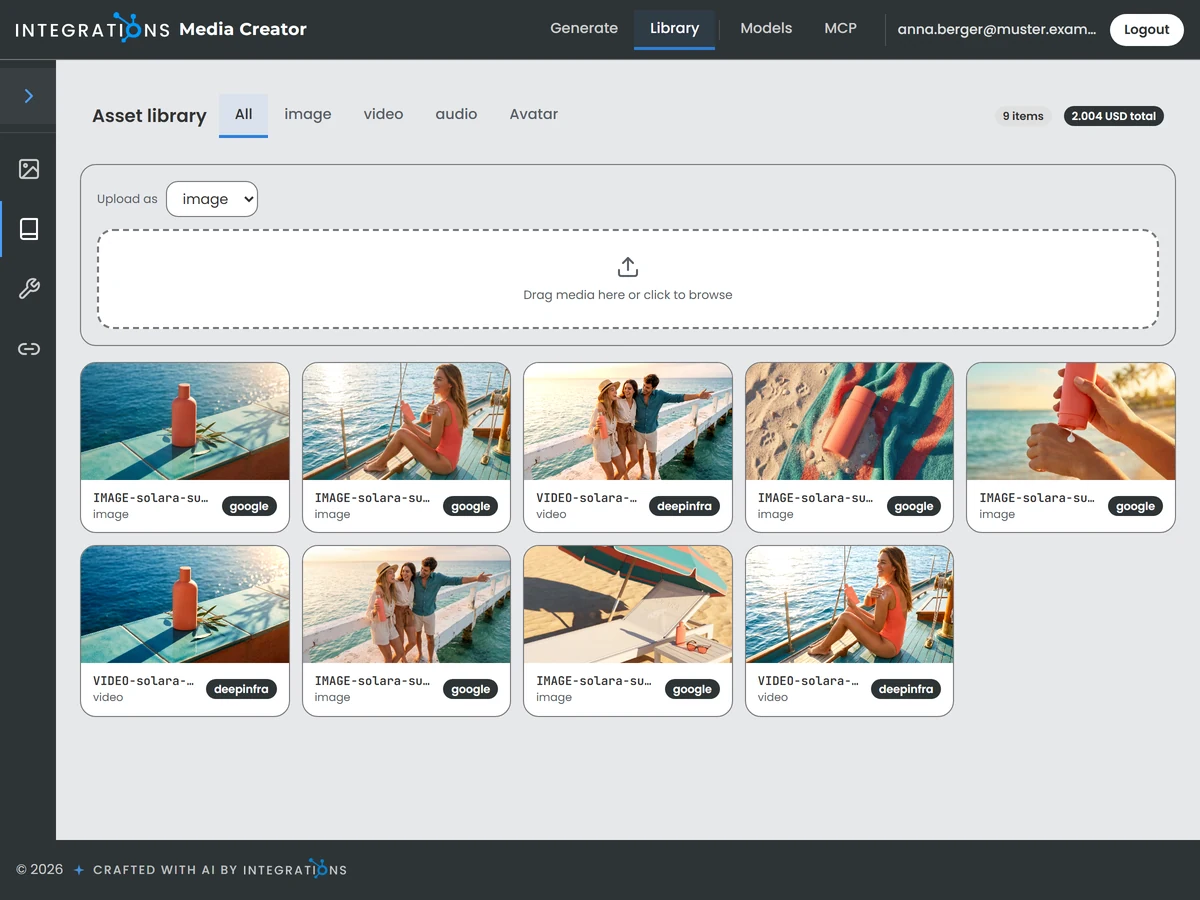
Your team creates AI images and clips in your house style and keeps each of them in one library. The videos of the studio draw their images and clips from this library. The article writer delivers each article with its own image.
Your administrators choose which AI providers and models the studio works with.
The files rest on the storage you chose for the suite. Through its connector, Claude or the AI of your choice creates images and clips in the chat.
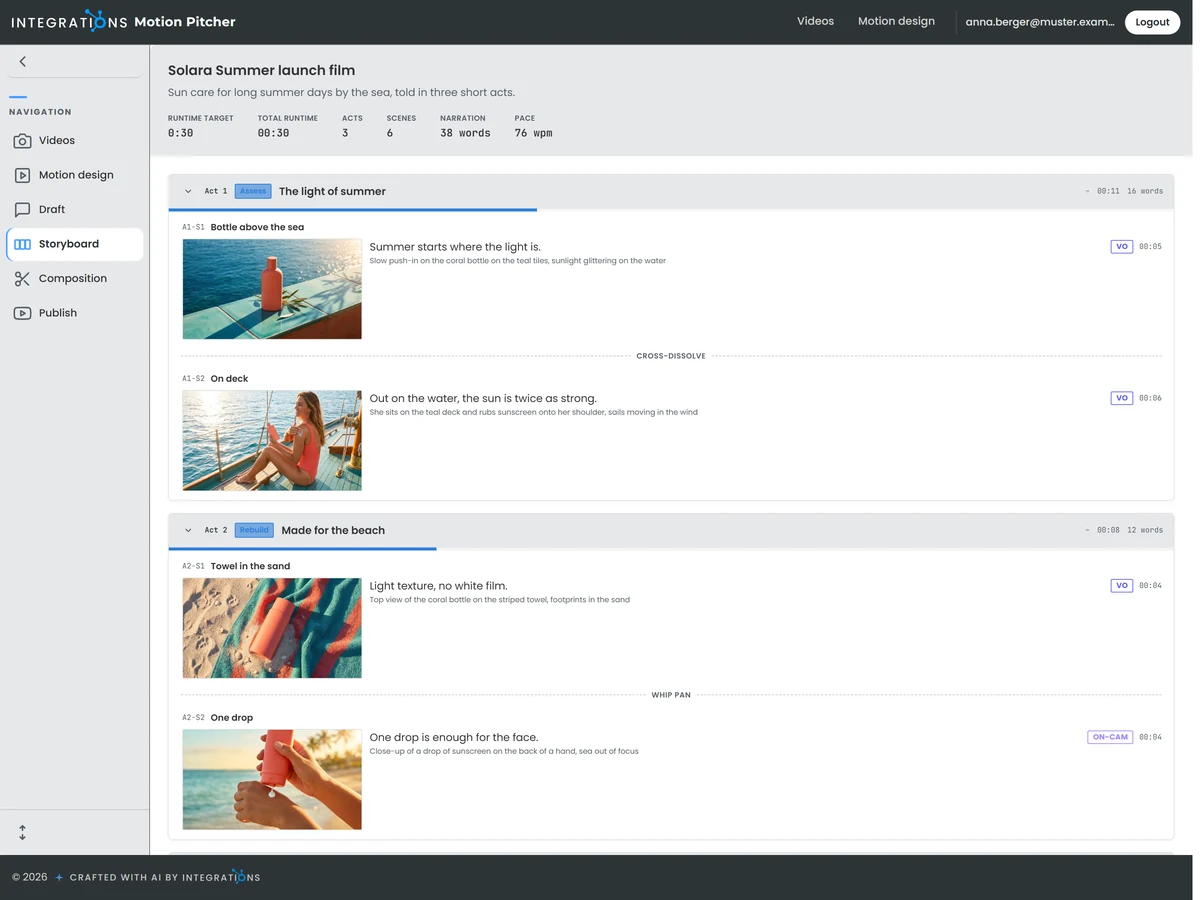
A video takes shape in five steps: draft, pitch, storyboard, composition and publish. The storyboard sets out the video scene by scene, with the images and clips of each scene drawn from the studio library.
You move the video from step to step and publish it to YouTube when it is ready.
Each user's videos sit in a database of their own, with the files on the storage of your choice.
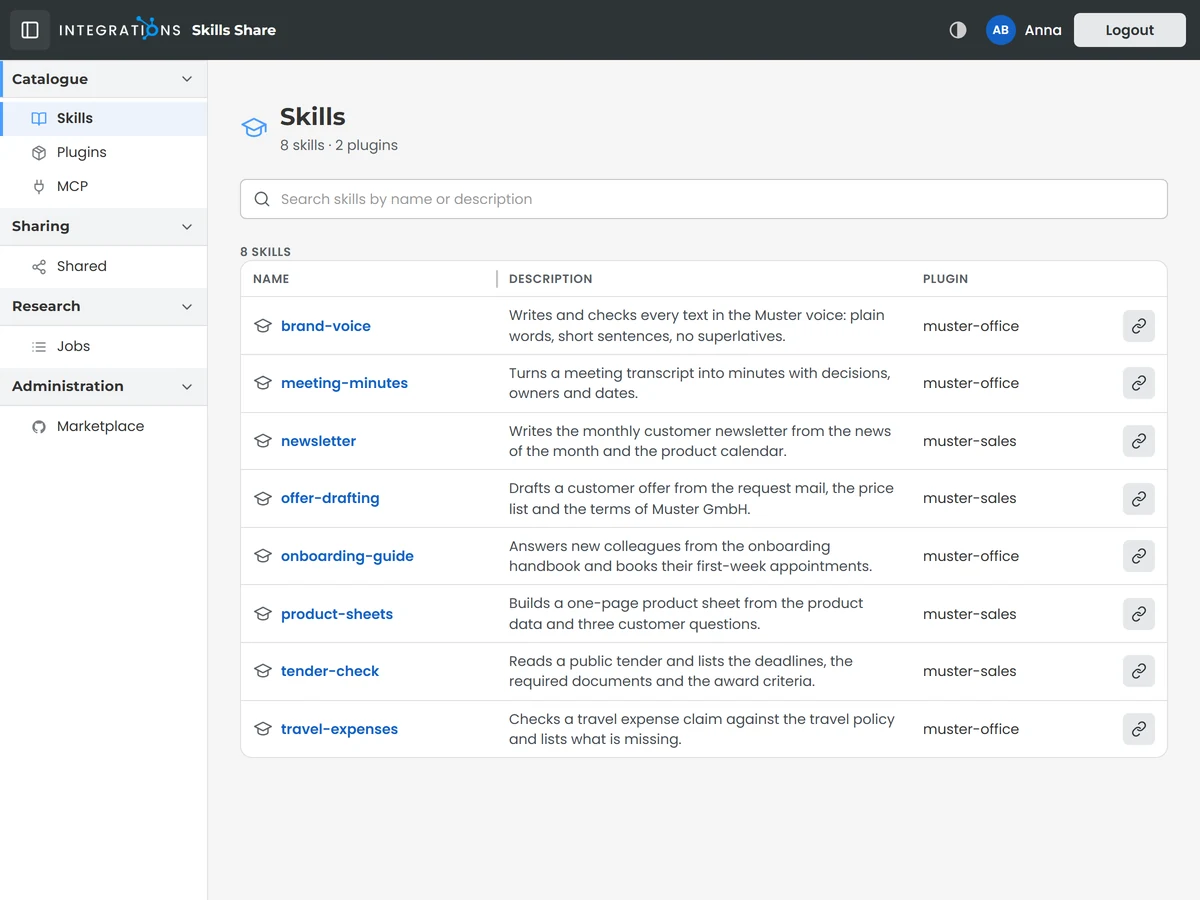
Skills and plugins carry the instructions that tell Claude how your company does a job. Your team keeps them in one catalogue, so colleagues and partners work from the same instructions.
You choose which colleague or partner receives each skill and plugin and send the invitation by email.
Claude or the AI of your choice reaches the catalogue through its connector. Its connect page shows each colleague how to link the catalogue to the AI they work with.
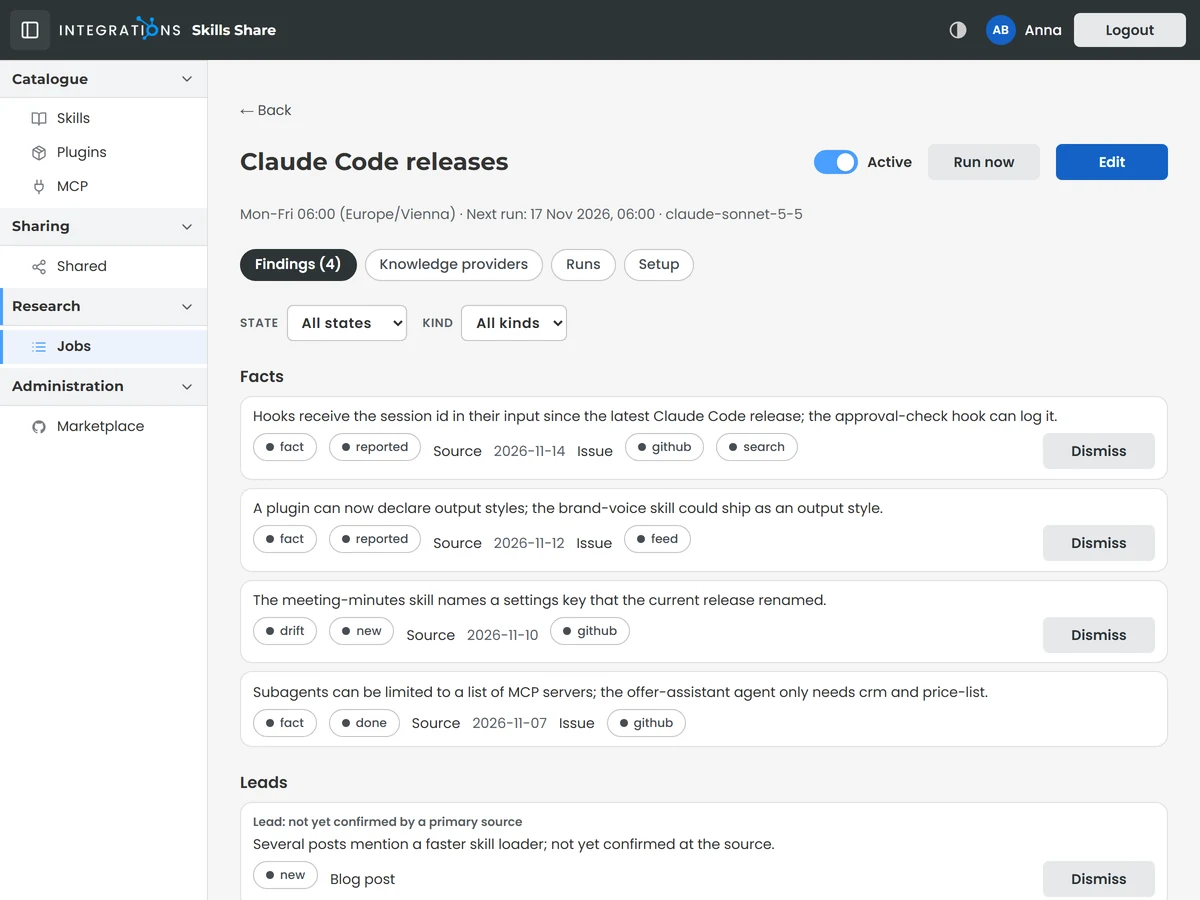
Scheduled research watches the sources your skills depend on and reports each change as a finding. Every finding shows how well its sources confirm it and counts as confirmed once the original source backs it.
You read the findings of each research job and decide what goes into your skills.
Each research job runs on its own schedule. What it found is searchable for your team in the knowledge area of the catalogue.
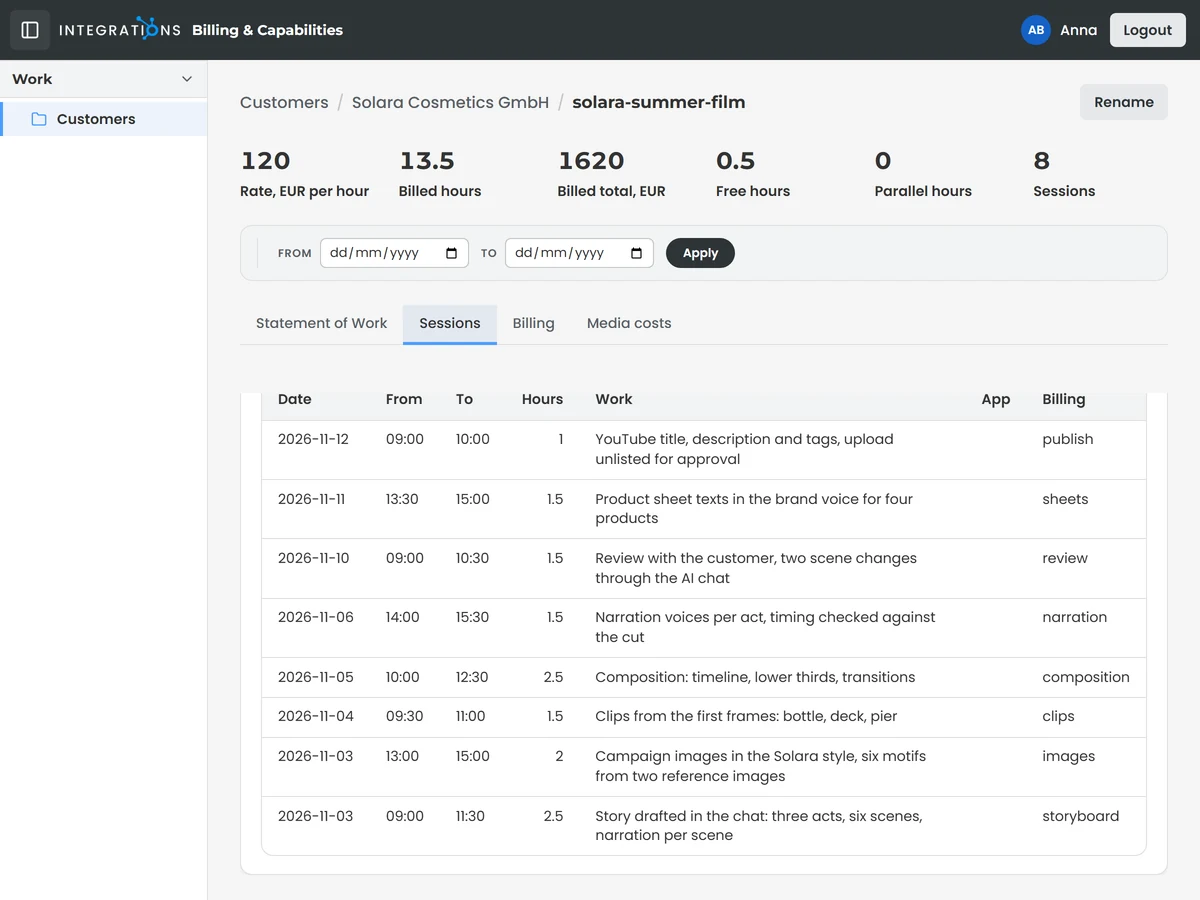
Every project keeps its work sessions with date, start and end time and a plain description of what was done. Beside the sessions, each project holds its statement of work, its billing and its media costs.
You decide which sessions count as billable hours. Billable hours times the customer's hourly rate give the billed value of the project.
Through its connector, Claude or the AI of your choice records sessions and reads the hours of a project in the chat.
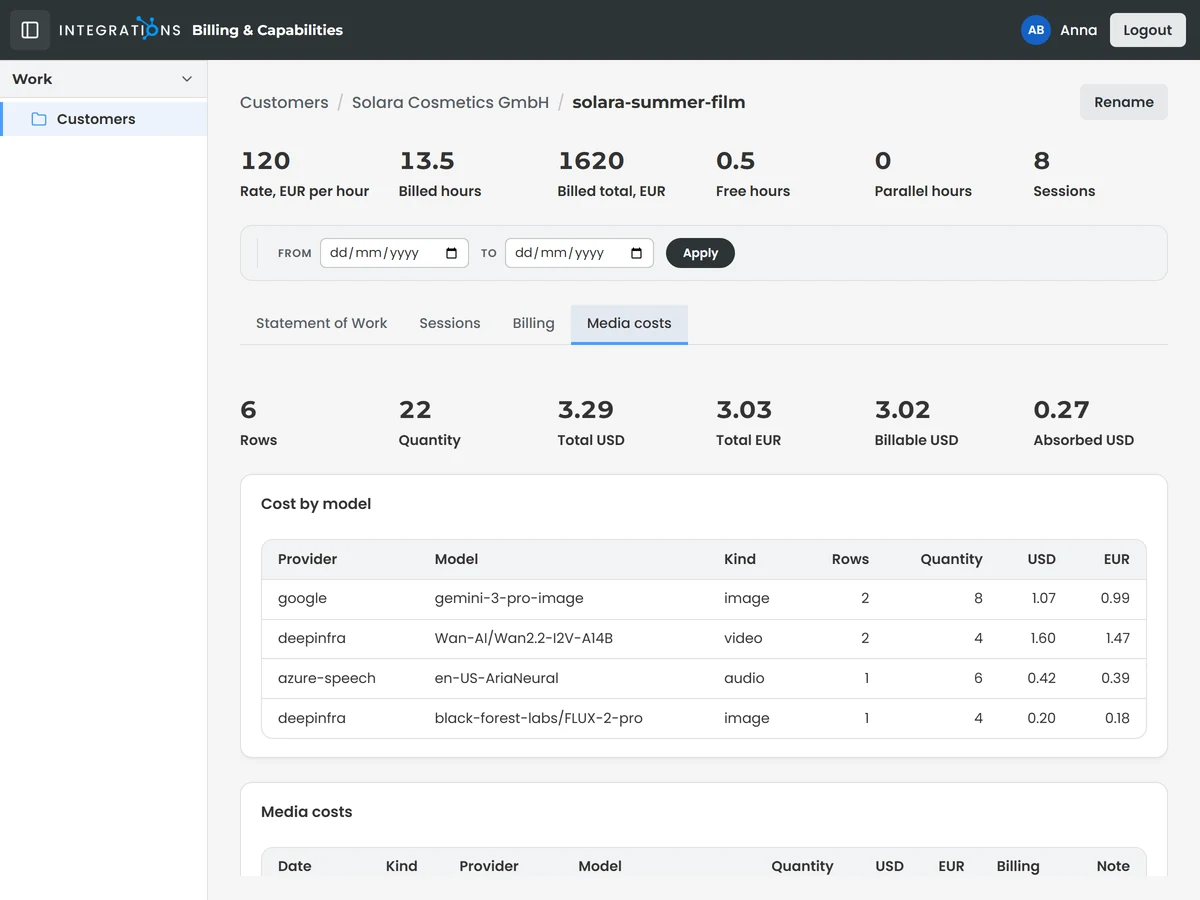
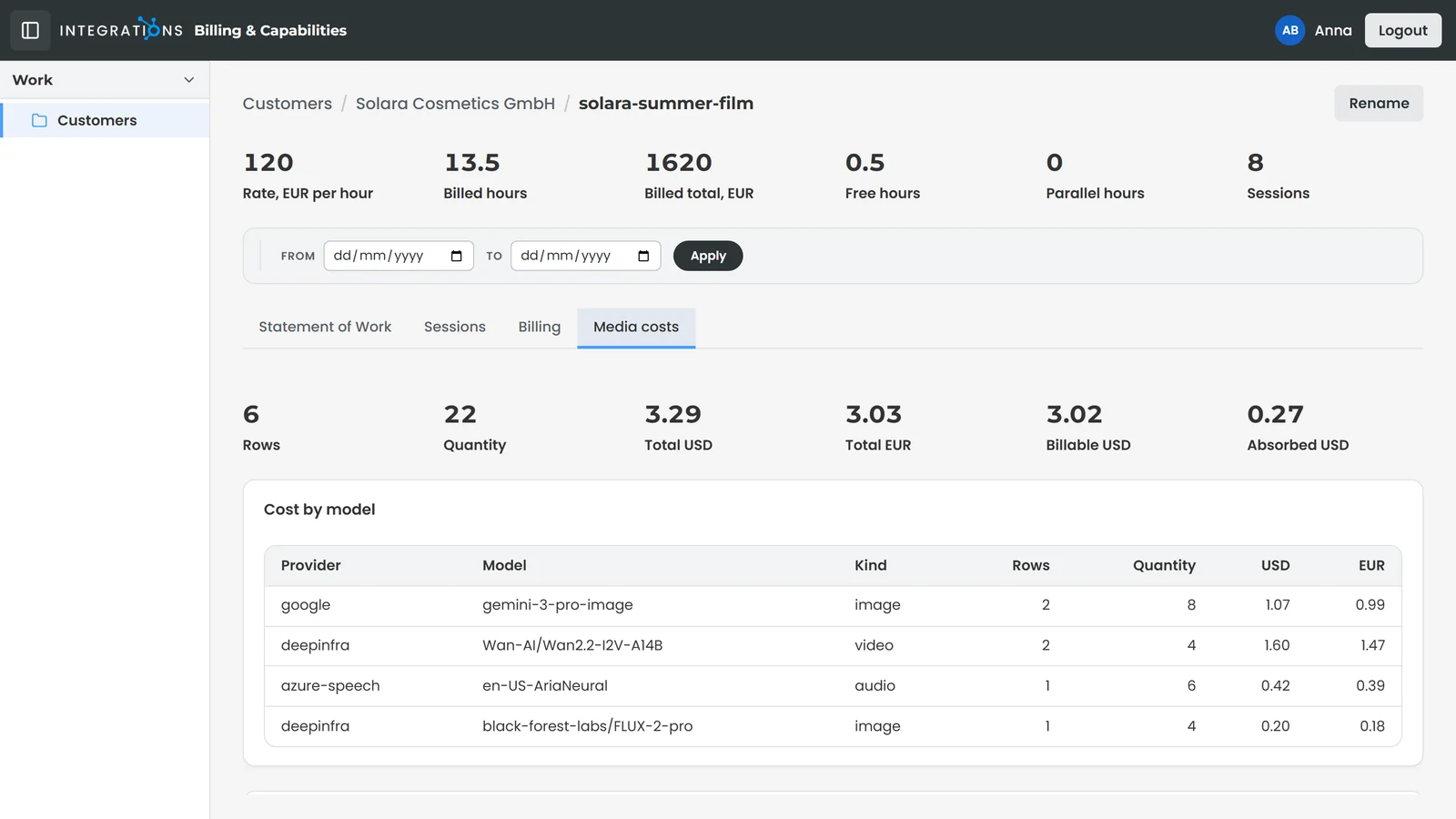
Each project lists what its generated images, clips and narrations cost, item by item. The totals split the spend into the part billed to your customer and the part your business absorbs.
You read the media costs beside the hours of the same project before you bill your customer.
Every image, clip and narration is recorded with its cost against the project it was made for, in US dollars and, where a rate is set, in euros. A breakdown shows the cost per AI provider and model.
The apps of the suite share one storage profile: Azure, S3-compatible cloud storage or the disk of your own server. Every image, clip and video your team makes lands in the storage you chose.
The apps for images, videos and hours give each user a database of their own, so the work of one person stays apart from the work of their colleagues.
The apps for images, videos, skills and hours speak MCP, the open standard AI apps use to work with tools and data. Claude or the AI of your choice creates images, opens your skills and records hours.
The first time a person opens the apps for images, videos or hours, a setup wizard prepares their own space: the database their work goes to and the storage their files land in.
Read the hours worked by day, week or month and per project or customer, with the billed value beside each figure, so you see where the time of your business goes.
The statement of work of each project is built from its work sessions and grouped by task, so your customer reads in plain words what was done and where the hours went.
Articles for your website, written in Claude and previewed before they go live.
Partners outside your company work with the skills and plugins you share with them.
The image and clip models of your choice, each prompt previewed before any spend.